
Defender Challenge Turbo GT
 | Outdated Product In addition to the colorful design and ergonomic shape, the model also boasts an excellent set of features that allow you to make the process of driving a virtual car more realistic. So, to control the gas / brake system, a separate unit with the corresponding pedals is provided, and there is also a lever for gear shifting. Vibration feedback system allows the device to respond to various gaming moments, such as hitting, driving on a bad road, etc. Other controls include a set of 10 function buttons. |


We recommend products in stockSteering Wheels Defender →
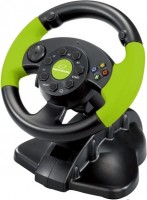
steering wheel and pedals, поворот steering wheel 180°, pedals: accelerator, brake, buttons 13, D-pad, compatibility: PS3, Xbox, Windows
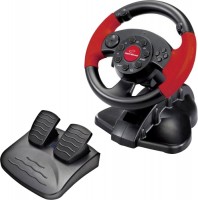
steering wheel and pedals, поворот steering wheel 180°, pedals: accelerator, brake, buttons 13, D-pad, compatibility: PS3, Windows
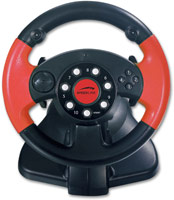
steering wheel and pedals, pedals: accelerator, brake, buttons 10, D-pad, compatibility: Windows
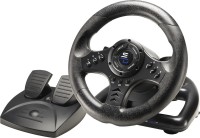
steering wheel and pedals, поворот steering wheel 180°, pedals: accelerator, brake, buttons 14, compatibility: PS3, PS4, Xbox, Switch, Windows
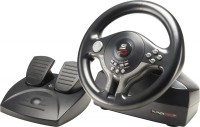
steering wheel and pedals, поворот steering wheel 180°, pedals: accelerator, brake, buttons 11, D-pad, compatibility: PS3, PS4, Xbox, Switch, Windows
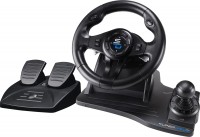
steering wheel and pedals, поворот steering wheel 270°, pedals: accelerator, brake, buttons 14, compatibility: PS3, PS4, Xbox, Windows

steering wheel and pedals, поворот steering wheel 180°, pedals: accelerator, brake, buttons 13, sticks, D-pad, compatibility: PS5, Windows
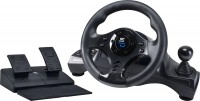
steering wheel and pedals, поворот steering wheel 270°, pedals: accelerator, brake, buttons 14, D-pad, compatibility: PS3, PS4, Xbox, Windows
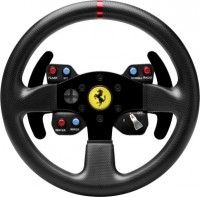
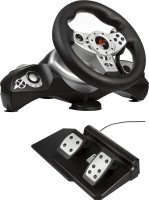
steering wheel and pedals, pedals: accelerator, brake, buttons 9, D-pad, compatibility: Xbox, Windows
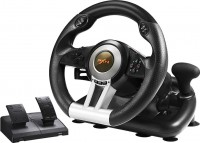
steering wheel, pedals and КПП, pedals: accelerator, brake, buttons 11, D-pad, compatibility: PS3, PS4, Xbox, Switch, Windows
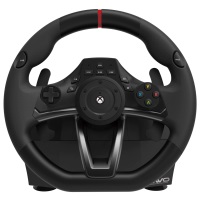
steering wheel and pedals, поворот steering wheel 270°, pedals: accelerator, brake, buttons 16, D-pad, compatibility: Xbox, Windows
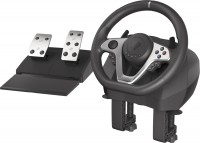
steering wheel and pedals, поворот steering wheel 270° – 900°, pedals: accelerator, brake, buttons 15, sticks, D-pad, compatibility: PS3, PS4, Xbox, Switch, Windows
Defender Challenge Turbo GT | |||||||||||||||||||||||||
| |||||||||||||||||||||||||
In addition to the colorful design and ergonomic shape, the model also boasts an excellent set of features that allow you to make the process of driving a virtual car more realistic. So, to control the gas / brake system, a separate unit with the corresponding pedals is provided, and there is also a lever for gear shifting. Vibration feedback system allows the device to respond to various gaming moments, such as hitting, driving on a bad road, etc. Other controls include a set of 10 function buttons.
The information in the model description is for reference purposes.
Always clarify the specifications and configuration of the product with the online store manager before purchasing.
Catalog Defender 2026 - new arrivals, bestsellers, and the most relevant models Defender.
Always clarify the specifications and configuration of the product with the online store manager before purchasing.
Catalog Defender 2026 - new arrivals, bestsellers, and the most relevant models Defender.

0 0 5 1 |
it's worth buying if you need a no-fuss steering wheel, then this one is perfect. a small and convenient gaming steering wheel. It takes up hardly any space on the desk, yet it's very comfortable for gaming. Another advantage is the strong suction cups that keep the wheel from wobbling during play. Pedals: They're quite successful here too, as they're a good size and have a nice springiness. the only drawback, in my opinion, is the lack of pedal mounts. Everything else is fine.  Kirill: use Defender Challenge Turbo GT few months i recommend it should buy Kirill: use Defender Challenge Turbo GT few months i recommend it should buy |
decided to go learn to drive. And my younger brother installed some traffic rules simulator and lent me his gaming steering wheel :) I'm happy :) Now the game is so realistic, it's so gripping. I realized I still have a lot to learn :) the size is convenient, there is a reasonable number of buttons, they don't get in the way of your fingers, and there is a special coating to prevent hands from slipping. It stays well on the table (with suction cups for mounting). Very smooth control. the pedals are a bit stiff to use out of habit  Marina: just bought Defender Challenge Turbo GT Marina: just bought Defender Challenge Turbo GT |
i chose not only based on price-quality but also on the steering wheel tilt. Here, the tilt seemed to me to be the closest to a real car. Sometimes, the steering wheel is almost parallel to the table, and it's impossible to play on those. There's no such problem here. good handling, high-quality execution of all parts, excellent assembly, the placement of the gearshift handle is quite successful, sturdy mounting, easy setup the pedals aren't well thought out. If you get too carried away, they'll slide across the floor. Dmitriy: use Defender Challenge Turbo GT few months |
3 out of 6 user review(s) shown
3 more user review(s)
From the press release:
The versatile Defender Challenge Turbo gaming steering wheel is great for a wide variety of racing simulations. The steering wheel has a full set of control keys, two steering column switches and a view switch.
Rubber coating with ergonomic finger grooves for a secure grip. The angle of inclination of the steering axis is less than 45 degrees - the steering wheel does not obscure the monitor and nothing distracts the player from the track. To create the effect of realistic racing, located on a stable stand, the pedals are shaped differently, like ordinary car pedals. Connecting the steering wheel to the computer is via a USB port and takes a few seconds.
A big plus of the Defender Challenge Turbo is the possibility of alternative mounting to the surface. You can fix the steering wheel on the table using traditional suction cups, or you can supplement them with a clamp included in the package, which fixes the manipulator as securely as possible and prevents the steering wheel from slipping at the sharpest turn.
The versatile Defender Challenge Turbo gaming steering wheel is great for a wide variety of racing simulations. The steering wheel has a full set of control keys, two steering column switches and a view switch.
Rubber coating with ergonomic finger grooves for a secure grip. The angle of inclination of the steering axis is less than 45 degrees - the steering wheel does not obscure the monitor and nothing distracts the player from the track. To create the effect of realistic racing, located on a stable stand, the pedals are shaped differently, like ordinary car pedals. Connecting the steering wheel to the computer is via a USB port and takes a few seconds.
A big plus of the Defender Challenge Turbo is the possibility of alternative mounting to the surface. You can fix the steering wheel on the table using traditional suction cups, or you can supplement them with a clamp included in the package, which fixes the manipulator as securely as possible and prevents the steering wheel from slipping at the sharpest turn.