
Microsoft Surface Pro 4 1 TB
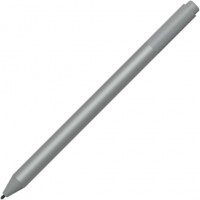
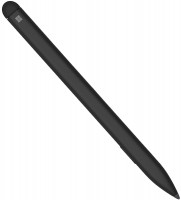
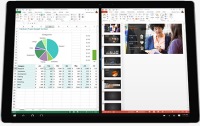 | Outdated Product An advanced tablet, designed, in accordance with the name, for professional use. This model is the top of the line: it not only has a 1 TB drive, but also is equipped with a powerful Core i7 processor in combination with Iris graphics and 16 GB of RAM. The display with a diagonal of 12.3 "has a resolution of 2736x1824, and you can use the included Surface Pen stylus to work with it. The Microsoft Surface Pro 4 tablet is equipped with Wi-Fi ac and Bluetooth 4.0 modules, there is a USB 3.0 port for connecting peripherals, and the role of the video output is played by miniDisplayPort: Made of metal with a flip-out stand, Windows 10 Pro operating system. |


Microsoft Surface Pro 4 1 TB
System:Windows 10
Display Diagonal:12.3 "
Resolution:2736x1824 px
Memory size:1024 GB, RAM 16 GB
Camera:8 MP
Selfie camera:5 MP
Battery capacity:5087 mAh
Housing material:metal
Weight:766 g
Large 12.3" screen. 16 GB of RAM. MiniDisplayPort video output. Stylus with eraser and magnetic holder included. Folding stand.
This version is only available with a Core i7 processor and 16 GB of RAM.
An advanced tablet, designed, in accordance with the name, for professional use. This model is the top of the line: it not only has a 1 TB drive, but also is equipped with a powerful Core i7 processor in combination with Iris graphics and 16 GB of RAM. The display with a diagonal of 12.3 "has a resolution of 2736x1824, and you can use the included Surface Pen stylus to work with it. The Microsoft Surface Pro 4 tablet is equipped with Wi-Fi ac and Bluetooth 4.0 modules, there is a USB 3.0 port for connecting peripherals, and the role of the video output is played by miniDisplayPort: Made of metal with a flip-out stand, Windows 10 Pro operating system.
All specifications
Specifications Surface Pro 4 1TB
|
| ||||||||||||||||||||||||||||||||||||||||||||||||||||||||||||||||||||||||||||||||||||||||||||


The information in the model description is for reference purposes.
Always clarify the specifications and configuration of the product with the online store manager before purchasing.
Catalog Microsoft 2026 - new arrivals, bestsellers, and the most relevant models Microsoft.
Always clarify the specifications and configuration of the product with the online store manager before purchasing.
Catalog Microsoft 2026 - new arrivals, bestsellers, and the most relevant models Microsoft.

Which Processor Is Best for Choosing a Tablet?Process videos in 4K, draw in Procreate, play on ultra settings?

How to choose a tablet for different tasksIdeally, the tablet should be tailored to the specific needs of the user
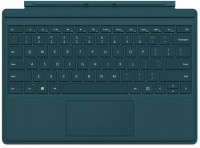
I bought this as a replacement for both a tablet and a laptop in one device. Considering the considerable price even for the most basic modifications, I decided to choose the configuration so I wouldn't regret not paying a couple of extra thousand to get a better processor or a twice as capacious SSD. At the time of purchase, the choice was between the 3rd and 4th generations; the latter, even though it was more expensive considering the similar characteristics, clearly had significant improvements, which is why I chose it. The first thing worth praising is the display, 12.3 inches with record resolution which is great for a tablet. For a laptop, which it is about 70% of the time, such a resolution is clearly excessive, as many applications are adapted for a maximum of full HD, requiring additional scaling mode here. It seems that Microsoft knew about the future inconveniences, but instead of reasonable resolution, they made software patches to eliminate these problems. The performance is quite sufficient for typical office tasks and non-demanding programs, but because they packed the top laptop's internals into a thin case, it heats up quickly, and the fan starts to make noise, practically all the time. However, the case itself, probably thanks to being made of aluminum, dissipates heat well and does not overheat to uncomfortable temperatures. The keyboard impressed me, the keys are well spaced, and the touchpad is large, making it convenient to use in laptop mode. Full desktop Windows 10. Good performance. Good cameras, especially the front one. Port for connecting external display. one USB port, even though the case allows for at least 4. excessive display resolution. makes noise even in less demanding scenarios. use Microsoft Surface Pro 4 256GB month or more |
Buy it if you need it for mobile work, presentations, and the wow-effect during negotiations. User experience: 5+ BUT. Instead of "super high and unnecessary" resolution, I would appreciate longer battery life, not just 5 hours. 8-9 hours - the tablet DOES NOT WORK. For anyone. A friend has the same one (i3) with a maximum of 6 hours, realistically 5. Very high cost of additional accessories. Very weak stylus. IMPORTANT - I'll repeat - if the screen cracks, you have to throw away the tablet, so think in advance about cases and screen protectors. All you need, lightweight, stylish, very convenient, a replacement for laptop + tablet =100%. Incredible ease of use. With my "tough usage," I can point out all the weak spots. I've been using it since January, so all the flaws have already surfaced. The most important thing is that the tablet is irreparable; if something happens to the screen (cracks/drops), there's no way to fix it—just save up for a new device :) like me, for example :( 1. There's no point in buying the keyboard (fingerprint scanner), just go for a simple one. 2. Windows crashed three times in half a year, restored itself, and rebooted each time. 3. All these Windows face recognition features are more annoying, turned them off after a month. 4. Stylus. The stylus is very cool BUT A. They removed (for some reason) the ability to customize the button functions on the stylus that used to be there. Now nothing can be reassigned. B. The stylus is very fragile, especially at the "pen tip," I replaced it twice in six months. A slight bump against the table or screen can cost you $100 for a new one. Meanwhile, the Samsung stylus on my Samsung has been working for 3 years without issues. :( 5. When purchasing, pay very close attention to the screen/matrix when it's black upon turning on. If white spots show up, don't buy it. I had one at purchase, and after six months, there were five. While it's not a big deal for work, when the matrix "dies" on an $800 device, it's not great. 6. Definitely get the Arc Touch Mouse because it doesn't need a USB adapter and folds into a "strip"—an amazingly convenient thing. 7. The tablet doesn't operate for the advertised time at all—maximum of 5 hours, and that's if you don't "dim" the screen too much and don't worry about WiFi, etc. 8. It takes quite a long time to charge. use Microsoft Surface Pro 4 128GB month or more i recommend it should buy |
bought in Warsaw. Various glitches appeared immediately, but it was tolerable. After 4 months the matrix flew away - it does not respond to the finger and clicks spontaneously. sent it to Warsaw - Microsoft was confused for a month and then refused to fix it for free because they saw a tiny scratch on the case. which, by the way, appeared much earlier and had nothing to do with the glitch. They offered to repair it for money, but the price of the repair was equal to the price of the tablet!!!! In general, Microsoft are scammers!!! The stylus lasts for a month because the magnet does not hold tightly and it will constantly fall - get ready to pay 100 bucks monthly closed after 4 months service use Microsoft Surface Pro 4 128GB month or more |
Add Review
Additional features tablet Microsoft Surface Pro 4 1TB:
- The presence of a folding stand
- Mini Display Port
- Proximity sensor, magnetometer
We recommendCompare using chart →
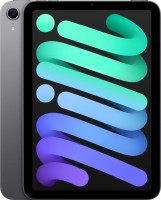
screen 8.3 ", 2266х1488 px, 60 Hz, iPadOS, memory 256 GB, RAM 8 GB, powerful, Apple A17 Pro (Apple GPU), camera: 12 MP, fullHD 60 fps, filming 4K, slow-mo 240 fps, selfie 12 MP, no SIM card support, USB-C ≥ 5Gbps, DisplayPort, Wi-Fi 6E (802.11ax), stereo, no mini-Jack 3.5 mm, capacious battery, ultrathin, weight 293 g

screen 11 ", 2360х1640 px, 60 Hz, HDR, Dolby Vision, iPadOS, memory 128 GB, RAM 12 GB, powerful, Apple M4 (Apple GPU), camera: 12 MP, fullHD 60 fps, filming 4K, slow-mo 240 fps, selfie 12 MP, no SIM card support, USB-C ≥ 5Gbps, DisplayPort, Wi-Fi 7 (802.11be), stereo, Dolby Atmos, no mini-Jack 3.5 mm, ultrathin, weight 464 g

screen 13 ", 2752x2064 px, 120 Hz, HDR, Dolby Vision, iPadOS, memory 256 GB, RAM 12 GB, powerful, Apple M5 (Apple GPU), camera: double, 12 MP, fullHD 60 fps, filming 4K, slow-mo 240 fps, selfie 12 MP, no SIM card support, USB4, DisplayPort, Wi-Fi 7 (802.11be), stereo, Dolby Atmos, no mini-Jack 3.5 mm, capacious battery, ultrathin, weight 579 g

screen 11 ", 2560x1600 px, 90 Hz, Android 15, memory 128 GB, RAM 8 GB, Dimensity 6300 (Mali-G57), microSD, camera: 8 MP, selfie 5 MP, no SIM card support, GPS, Wi-Fi 5 (802.11aс), stereo, Dolby Atmos, dustproof & waterproof, capacious battery, ultrathin, weight 480 g
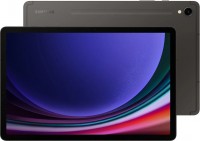
screen 11 ", 2560x1600 px, 120 Hz, HDR, Android 13, memory 128 GB, RAM 8 GB, powerful, Snapdragon 8 Gen 2 (Adreno 740), microSD, camera: 13 MP, filming 4K, selfie 12 MP, no SIM card support, GPS, Wi-Fi 6E (802.11ax), stereo, no mini-Jack 3.5 mm, stylus, dustproof & waterproof, capacious battery, ultrathin, weight 498 g

screen 14.6 ", 2960x1848 px, 120 Hz, HDR, Android 16, memory 256 GB, RAM 12 GB, powerful, Dimensity 9400+ (Immortalis-G925), microSD, camera: double, 13 MP, 8 MP, filming 4K, selfie 12 MP, no SIM card support, USB-C ≥ 5Gbps, Wi-Fi 7 (802.11be), stereo, no mini-Jack 3.5 mm, stylus, dustproof & waterproof, capacious battery, ultrathin, weight 692 g

screen 8.7 ", 1340х800 px, 90 Hz, Android 15, memory 128 GB, RAM 8 GB, Helio G99 (Mali-G57), microSD, camera: 8 MP, selfie 5 MP, GPS, Wi-Fi 5 (802.11aс), stereo, Dolby Atmos, capacious battery, weight 337 g
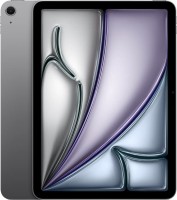
screen 11 ", 2360х1640 px, 60 Hz, HDR, Dolby Vision, iPadOS, memory 128 GB, RAM 8 GB, powerful, Apple M3 (Apple GPU), camera: 12 MP, fullHD 60 fps, filming 4K, slow-mo 240 fps, selfie 12 MP, no SIM card support, USB-C ≥ 5Gbps, DisplayPort, Wi-Fi 6E (802.11ax), stereo, Dolby Atmos, no mini-Jack 3.5 mm, ultrathin, weight 460 g
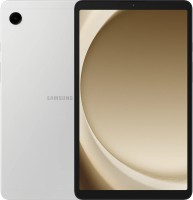
screen 8.7 ", 1340х800 px, 60 Hz, Android 13, memory 64 GB, RAM 4 GB, Helio G99 (Mali-G57), microSD, camera: 8 MP, selfie 2 MP, no SIM card support, GPS, Wi-Fi 5 (802.11aс), stereo, Dolby Atmos, capacious battery, weight 333 g

screen 12.1 ", 2560x1600 px, 120 Hz, HDR, Dolby Vision, Android 15, memory 256 GB, RAM 8 GB, powerful, Snapdragon 7s Gen 4 (Adreno 810), microSD, camera: 8 MP, selfie 8 MP, no SIM card support, Wi-Fi 6 (802.11ax), stereo, capacious battery, weight 610 g
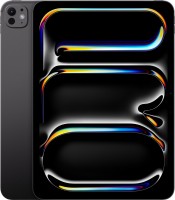
screen 11 ", 2420x1668 px, 120 Hz, HDR, Dolby Vision, iPadOS, memory 256 GB, RAM 8 GB, powerful, Apple M4 (Apple GPU), camera: double, 12 MP, fullHD 60 fps, filming 4K, slow-mo 240 fps, selfie 12 MP, no SIM card support, USB4, Wi-Fi 6E (802.11ax), stereo, Dolby Atmos, no mini-Jack 3.5 mm, ultrathin, weight 444 g

screen 11 ", 1920x1200 px, 90 Hz, Android 15, memory 128 GB, RAM 6 GB, Dimensity 7300 (Mali-G615), microSD, camera: 8 MP, selfie 5 MP, no SIM card support, GPS, Wi-Fi 5 (802.11aс), stereo, Dolby Atmos, capacious battery, ultrathin, weight 477 g