
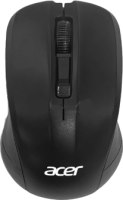
Acer OMR010
 |


We recommend products in stockMice Acer →

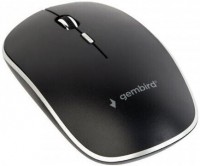
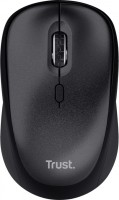
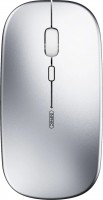
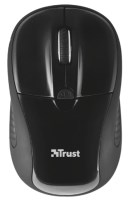

laptop (compact), radio, buttons: 3, + wheel, свитчи: up to 3 mln, sensor 1600 DPI, 1xAA
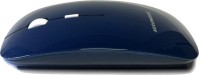
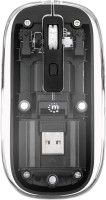
Acer OMR010 | ||||||||||||||||||||||||||||||||||||||||||||||||
|
| |||||||||||||||||||||||||||||||||||||||||||||||


The information in the model description is for reference purposes.
Always clarify the specifications and configuration of the product with the online store manager before purchasing.
Catalog Acer 2026 - new arrivals, bestsellers, and the most relevant models Acer.
Always clarify the specifications and configuration of the product with the online store manager before purchasing.
Catalog Acer 2026 - new arrivals, bestsellers, and the most relevant models Acer.

How to choose a gaming mouseWe'll look at grip types, sensor sensitivity, pushbutton switches, and other important nuances

How to choose a mouse for games, office tasks and creative workLet's explore the nuances of the computer mouse market together and find the perfect options that match your requirements
AccessoriesAll accessories for Acer OMR010 →
















Model overview based on user reviews
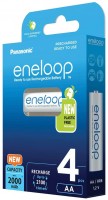
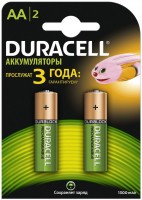
The Acer OMR010 mouse is a well-regarded choice for those seeking an affordable and reliable wireless option. Users appreciate its matte finish on top, which prevents fingers from slipping, and its high-quality plastic build. The mouse is ergonomically designed, fitting comfortably in hand, and is suitable for both left-handed and right-handed users due to its symmetrical design. It features a DPI adjustment button, allowing users to change sensitivity settings easily. The wireless connection is stable up to 10 meters, and the included battery lasts about six months. The mouse is praised for its quiet clicks and smooth scrolling, making it pleasant to use for extended periods without wrist discomfort. Overall, it is considered an excellent value for money, with users recommending it for both work and casual gaming.
Pros
Cons
0 0 2 4 |
fits perfectly in the hand and is comfortable to use, at the end of the day the wrist does not hurt The price is not bad, the click of the keys is very quiet and the scrolling of the wheel is clear and also silent. In principle, it’s pleasant to use here and the ergonomics are at the level and quality of materials is good neas  Emmanuil: use Acer OMR010 few months Emmanuil: use Acer OMR010 few months |
I prefer a wireless mouse over a wired one. It's much more convenient to connect via a USB receiver, and it can be hidden in the body during transport. The included battery lasted about six months. The keys move quietly and softly. I set the sensor resolution to a medium value. The matte plastic is pleasant to the touch and looks solid. Suitable for left-handed users, high-quality plastic, maintains signal with the adapter up to 10 meters. In my opinion, there is none Valentina: use Acer OMR010 few months |
An excellent option for the money. Moreover, the mouse is wireless. It's the right size for me, my hand fits comfortably on it, and the plastic on top is matte. It quickly connects to the computer, no need to download additional settings. If you delve into the computer settings, you can also increase the precise positioning. I set the sensitivity of the sensor to maximum, it’s more familiar. I definitely recommend it. Possibility of changing sensitivity, matte plastic, high-quality assembly. No complaints Vasya: use Acer OMR010 more than year |
3 out of 6 user review(s) shown
3 more user review(s)