
Ergo GP-300
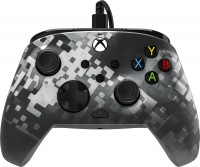
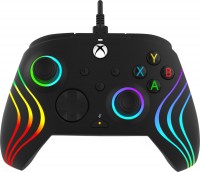
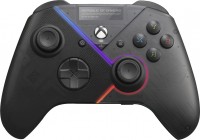
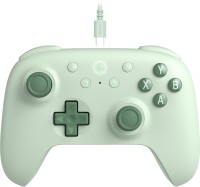
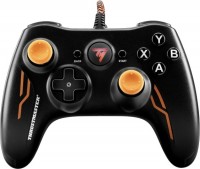
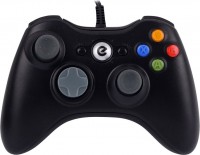 | Outdated Product Classic entry-level wired gamepad for use with Windows PCs and Microsoft Xbox gaming consoles. The model belongs to the entry level and is intended for ordinary users who do not need complex controls, a touch panel, built-in vibration motors or a huge number of additional keys. Ergo GP-300 uses the Xbox gamepad layout as a button layout: 4 main ABXY keys are responsible for the main actions in the game, 4 side triggers are needed for secondary functions, and a four-way D-Pad and a pair of sticks are responsible for moving the game character and controlling the camera. The ergonomic design of the controller greatly improves the grip and also reduces the strain on the hands without tiring the hands even after several hours of continuous play. The connection is made via the USB interface. The...gamepad does not require complex installation - just plug it in and you can start playing. |




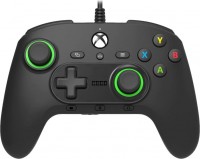
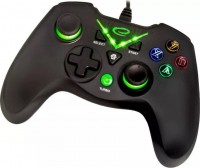
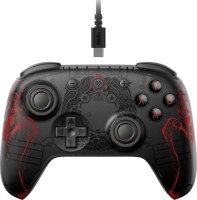
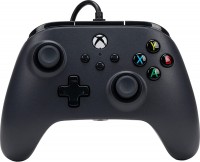
Ergo GP-300 | |||||||||||||||||||||||||||||||||||||||||||||||||||||
|
| ||||||||||||||||||||||||||||||||||||||||||||||||||||

Classic entry-level wired gamepad for use with Windows PCs and Microsoft Xbox gaming consoles. The model belongs to the entry level and is intended for ordinary users who do not need complex controls, a touch panel, built-in vibration motors or a huge number of additional keys. Ergo GP-300 uses the Xbox gamepad layout as a button layout: 4 main ABXY keys are responsible for the main actions in the game, 4 side triggers are needed for secondary functions, and a four-way D-Pad and a pair of sticks are responsible for moving the game character and controlling the camera. The ergonomic design of the controller greatly improves the grip and also reduces the strain on the hands without tiring the hands even after several hours of continuous play. The connection is made via the USB interface. The gamepad does not require complex installation - just plug it in and you can start playing.
Always clarify the specifications and configuration of the product with the online store manager before purchasing.
Catalog Ergo 2026 - new arrivals, bestsellers, and the most relevant models Ergo.
You can squirm without any satisfaction. For fighting games pidide, for fifi tezh, and for racing, nothing like that. Cheap, good) The dead zones on the bars and bumpers are large and not symmetrical, they look like a light plastic toy.  Eduard Sundukov: use Ergo GP-300 few months Eduard Sundukov: use Ergo GP-300 few months |