
HP E271i 27 " black
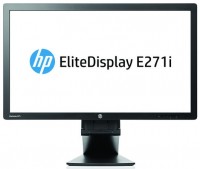 | Outdated Product Product type: monitor; Size ("): 27; Panel type: AH-IPS; Treatment: anti-glare; Resolution: 1920x1080 (16:9); Response time GtG (ms): 7; Viewing angle vert.: 178; Horizontal viewing angle: 178; Brightness (cd/m²): 250; Static contrast: 1 000:1; Dynamic Contrast: 5 000 000:1; Video transmission: VGA |


HP E271i 27 " black
Screen size:27 "
Resolution:1920x1080 (16:9)
Panel:AH-IPS, response 7 ms
Contrast:1 000:1
Brightness:250 cd/m²
Connectors:DVI-D, VGA
All specifications
Specifications E271i
|
| ||||||||||||||||||||||||||||||||||||||||||||||||||||||||||||||||


The information in the model description is for reference purposes.
Always clarify the specifications and configuration of the product with the online store manager before purchasing.
Catalog HP 2026 - new arrivals, bestsellers, and the most relevant models HP.
Always clarify the specifications and configuration of the product with the online store manager before purchasing.
Catalog HP 2026 - new arrivals, bestsellers, and the most relevant models HP.

How to Choose a Gaming MonitorWe understand matrix types, suitable resolution, FreeSync and other important aspects when choosing a gaming monitor
Monitor matrices types: TN+film, IPS, VA, OLED, QLED and QD-OLEDCurrent types of monitor matrices, their pros and cons, as well as recommendations for selection
Series HP E-SeriesCompare using chart →
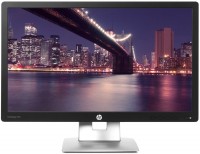
23 ", 1920x1080 (16:9), IPS, response 7 ms, 60 Hz, VGA, HDMI, DisplayPort, ХАБ: USB-A 2x2.0
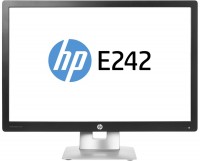
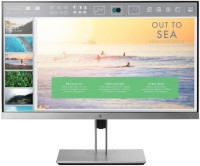
23 ", 1920x1080 (16:9), IPS, response 5 ms, 60 Hz, 8-bit (16.7M Colors), 16.7M, sRGB 94 %, VGA, HDMI, DisplayPort, ХАБ: USB-A 2x5Gbps
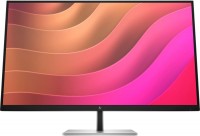
31.5 ", 4K, 3840x2160 (16:9), IPS, response 5 ms, 60 Hz, 8-bit + FRC (1.07B Colors), 1.07B, sRGB 99 %, HDMI, DisplayPort, USB-C (DP Alt Mode), Power Delivery, LAN, ХАБ: USB-A 3x5Gbps, speakers
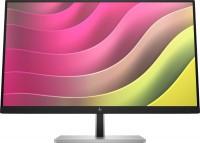
touch, 23.8 ", 1920x1080 (16:9), IPS, response 5 ms, 75 Hz, 6-bit + FRC (16.7M Colors), 16.7M, sRGB 99 %, VGA, HDMI, DisplayPort, ХАБ: USB-A 4x5Gbps
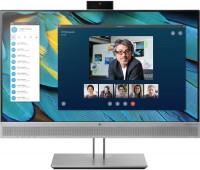
24 ", 1920x1080 (16:9), IPS, response 5 ms, 60 Hz, VGA, HDMI, DisplayPort, ХАБ: USB-A 2x5Gbps, speakers, webcam
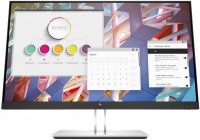
24 ", 1920x1080 (16:9), IPS, response 5 ms, 60 Hz, 6-bit + FRC (16.7M Colors), 16.7M, VGA, HDMI, DisplayPort, ХАБ: USB-A 4x5Gbps
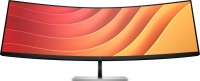
44.5 ", 5120x1440 (32:9), curved 1500R, *VA, response 3 ms, 165 Hz, 8-bit (16.7M Colors), 16.7M, sRGB 99 %, HDMI, v 2.1, DisplayPort, USB-C (DP Alt Mode), Power Delivery, LAN, ХАБ: USB-A 4x5Gbps, KVM-switch, speakers, AMD FreeSync Premium
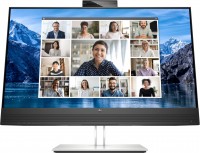
27 ", 2560x1440 (16:9), IPS, response 5 ms, 75 Hz, 8-bit (16.7M Colors), 16.7M, sRGB 99 %, HDMI, DisplayPort, USB-C (DP Alt Mode), Power Delivery, LAN, ХАБ: USB-A 4x5Gbps, speakers, webcam, TÜV Rheinland
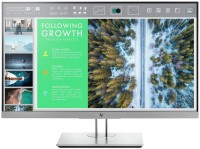
24 ", 1920x1080 (16:9), IPS, response 5 ms, 60 Hz, 8-bit (16.7M Colors), 16.7M, sRGB 94 %, VGA, HDMI, DisplayPort, ХАБ: USB-A 2x5Gbps
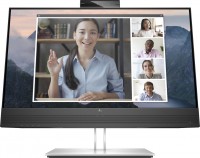
23.8 ", 1920x1080 (16:9), IPS, response 5 ms, 60 Hz, 6-bit + FRC (16.7M Colors), 16.7M, VGA, HDMI, DisplayPort, ХАБ: USB-A 4x5Gbps, speakers, webcam
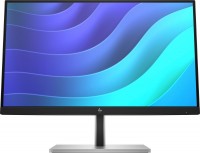
21.5 ", 1920x1080 (16:9), IPS, response 5 ms, 75 Hz, 6-bit + FRC (16.7M Colors), 16.7M, sRGB 99 %, VGA, HDMI, DisplayPort, ХАБ: USB-A 4x5Gbps
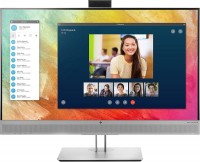
27 ", 1920x1080 (16:9), IPS, response 5 ms, 60 Hz, 8-bit (16.7M Colors), 16.7M, sRGB 94 %, VGA, HDMI, DisplayPort, USB-C (DP Alt Mode), ХАБ: USB-A 2x5Gbps, speakers
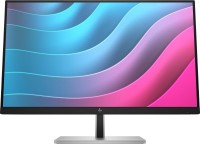
23.8 ", 1920x1080 (16:9), IPS, response 5 ms, 75 Hz, 6-bit + FRC (16.7M Colors), 16.7M, sRGB 99 %, VGA, HDMI, DisplayPort, ХАБ: USB-A 4x5Gbps
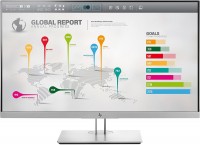
27 ", 2560x1440 (16:9), IPS, response 5 ms, 60 Hz, 8-bit (16.7M Colors), 16.7M, sRGB 99.6 %, VGA, HDMI, DisplayPort, USB-C (DP Alt Mode), ХАБ: USB-A 2x5Gbps
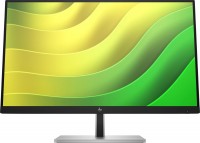
23.8 ", 2560x1440 (16:9), IPS, response 5 ms, 75 Hz, 8-bit (16.7M Colors), 16.7M, sRGB 99 %, VGA, HDMI, DisplayPort, ХАБ: USB-A 4x5Gbps
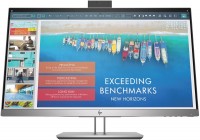
24 ", 1920x1080 (16:9), IPS, response 7 ms, 60 Hz, 8-bit (16.7M Colors), 16.7M, VGA, HDMI, USB-C (DP Alt Mode), LAN, ХАБ: USB-A 2x5Gbps, webcam
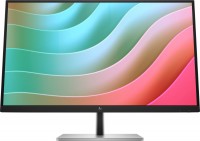
27 ", 4K, 3840x2160 (16:9), IPS, response 5 ms, 60 Hz, 8-bit + FRC (1.07B Colors), 1.07B, sRGB 99 %, VGA, HDMI, DisplayPort, USB-C (DP Alt Mode), Power Delivery, ХАБ: USB-A 3x5Gbps, speakers
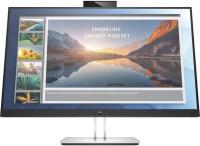
24 ", 1920x1080 (16:9), IPS, response 5 ms, 60 Hz, 8-bit (16.7M Colors), 16.7M, HDMI, DisplayPort, USB-C (DP Alt Mode), Power Delivery, LAN, ХАБ: USB-A 4x5Gbps, webcam
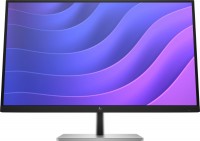
27 ", 2560x1440 (16:9), IPS, response 5 ms, 75 Hz, 8-bit (16.7M Colors), 16.7M, sRGB 99 %, VGA, HDMI, DisplayPort, ХАБ: USB-A 3x5Gbps, speakers
AccessoriesAll accessories for HP E271i →
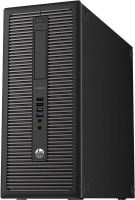


My attitude towards a well-known and reputable brand like HP is mixed. On one hand, I can say that it's almost always quality "hardware". On the other hand, I've come across samples of this brand's devices with incredibly buggy and neglected drivers. I remember there was an HP 3470c scanner at work, which had an excessively large proprietary scanning interface. It was desperately slow even on powerful computers of its time and would occasionally glitch. But the real epic fail wasn't that, but rather that two years later, a new service pack for Windows was released, and after installing it, the interface stopped launching. Do you think HP cared about this issue and updated the software? Nope! (c) But I bought an HP monitor without fear. Thank God, it doesn't need drivers to work at all. Ergonomics and design here are at a high level worthy of this brand. Everything is done strictly and in a businesslike manner. This monitor would look perfect in any modern office. It looks impressive at home too. The stand is powerful, metal, with tilts and even the ability to change the orientation of the display from portrait to landscape. The screen is huge, as much as 27 inches is an impressive area and with a resolution of 1920 by 1080, the individual dots of the matrix are quite large (>0.3mm). Some people will spit from such grain, but on the contrary, I like it. With my not very good eyesight, this screen fits perfectly. Everything is visible and you can sit at a decent distance from the screen. Color, brightness and contrast and viewing angles can only be praised. The IPS matrix installed here is good, and if we take into account the low price of the monitor, then we can say it’s excellent. There's a nice selection of digital and analogue ports for connecting to a PC. As with any IPS, there is a full set of standard "generic" drawbacks. Glow effect with a yellowish tint on light tones and a purple hue on dark ones. Medium strength crystal effect. Personally, both drawbacks don't bother me as you get used to them very quickly and after a week you don't notice them at all. |
Add Review
SimilarCompare using chart →
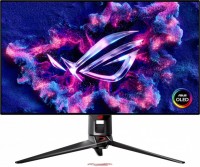
gaming, 31.5 ", 4K, 3840x2160 (16:9), OLED (WOLED), response 0.03 ms, 240 Hz, 480 Hz (Full HD), 10-bit (1.07B Colors), 1.07B, DCI-P3 99 %, HDMI, v 2.1, DisplayPort, USB-C (DP Alt Mode), Power Delivery, ХАБ: USB-A 3x5Gbps, KVM-switch, AMD FreeSync Premium Pro, NVIDIA G-Sync Compatible, VESA Adaptive-Sync, HDR, TÜV Rheinland

gaming, 31.5 ", 4K, 3840x2160 (16:9), IPS, response 0.5 ms, 160 Hz, 320 Hz (Full HD), 8-bit + FRC (1.07B Colors), 1.07B, sRGB 131 %, DCI-P3 99 %, HDMI, v 2.1, DisplayPort, ХАБ: USB-A 2x2.0, VESA Adaptive-Sync, HDR, TÜV Rheinland

gaming, 31.5 ", 4K, 3840x2160 (16:9), QD-OLED, response 0.03 ms, 240 Hz, 10-bit (1.07B Colors), 1.07B, DCI-P3 99 %, HDMI, v 2.1, DisplayPort, USB-C (DP Alt Mode), Power Delivery, ХАБ: USB-A 2x5Gbps, KVM-switch, speakers, AMD FreeSync Premium Pro, NVIDIA G-Sync Compatible, HDR

gaming, 24.5 ", 1920x1080 (16:9), IPS, response 1 ms, MPRT 0.3 ms, 400 Hz, 16.7M Colors, 16.7M, sRGB 121 %, DCI-P3 92 %, HDMI, DisplayPort, ХАБ: USB-A 4x5Gbps, NVIDIA G-Sync Compatible, VESA Adaptive-Sync, HDR, TÜV Rheinland
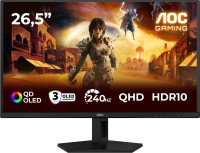
gaming, 26.5 ", 2560x1440 (16:9), QD-OLED, response 0.03 ms, 240 Hz, sRGB 147.6 %, DCI-P3 99.1 %, HDMI, DisplayPort, NVIDIA G-Sync Compatible, VESA Adaptive-Sync, HDR, TÜV Rheinland

gaming, 27 ", 2560x1440 (16:9), QLED, response 1 ms, 200 Hz, 1.07B Colors, 1.07B, sRGB 150 %, DCI-P3 99 %, HDMI, DisplayPort, USB-C (DP Alt Mode), Power Delivery, ХАБ: USB-A 2x5Gbps, KVM-switch, NVIDIA G-Sync Compatible, VESA Adaptive-Sync, HDR, TÜV Rheinland

gaming, 27 ", 4K, 3840x2160 (16:9), QD-OLED, response 0.03 ms, 240 Hz, 10-bit (1.07B Colors), 1.07B, DCI-P3 99 %, HDMI, v 2.1, DisplayPort, USB-C (DP Alt Mode), Power Delivery, ХАБ: USB-A 2x5Gbps, KVM-switch, speakers, AMD FreeSync Premium Pro, NVIDIA G-Sync Compatible, HDR, Pantone Validated

gaming, 27 ", 4K, 3840x2160 (16:9), IPS, response 1 ms, 160 Hz, 320 Hz (Full HD), 1.07B Colors, 1.07B, sRGB 125 %, DCI-P3 95 %, HDMI, v 2.1, DisplayPort, USB-C (DP Alt Mode), Power Delivery, ХАБ: USB-A 3x5Gbps, KVM-switch, speakers, AMD FreeSync Premium, NVIDIA G-Sync Compatible, VESA Adaptive-Sync, HDR, TÜV Rheinland

gaming, 27 ", 2560x1440 (16:9), OLED (WOLED), response 0.03 ms, 240 Hz, 10-bit (1.07B Colors), 1.07B, DCI-P3 99 %, HDMI, v 2.1, DisplayPort, USB-C (DP Alt Mode), AMD FreeSync Premium, NVIDIA G-Sync Compatible, HDR, TÜV Rheinland

gaming, 26.5 ", 2560x1440 (16:9), QD-OLED, response 0.03 ms, 500 Hz, 10-bit (1.07B Colors), 1.07B, sRGB 138 %, DCI-P3 99 %, HDMI, v 2.1, DisplayPort, USB-C (DP Alt Mode), Power Delivery, AMD FreeSync Premium Pro, VESA Adaptive-Sync, HDR, TÜV Rheinland
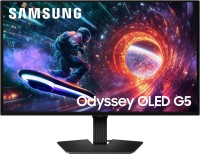
gaming, 27 ", 2560x1440 (16:9), QD-OLED, response 0.03 ms, 180 Hz, 1.07B Colors, 1.07B, DCI-P3 99 %, HDMI, DisplayPort, AMD FreeSync, NVIDIA G-Sync Compatible, HDR, Pantone Validated

26.5 ", 2560x1440 (16:9), QD-OLED, response 0.03 ms, 240 Hz, 10-bit (1.07B Colors), DCI-P3 99 %, HDMI, v 2.1, DisplayPort, speakers, AMD FreeSync Premium, HDR