
HP U28 28 " (1Z980AA)
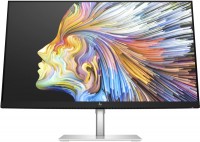 | Outdated Product Product type: monitor; Size ("): 28; Panel type: IPS; Treatment: anti-glare; Resolution: 3840x2160 (16:9); Response time GtG (ms): 4; Viewing angle vert.: 178; Horizontal viewing angle: 178; Brightness (cd/m²): 400; Static contrast: 1 000:1; Video transmission: DisplayPort: DisplayPort |


We recommend products in stockMonitors HP →
27 ", 4K, 3840x2160 (16:9), IPS, response 5 ms, 60 Hz, 8-bit + FRC (1.07B Colors), 1.07B, sRGB 109 %, HDMI, DisplayPort, USB-C (DP Alt Mode), Power Delivery, LAN, ХАБ: USB-A 2x5Gbps
27 ", 4K, 3840x2160 (16:9), IPS, response 4 ms, 60 Hz, 8-bit + FRC (1.07B Colors), 1.07B, sRGB 122 %, HDMI, DisplayPort, USB-C (DP Alt Mode), Power Delivery, ХАБ: USB-A 4x5Gbps, speakers
27 ", 4K, 3840x2160 (16:9), IPS, response 5 ms, 60 Hz, sRGB 99 %, HDMI, DisplayPort, ХАБ: USB-A 1x2.0, 3x5Gbps, HDR
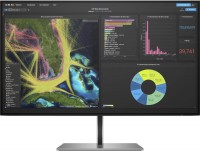
27 ", 4K, 3840x2160 (16:9), IPS, response 5 ms, 60 Hz, 8-bit + FRC (1.07B Colors), 1.07B, sRGB 99 %, DCI-P3 85 %, HDMI, DisplayPort, USB-C (DP Alt Mode), Power Delivery, LAN, ХАБ: USB-A 4x5Gbps
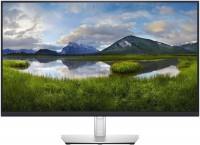
27 ", 4K, 3840x2160 (16:9), IPS, response 5 ms, 60 Hz, sRGB 99 %, HDMI, DisplayPort, USB-C (DP Alt Mode), Power Delivery, ХАБ: USB-A 2x2.0, 2x5Gbps
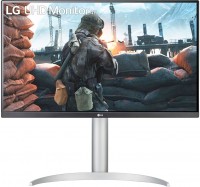
27 ", 4K, 3840x2160 (16:9), IPS, response 5 ms, 60 Hz, DCI-P3 95 %, HDMI, DisplayPort, AMD FreeSync, HDR
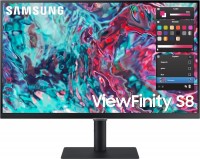
27 ", 4K, 3840x2160 (16:9), IPS, response 5 ms, 60 Hz, sRGB 99 %, HDMI, USB-C (Thunderbolt v4), Power Delivery, LAN, ХАБ: USB-A 3x5Gbps, speakers, HDR
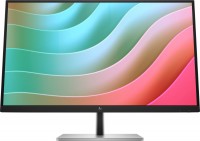
27 ", 4K, 3840x2160 (16:9), IPS, response 5 ms, 60 Hz, 8-bit + FRC (1.07B Colors), 1.07B, sRGB 99 %, VGA, HDMI, DisplayPort, USB-C (DP Alt Mode), Power Delivery, ХАБ: USB-A 3x5Gbps, speakers
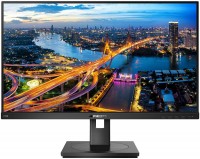
27 ", 4K, 3840x2160 (16:9), IPS, response 4 ms, 60 Hz, 8-bit + FRC (1.07B Colors), 1.07B, sRGB 122 %, HDMI, DisplayPort, ХАБ: USB-A 4x5Gbps, speakers
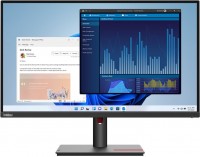
27 ", 4K, 3840x2160 (16:9), IPS, response 4 ms, 60 Hz, 10-bit (1.07B Colors), 1.07B, sRGB 99 %, HDMI, DisplayPort, USB-C (DP Alt Mode), Power Delivery, LAN, ХАБ: USB-A 3x5Gbps, TÜV Rheinland
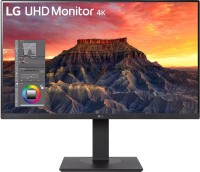
27 ", 4K, 3840x2160 (16:9), IPS, response 5 ms, 60 Hz, DCI-P3 95 %, HDMI, DisplayPort, USB-C (DP Alt Mode), Power Delivery, ХАБ: USB-A 2x2.0, 2x5Gbps, KVM-switch, speakers, HDR
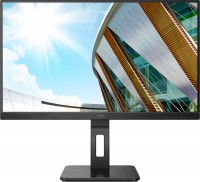
27 ", 4K, 3840x2160 (16:9), IPS, response 4 ms, 60 Hz, HDMI, DisplayPort, USB-C (DP Alt Mode), Power Delivery, ХАБ: USB-A 4x5Gbps, speakers, AMD FreeSync
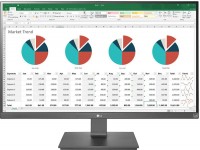
27 ", 4K, 3840x2160 (16:9), IPS, response 5 ms, 75 Hz, sRGB 99 %, HDMI, DisplayPort, USB-C (DP Alt Mode), Power Delivery, ХАБ: USB-A 2x5Gbps, AMD FreeSync
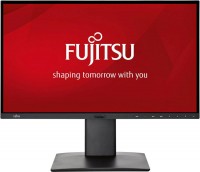
27 ", 4K, 3840x2160 (16:9), IPS, response 5 ms, 60 Hz, sRGB 100 %, HDMI, DisplayPort, mini DisplayPort, ХАБ: USB-A 4x5Gbps, speakers, TÜV Rheinland
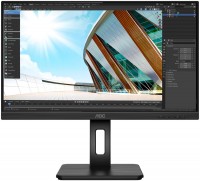
27 ", 4K, 3840x2160 (16:9), IPS, response 4 ms, 60 Hz, 8-bit + FRC (1.07B Colors), 1.07B, sRGB 109 %, HDMI, DisplayPort, ХАБ: USB-A 4x5Gbps, speakers
HP U28 28 "
Screen size:28 "
Resolution:3840x2160 (16:9)
Panel:IPS, response 4 ms
Frequency:60 Hz
Contrast:1 000:1
Brightness:400 cd/m²
Connectors:USB-C (DP Alt Mode) • DisplayPort • HDMI
All specifications
Specifications U28
|
| ||||||||||||||||||||||||||||||||||||||||||||||||||||||||||||||||||||||||||||||||


The information in the model description is for reference purposes.
Always clarify the specifications and configuration of the product with the online store manager before purchasing.
Catalog HP 2026 - new arrivals, bestsellers, and the most relevant models HP.
Always clarify the specifications and configuration of the product with the online store manager before purchasing.
Catalog HP 2026 - new arrivals, bestsellers, and the most relevant models HP.

How to Choose a Gaming MonitorWe understand matrix types, suitable resolution, FreeSync and other important aspects when choosing a gaming monitor
Monitor matrices types: TN+film, IPS, VA, OLED, QLED and QD-OLEDCurrent types of monitor matrices, their pros and cons, as well as recommendations for selection
AccessoriesAll accessories for HP U28 →






Ambiguous Overall, the monitor satisfied everyone: thin, large, stylish, aluminum stand, multiple inputs, and comes with 3 cables - DisplayPort, USB-C, HDMI. The cables, by the way, are very stiff. Initially connected to a MacBook through my USB-C to HDMI adapter. The monitor displayed 4K and 30Hz. Then connected via USB-C (DisplayPort Alt Mode). The monitor showed 4K and 60Hz. When connecting the MacBook via USB-C, the monitor receives the video signal and simultaneously charges the laptop (65 Watts). Thus, you can close the Mac's lid, and it will work fully (it does not send a video signal without power). Everything is done with just one cable. Issues with connecting Apple products via USB-C (DisplayPort Alt Mode). If the monitor goes to sleep, it doesn't wake up when connected via USB-C. I don't know how to fix it yet. I’ve already disabled the sleep mode on the laptop, but it doesn't help. The monitor has frozen a couple of times, showing that connections are not found. It connects via HDMI, but USB-C isn’t working at all, the USB hub isn't functioning, the mouse and keyboard won’t turn on. The issue was resolved by unplugging it for a minute. Perhaps something needs to be enabled or disabled in the settings; I haven’t figured it out yet. By the way, there’s no Russian in the menu. HP support says there are no updates for MacOS.  Zor: use HP U28 less than month Zor: use HP U28 less than month |
Add Review
Video reviews

HP U28 4k HDR Monitor | The 4k 28 inch Monitor for Photographers and Content Creators
1 April 202157 836 view

HP U28 4K HDR Monitor. Bring your vision to life.
9 April 202130 600 view

HP U28 4K HDR Monitor Review
8 August 202220 387 view

Using Color Presets on the HP U28 4K HDR Monitor | HP Computers | HP Support
21 December 202017 842 view

The Worst Budget Video for the Best Budget Monitor - HP U28 2021 M1Pro MacBook Pro
26 December 202114 771 view

Unboxing Drone Murah 300 ribuan kamera terbaik anti ngelaq | UdiRc Freelander U28
15 July 20224 670 view

Unboxing HP U28 4K HDR Monitor for Content Creators (BROLL Cinematic)
12 March 20224 637 view

HP U28 4k HDR Monitor, UHD (3840x2160) 28 Inch, Factory Colour Calibrated
22 June 2023684 view

Best Monitor 2023 (Under $400) - HP U28 4K HDR #Monitor
16 February 2023562 view