
OKI MC362DN
 | Outdated Product A high-performance multifunctional device with full colour LED printing, primarily aimed at companies with medium to large document volumes — the manufacturer's recommended maximum monthly print limit is 45,000 A4 pages. The device boasts support for automatic two-sided printing, which can significantly increase the speed of printing various kinds of documents; similarly, you can scan documents on both sides. Printing equipment can use A4, A5, B5 and A6 paper. Additionally, the OKI MC362DN MFP accepts envelopes, business cards, photo paper (4x6", 5x7") and custom size up to 1320mm high. The maximum print resolution is 1200x600 dpi, which can be called an indicator of the average level, nevertheless providing the necessary clarity of printed text and images. The maximum scanning resolution...reaches 1200x1200 dpi, while the colour rendering depth is at around 48 bits. The MFP control panel has a monochrome rotary screen with a resolution of 320x128 dpi and a special button that switches the scanner and printer to a fully monochrome mode. Additionally, the equipment can be switched to a power-saving mode. The All-In-One can connect to the network using a 10/100 TX Ethernet adapter. |


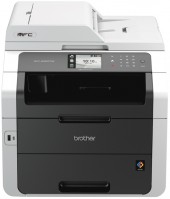
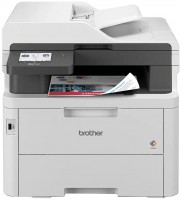
A high-performance multifunctional device with full colour LED printing, primarily aimed at companies with medium to large document volumes — the manufacturer's recommended maximum monthly print limit is 45,000 A4 pages. The device boasts support for automatic two-sided printing, which can significantly increase the speed of printing various kinds of documents; similarly, you can scan documents on both sides.
Printing equipment can use A4, A5, B5 and A6 paper. Additionally, the OKI MC362DN MFP accepts envelopes, business cards, photo paper (4x6", 5x7") and custom size up to 1320mm high. The maximum print resolution is 1200x600 dpi, which can be called an indicator of the average level, nevertheless providing the necessary clarity of printed text and images. The maximum scanning resolution reaches 1200x1200 dpi, while the colour rendering depth is at around 48 bits. The MFP control panel has a monochrome rotary screen with a resolution of 320x128 dpi and a special button that switches the scanner and printer to a fully monochrome mode. Additionally, the equipment can be switched to a power-saving mode. The All-In-One can connect to the network using a 10/100 TX Ethernet adapter.
|
| |||||||||||||||||||||||||||||||||||||||||||||||||||||||||||||||||||||||||||||||||||||||||||||||


Always clarify the specifications and configuration of the product with the online store manager before purchasing.
Catalog OKI 2026 - new arrivals, bestsellers, and the most relevant models OKI.