
Verico Wanderer 32Gb
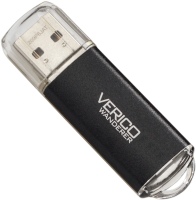 | Outdated Product USB version: USB-A 2.0; Material: plastic; |


We recommend products in stockUSB Flash Drives Verico →
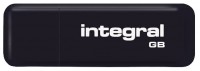
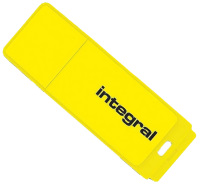
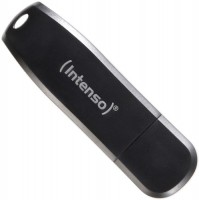
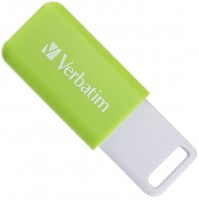
Verico Wanderer 32Gb | |||||||||||||||||||
| |||||||||||||||||||

The information in the model description is for reference purposes.
Always clarify the specifications and configuration of the product with the online store manager before purchasing.
Catalog Verico 2026 - new arrivals, bestsellers, and the most relevant models Verico.
Always clarify the specifications and configuration of the product with the online store manager before purchasing.
Catalog Verico 2026 - new arrivals, bestsellers, and the most relevant models Verico.
Model overview based on user reviews
The USB Flash Drive Verico Wanderer has received mixed reviews from users. While some appreciate its affordable price and design, many have encountered significant issues. A recurring problem is the drive becoming unusable after initial use, with users reporting errors like "Remove write protection" and inability to format or recover data. Despite attempts to fix these issues, including using various programs and methods, the drive often remains a "brick." Some users have managed to get it working temporarily through trial and error, but the overall experience has been frustrating, leading many to suggest considering alternative USB drives.
Pros
Cons
3 1 0 1 |
Considering the shortcomings - there are none! After recording half the volume during the first use, a pop-up window appeared: "Remove write protection." And that's it. It cannot be formatted or reflashed with any programs! just bought Verico Wanderer 32Gb |
two days later, when turned on, she just died, there are no programs for recovery, design out of order just bought Verico Wanderer 32Gb |
In short, friends... I had to deal with it closely, the USB Verico Wanderer [Wanderer 32Gb] I tried everything I found online...! I even restored access to it, but after the first removal, it got messed up again. All the video, audio, and data on it were unrecoverable... I HAD TO FORMAT EVERYTHING THROUGH A SMARTPHONE, LEFT WITH 66 megabytes/program/ reloaded into it /through the explorer/ extracted not through the flash drive menu, but the USB pop-up window menu in the explorer. Through trial and error, everything worked out! You have to unplug it very quickly. The flash drive menu didn’t completely disconnect it, and nothing was saved. Because the explorer took over all control. Checked it many times; everything is fine. Although my opinion is spoiled, no one really gave me advice, and I also faced this problem for the first time. In principle, it works even after all the hassles. But next time, I’ll choose a better USB drive. Not expensive. I had to spend a lot of time working on it and lost many files.  viktor chromov: use Verico Wanderer 32Gb less than month viktor chromov: use Verico Wanderer 32Gb less than month |
3 out of 5 user review(s) shown
2 more user review(s)
Ask Question