
Apple iMac 24" 2023 M3 MQRK3
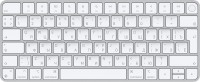
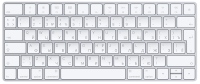
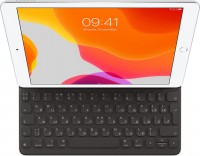
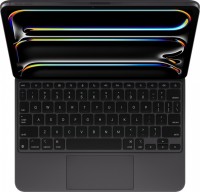
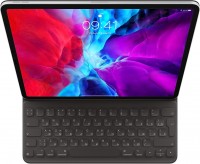
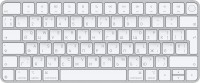
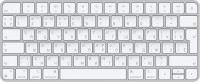
Keyboards13


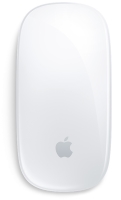
Mice9



Cables (video, audio, USB)93
 |
Apple Beats USB cable USB 2.0 1.5 m USB C Navy Elevate your charging game and ditch the tangles. kinks and frays with our new reinforced braided cables.The Beats 1.5‑metre (5‑foot) USB‑C to USB‑C char more→ging cable is made with a tangle‑free woven design for extra durability and convenience.Bea
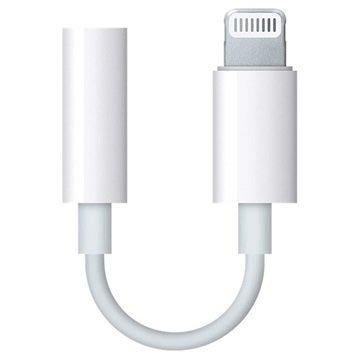 |
iPhone 7 does not have a 3.5mm audio port. In order to use your 3.5mm audio devices you have to use a Lightning to 3.5mm jack adapter like this genuine Apple MMX62ZM/A adapter. It is designed to work more→with the new iPhone 7 and the iPhone 7 Plus, but you can also use it with all Apple devices with a Lightning port, such as the iPod touch, iPad, and iPhone.
 |
1.5 m. USB C Straight Male. USB C Straight Male. USB 2.0 Fast charging. White. 1 pc(s). Elevate your charging game and ditch the tangles, kinks and frays with our new reinforced braided cables.. The B more→eats 1.5‑metre (5‑foot) USB‑C to USB‑C charging cable is made with a tangle‑free woven design for extra durability and convenience.. Beats cables undergo thousands of hours of testing throughout the design and manufacturing process and are reinforced to help prevent fraying.. Compatible with all USB-C Apple and Android devices, this braided cable is built for charging, syncing, audio, CarPlay and transferring data.. The cable lets you charge USB-C compatible Beats headphones or speakers while you …
 |
1 m. USB C Straight Male. USB C Straight Male. 2.0 60 W. White. 1 pc(s). Features. Connector 1. USB C. Connector 2. USB C. Connector 1 gender. Male. Connector 2 gender. Male. Connector 1 form factor. more→Straight. Connector 2 form factor. Straight. Product colour. White. USB Power Delivery revision. 2.0. USB Power Delivery up to. 60 W. Weight & dimensions. Cable length. 1 m. Packaging data. Package width. 75 mm. Package depth. 67 mm. Package height. 26 mm. Package weight. 42 g. Packaging content. Quantity per pack. 1 pc(s)
Important!
Compatibility with specific models Desktop PCs should be confirmed with the online store manager directly before purchase.
Compatibility with specific models Desktop PCs should be confirmed with the online store manager directly before purchase.