
A4Tech Fstyler FG10CS Air
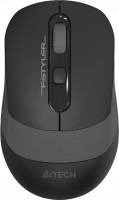 | Outdated Product Product type: mouse; Connection: radio; Sensor: optical; Type: notebook; Sensor resolution (DPI): 1000 – 2000; Max. polling rate: 125 Hz (8 ms); Buttons: 3; DPI-button; quiet click; Cable: Left handed; |


We recommend products in stockMice A4Tech →

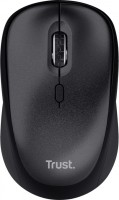
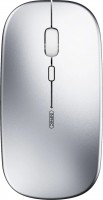
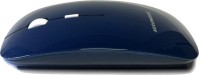
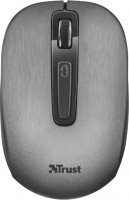

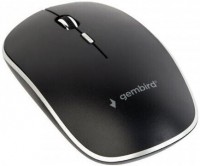
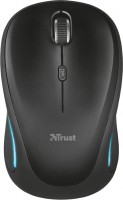
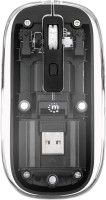
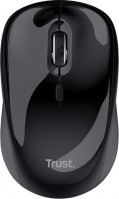
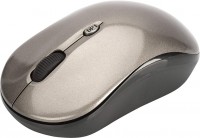
A4Tech Fstyler FG10CS Air | ||||||||||||||||||||||||||||||||||||||||||||||||||||||||
|
| |||||||||||||||||||||||||||||||||||||||||||||||||||||||


The Air Mouse function provides two control modes (Desk+Air), turning the mouse into a multimedia controller for easy lifting.
The information in the model description is for reference purposes.
Always clarify the specifications and configuration of the product with the online store manager before purchasing.
Catalog A4Tech 2026 - new arrivals, bestsellers, and the most relevant models A4Tech.
Always clarify the specifications and configuration of the product with the online store manager before purchasing.
Catalog A4Tech 2026 - new arrivals, bestsellers, and the most relevant models A4Tech.

How to choose a gaming mouseWe'll look at grip types, sensor sensitivity, pushbutton switches, and other important nuances

How to choose a mouse for games, office tasks and creative workLet's explore the nuances of the computer mouse market together and find the perfect options that match your requirements
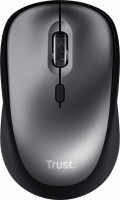
Series A4Tech Fstyler

laptop (compact), Bluetooth/radio, Multi-Device, buttons: 5, + wheel, sensor 2000 DPI, 1xAA













The mouse is great, very quiet click, responds the same to clicks at any point on the right or left button. The wheel in the center and the pointer speed change button also click quietly. The design is cool, the size seems small, but it fits perfectly in the hand, and it can't be called too small either. Charges via a Type-C cable, but I haven't checked how long it lasts yet; I hardly play games, so I think it will last a long time as nothing lights up in it. A cool bonus is the AIR functions: as soon as you lift the mouse off a flat surface, the scroll wheel begins to change the system's overall volume when scrolled, and clicking it completely mutes/unmutes the sound. The sensitivity change button launches a player like AIMP or Winamp, depending on what you have, and the right mouse button starts to control the play or pause of a currently playing media track, movie, or mp3. Only the left mouse button remains unchanged in its function. Works only via wireless connection, if connected via cable and the beacon is turned off, it will not work, only charge. (perhaps this is a disadvantage only if you plan to use this mouse forever, the battery will eventually die :) The second remark is the lack of side buttons for switching between folders. On the previous mouse, they were there, and it was very convenient to go back to the folder or website without aiming the cursor at the arrow in the corner of the screen.  Sanya Kozachok: use A4Tech Fstyler FG10CS Air week i recommend it should buy Sanya Kozachok: use A4Tech Fstyler FG10CS Air week i recommend it should buy |
Add Review