
Aerocool Klaw black
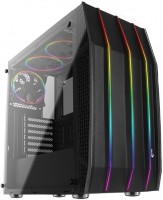 | Outdated Product Features: gaming; Form factor: Midi Tower; Mount: vertical; Motherboard support: ATX; PSU form factor: ATX (regular); Dimensions (mm): 445x228x461; Weight (kg): 7.5; Material: steel; 3.5" bays: 2; internal 2.5" compartments: 6; Expansion slots: 7; Installed fans: Fans total: 3; Fans (back): 1x120mm |


We recommend products in stockComputer Cases Aerocool →
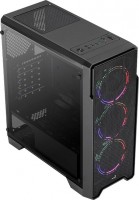
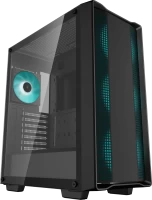
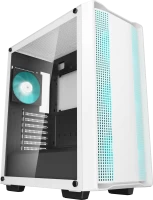
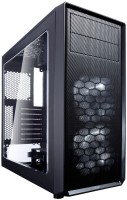

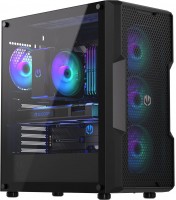


gaming, Midi Tower, ATX, no PSU, front panel: USB-A 4 pcs, USB-C 2 pcs, fan backlight, 4 fans

gaming, Midi Tower, ATX, no PSU, front panel: USB-A 4 pcs, USB-C 2 pcs, fan backlight, 4 fans
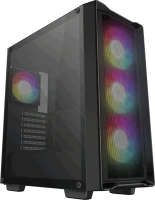
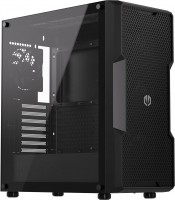
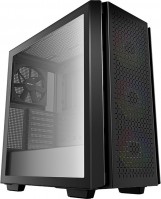
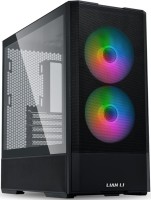
gaming, Midi Tower, ATX, no PSU, front panel: USB-A 2 pcs, USB-C 1 pcs, fan backlight, 4 fans
Aerocool Klaw black
Chassis Form Factor:Midi Tower
Motherboard size:ATX
PSU power:no PSU
Internal bays 3.5":2
Internal bays 2.5":6
Front panel:USB-A 3 pcs
All specifications
Specifications Klaw
|
| ||||||||||||||||||||||||||||||||||||||||||||||||||||||||||||||||||||||||||||||||||||||||||||||||||||||||||||||||||


E-Catalog UK editor, Computer Cases
Valerii Lenko, edited 02.09.2025
The information in the model description is for reference purposes.
Always clarify the specifications and configuration of the product with the online store manager before purchasing.
Catalog Aerocool 2026 - new arrivals, bestsellers, and the most relevant models Aerocool.
Always clarify the specifications and configuration of the product with the online store manager before purchasing.
Catalog Aerocool 2026 - new arrivals, bestsellers, and the most relevant models Aerocool.

How to choose a PC case?Basic factors for choosing a stylish computer case with good functionality and efficiency
Shine Bright: Everything You Ever Wanted to Know About PC RGB LightingWe understand how the backlight appeared in the PC, how it is useful, and what synchronization systems are on the market
AccessoriesAll accessories for Aerocool Klaw →







The case is ambiguous, everything seems to be good and cool, but there are some bugs and some unclear moments, such as holes covered with glass on the side. The case is designed to be assembled and installed once and never touched there again) Most likely the case is designed for its own use. Because the cooler doesn’t sit there very comfortably, but maybe I’ll turn it horizontally and everything will be fine. In general, anyone who doesn’t have a PTX2080 or a 9900K will do. Or under the SVO, it will look like a bomb. Well, it looks decent, and of course the equipment is a plus. There is glass on each side, but I think one would be enough, because from the back you can see all the cables, why they did this is unclear, but still nice. The kit includes a controller with a remote control, 3 rgb fans, and a bunch of screws. The metal doesn’t seem to be foil like in cases for 1k, but it’s far from inwin. Basically nothing. For those who constantly assemble and disassemble a computer, this is not for you) by the way, about the remote control, it switches the backlight, adjusts the speed of the fans, but you can set the control to auto, but it doesn’t work for me, apparently I’m cranky)) you still need to adjust it) under the glass on The case has very high quality silicone gaskets. The storage baskets are completely plastic. The ventilation of the case is, in principle, sufficient for not very hot systems, I have a Ruzen 1600 and a GTX 1070 Strix. Cable management is somehow not very conveniently implemented; even with a modular power supply it was difficult. The distance between the power supply and the drive cage is very small, you can’t fit a lot of cables, I have a Corsair tx650m power supply, there are thin wires, and they barely fit in there. These are 3 satas, a video card and motherboard cables. The second window through which you can see the wires... It would be better to install a steel door and add 1-2 turntables on the face. The muzzle in front is completely deaf, there is a hole at the bottom. It is unclear why the side openings through which air flow could flow are covered with glass. But still a fairly ventilated case. The fans are noisy if you turn them on using the remote control. But the flow is quite good. In general, it was a bit difficult to assemble. Plus, I apparently came across a defect. I had one of the holes on the RGB plug soldered into the motherboard, so I had to poke around the hole with a needle. The baskets do not have rubber bands, but they are plastic and basically dampen vibration. There is not enough space between the processor cooler and the turntables on top, I have id-cooling se-214, msi b350-pro-vd plus. Because of this, I had to first plug in the power to the percent, then hang up the cooler, and only then did I put the motherboard in its rightful place, but the location of the block for this MP is not very good. The distance to the wall from the cooler is very little left, just millimeters, literally 2-3. just bought Aerocool Klaw |
I have a Vidyakh 240 mm near Ryazan, SVO. Glass. I have a block positioned with one side against the wall so the wires are not visible :D. The glass is tempered, screws on conveniently, and the rubber spacers and bolts are quite decent in quality. Looks cool. In the dark, you can hardly see it (don’t touch it with your fingers)). Lighting. Comes with a remote control in the kit, I set the fan speed adjustment to auto, the lighting can be changed with the remote along with speed adjustment. There’s a pretty broad selection of colors and effects. For a case that runs an LCS and 3 not-so-quiet fans, it works pretty quietly. However, one fan does get a bit noisier under heavy load. There are dust protection screens. The one at the bottom is pull-out, and the one on top is magnetic. They’re a bit flimsy but don’t fall off by themselves. Cable management is really something. Pretty long wires from the fan control board have to be hidden around the edges. There's a real braid there. Installing the power supply unit is a real pain. I have a modular one at 850w and two HDDs. The distance between the HDD cage and the power supply is about one and a half index fingers of an adult man. I had to literally stuff the power supply with tears, millimeter by millimeter, under pressure, having bent the wires as much as possible beforehand. It's unclear which idiot thought to place the cage there; just move it 2-3 cm to the left, and it would be the perfect unit. Or make a removable section that covers the power supply and the HDD cage; instead, everything is riveted. The glass covers the air duct openings. use Aerocool Klaw less than month |
Add Review
Ask Question