
Aqara SHK61
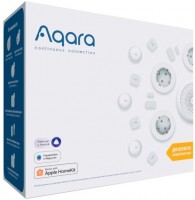 | Outdated Product Connecting sensors (protocol): Zigbee; voice guidance; Opening sensors: 1; Control: mobile app (Wi-Fi); Operating temperature: -10 °C ~ +40 °C; Max. humidity (%): 95; Control panel dimensions (mm): 80x80x42; |


Aqara SHK61 | ||||||||||||||||||||||||||||||||||||||||||||
|
| |||||||||||||||||||||||||||||||||||||||||||

Wi-Fi connectivity. Supports Apple HomeKit. Night light function.
There is no motion sensor included.
The information in the model description is for reference purposes.
Always clarify the specifications and configuration of the product with the online store manager before purchasing.
Catalog Aqara 2026 - new arrivals, bestsellers, and the most relevant models Aqara.
Always clarify the specifications and configuration of the product with the online store manager before purchasing.
Catalog Aqara 2026 - new arrivals, bestsellers, and the most relevant models Aqara.

AccessoriesAll accessories for Aqara SHK61 →
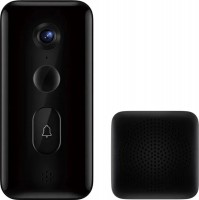


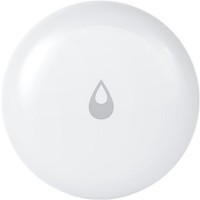



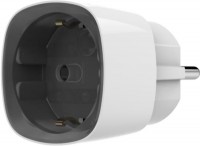


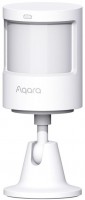
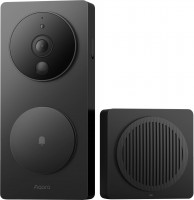
The button on the case performs 4 actions:
- One click - turn on / off the backlight (or turn off the sound signal, if active).
- Two clicks - arming/disarming the hub.
- Three clicks - the hub switches to the mode of pairing with ZigBee sensors. At this moment, the purple backlight turns on on the hub and it becomes possible to connect the sensors (according to the instructions attached to them).
- Hold for 10 seconds - reset the device and put it into pairing mode with the application. The gateway starts flashing yellow, at this moment it can be connected to the Mi Home or Aqara Home applications.
We recommendCompare using chart →
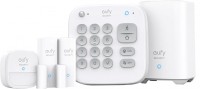
alarm system, connection: Wi-Fi, mobile app, set: motion Sensor 1, opening sensor 2, partial protection, siren
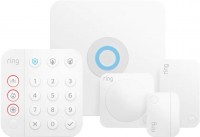
alarm system, connection: Z-Wave, mobile app, set: motion Sensor 1, opening sensor 1, communication range 76 m, siren
hub (control unit), connection: frequency 868 MHz, mobile app, Google Home, датчиков up to 64
hub (control unit), connection: Wi-Fi, mobile app, Apple HomeKit, Google Home, Matter, SmartThings, датчиков up to 32

hub (control unit), connection: Zigbee / Bluetooth, mobile app, Apple HomeKit, Google Home, Matter, Samsung SmartThings, датчиков up to 50
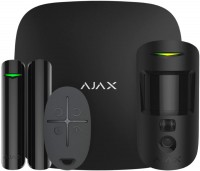
alarm system, connection: Jeweller, датчиков up to 100, set: motion Sensor 1, opening sensor 1, communication range 2000 m
hub (control unit), connection: frequency 868 MHz, mobile app, датчиков up to 64, set: communication range 2000 m, partial protection

hub (control unit), connection: Zigbee, mobile app, Apple HomeKit, Matter, датчиков up to 32, wired 32, partial protection, siren

alarm system, connection: Wi-Fi, mobile app, датчиков up to 40, set: motion Sensor 2, opening sensor 2, communication range 200 m, partial protection, siren

hub (control unit), connection: frequency 868 MHz, mobile app, датчиков up to 150, set: communication range 2000 m

hub (control unit), connection: frequency 868 MHz, mobile app, датчиков up to 150, set: communication range 2000 m

hub (control unit), connection: Zigbee / Thread / Wi-Fi / Bluetooth, mobile app, Apple HomeKit, Google Home, Matter, Aqara Home, SmartThings, датчиков up to 127, siren