
Brother MFC-J6560DW
 | Expecting restock Paper size: A3; Print Type: inkjet; Output Type: colour; Number of colors: 4; B/W printing (ppm): 31; Colour printing (ppm): 31; Double-side printing; Autofeed (sheets): 50; Black Ink Page Yield (pages): 2780; Colour Ink Page Yield (pages): 3500; PC connection (USB); network connection (LAN) |


We recommend products in stockAll-in-One Printers Brother →
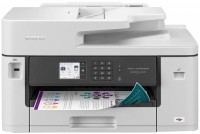
colour, flowers 4, inkjet, A3, printing 4800x1200 dpi, 2-side print, scanning 1200х2400 dpi, autoscan, RAM 256 MB, LAN, Wi-Fi Direct, AirPrint, fax machine
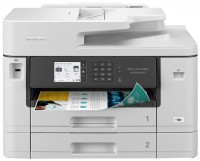
colour, flowers 4, inkjet, A3, printing 4800x1200 dpi, 2-side print, scanning 1200х2400 dpi, autoscan, RAM 256 MB, LAN, Wi-Fi Direct, AirPrint, fax machine
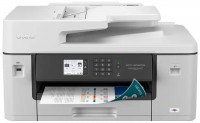
colour, flowers 4, inkjet, A3, printing 4800x1200 dpi, 2-side print, scanning 1200х2400 dpi, autoscan, RAM 256 MB, LAN, Wi-Fi Direct, AirPrint, fax machine

colour, flowers 4, inkjet, A3, printing 4800x1200 dpi, 2-side print, scanning 1200х2400 dpi, autoscan, RAM 512 MB, LAN, Wi-Fi Direct, AirPrint, fax machine
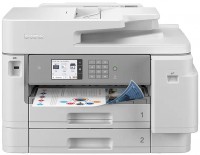
colour, flowers 4, inkjet, A3, printing 4800x1200 dpi, 2-side print, scanning 1200х2400 dpi, 2-side scanning, autoscan, RAM 512 MB, LAN, Wi-Fi Direct, AirPrint, NFC, fax machine
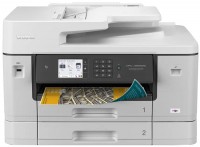
colour, flowers 4, inkjet, A3, printing 4800x1200 dpi, 2-side print, scanning 1200х2400 dpi, autoscan, RAM 256 MB, LAN, Wi-Fi Direct, AirPrint, NFC, fax machine
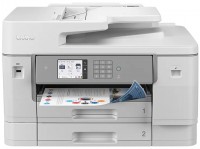
colour, flowers 4, inkjet, A3, printing 4800x1200 dpi, 2-side print, scanning 1200х2400 dpi, 2-side scanning, autoscan, RAM 512 MB, LAN, Wi-Fi Direct, AirPrint, NFC, fax machine

colour, flowers 4, inkjet, A3, printing 4800x1200 dpi, 2-side print, scanning 19200x19200 dpi, 2-side scanning, autoscan, RAM 1024 MB, fast CPU, LAN, Wi-Fi Direct, AirPrint, NFC, fax machine

colour, flowers 4, inkjet, A3, printing 4800x1200 dpi, 2-side print, scanning 1200х2400 dpi, 2-side scanning, autoscan, RAM 3081 MB, LAN, Wi-Fi Direct, AirPrint, fax machine
Brother MFC-J6560DW
Type:colour, flowers 4, inkjet
Format:A3
Connection:USB B, LAN, Wi-Fi 4 (802.11n)
Print Resolution:4800x1200 dpi
Scanning:19200x19200 dpi
B/W printing:31 ppm
Colour print:31 ppm
Number of cartridges:4 pcs
All specifications
Specifications MFC-J6560DW
|
| ||||||||||||||||||||||||||||||||||||||||||||||||||||||||||||||||||||||||||||||||||||||||||||||||||||||||||


E-Catalog UK editor, All-in-One Printers
Mykola Boberskyi, edited 24.06.2026
The information in the model description is for reference purposes.
Always clarify the specifications and configuration of the product with the online store manager before purchasing.
Always clarify the specifications and configuration of the product with the online store manager before purchasing.
Series Brother MFC (with fax)Compare using chart →
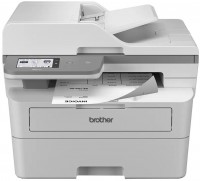
monochrome, laser, A4, printing 1200х1200 dpi, 2-side print, scanning 1200х1200 dpi, autoscan, RAM 256 MB, LAN, Wi-Fi Direct, NFC, fax machine
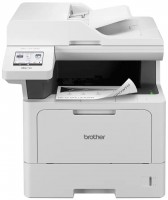
monochrome, laser, A4, printing 1200х1200 dpi, 2-side print, scanning 1200х1200 dpi, autoscan, RAM 512 MB, LAN, Wi-Fi Direct, AirPrint, fax machine
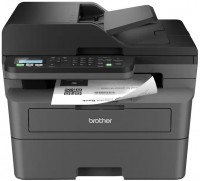
monochrome, laser, A4, printing 1200х1200 dpi, 2-side print, scanning 1200х1200 dpi, autoscan, RAM 128 MB, LAN, Wi-Fi Direct, fax machine

colour, flowers 4, inkjet, CISS, A4, printing 6000x1200 dpi, 2-side print, scanning 19200x19200 dpi, autoscan, RAM 128 MB, LAN, Wi-Fi Direct, AirPrint, fax machine
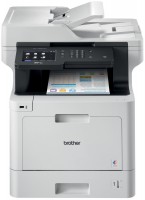
colour, flowers 4, laser, A4, printing 2400х600 dpi, 2-side print, scanning 1200х2400 dpi, 2-side scanning, autoscan, RAM 512 MB, LAN, Wi-Fi Direct, AirPrint, NFC, fax machine
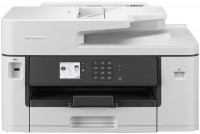
colour, flowers 4, inkjet, A3, printing 4800x1200 dpi, scanning 1200х2400 dpi, autoscan, RAM 256 MB, LAN, Wi-Fi Direct, AirPrint, fax machine
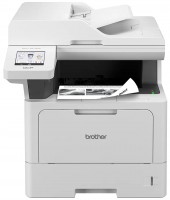
monochrome, laser, A4, printing 1200х1200 dpi, 2-side print, scanning 1200х1200 dpi, autoscan, RAM 512 MB, LAN, fax machine

monochrome, laser, A4, printing 1200х1200 dpi, 2-side print, scanning 19200x19200 dpi, autoscan, RAM 256 MB, LAN, Wi-Fi Direct, AirPrint, fax machine
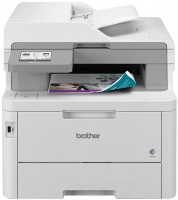
colour, laser, A4, printing 600х600 dpi, 2-side print, scanning 1200х1200 dpi, 2-side scanning, autoscan, RAM 512 MB, LAN, Wi-Fi Direct, NFC, fax machine
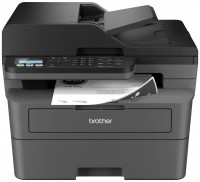
monochrome, laser, A4, printing 1200х1200 dpi, 2-side print, scanning 1200х1200 dpi, autoscan, RAM 128 MB, LAN, fax machine
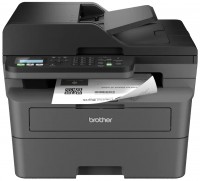
monochrome, laser, A4, printing 1200х1200 dpi, 2-side print, scanning 1200х1200 dpi, autoscan, RAM 128 MB, LAN, Wi-Fi Direct, fax machine
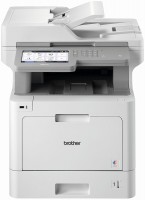
colour, flowers 4, laser, A4, printing 2400х600 dpi, 2-side print, scanning 1200х2400 dpi, 2-side scanning, autoscan, RAM 1024 MB, LAN, Wi-Fi Direct, AirPrint, NFC, fax machine
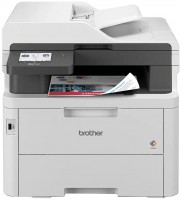
colour, flowers 4, LED, A4, printing 2400х600 dpi, 2-side print, scanning 1200х1200 dpi, autoscan, RAM 512 MB, LAN, Wi-Fi Direct, fax machine
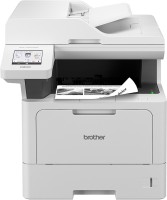
monochrome, laser, A4, printing 1200х1200 dpi, 2-side print, scanning 1200х1200 dpi, 2-side scanning, autoscan, RAM 512 MB, LAN, NFC, fax machine
colour, flowers 4, inkjet, A3, printing 4800x1200 dpi, 2-side print, scanning 1200х2400 dpi, 2-side scanning, autoscan, RAM 512 MB, LAN, Wi-Fi Direct, AirPrint, NFC, fax machine
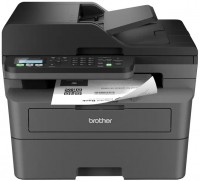
monochrome, laser, A4, printing 1200х1200 dpi, 2-side print, scanning 1200х1200 dpi, autoscan, RAM 128 MB, LAN, Wi-Fi Direct, fax machine
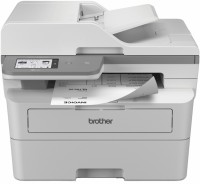
monochrome, laser, A4, printing 1200х1200 dpi, 2-side print, scanning 1200х1200 dpi, autoscan, RAM 256 MB, LAN, Wi-Fi Direct, NFC, fax machine
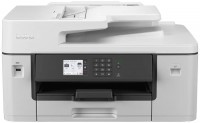
colour, flowers 4, inkjet, A3, printing 4800x1200 dpi, scanning 1200х2400 dpi, autoscan, RAM 256 MB, LAN, Wi-Fi Direct, AirPrint, fax machine
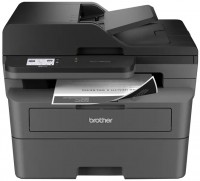
monochrome, laser, A4, printing 1200х1200 dpi, 2-side print, scanning 1200х1200 dpi, autoscan, RAM 256 MB, LAN, Wi-Fi Direct, fax machine

colour, flowers 4, inkjet, A4, printing 4800x1200 dpi, 2-side print, scanning 19200x19200 dpi, RAM 256 MB, Wi-Fi Direct, AirPrint, fax machine