Brother MFC-L2820DW
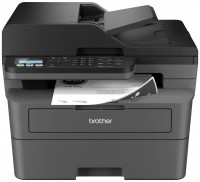
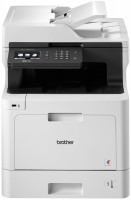
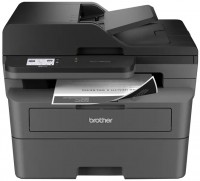
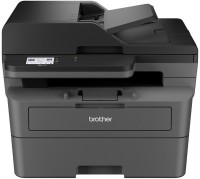 | Outdated Product Reliable monochrome laser multifunction device in a 4-in-1 format, designed for intensive work in small and medium office environments with a complete document workflow. It provides high speed printing and copying at 34 ppm with resolutions up to 1200x1200 dpi, allowing for quick processing of large document volumes with professional text quality, while the first-page-out time of just 8.5 seconds minimizes waiting time for single-page documents. A 50-sheet automatic document feeder supports fast scanning of multi-page documents at the same 1200x1200 dpi resolution, turning paper archives into digital format while maintaining all original details. Separate consumables system with a 1200-page cartridge (with an option for an extended XL version) and a 15000-page drum optimizes printing costs..., allowing you to replace only the used components. The Brother MFC-L2820DW is equipped with a full set of modern interfaces: wired LAN connection for integration into the office network, wireless Wi-Fi 5 module for mobile printing, support for Wi-Fi Direct and AirPrint for direct operation with smartphones and tablets without network connection. A 2.7-inch color touchscreen simplifies function navigation and parameter settings, while the built-in fax with memory for 400 pages ensures reliable document transmission even during power outages. |


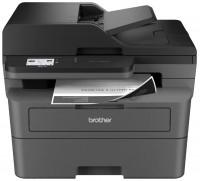
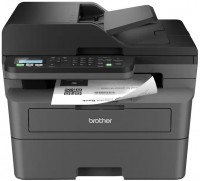
Reliable monochrome laser multifunction device in a 4-in-1 format, designed for intensive work in small and medium office environments with a complete document workflow. It provides high speed printing and copying at 34 ppm with resolutions up to 1200x1200 dpi, allowing for quick processing of large document volumes with professional text quality, while the first-page-out time of just 8.5 seconds minimizes waiting time for single-page documents.
A 50-sheet automatic document feeder supports fast scanning of multi-page documents at the same 1200x1200 dpi resolution, turning paper archives into digital format while maintaining all original details. Separate consumables system with a 1200-page cartridge (with an option for an extended XL version) and a 15000-page drum optimizes printing costs, allowing you to replace only the used components.
The Brother MFC-L2820DW is equipped with a full set of modern interfaces: wired LAN connection for integration into the office network, wireless Wi-Fi 5 module for mobile printing, support for Wi-Fi Direct and AirPrint for direct operation with smartphones and tablets without network connection. A 2.7-inch color touchscreen simplifies function navigation and parameter settings, while the built-in fax with memory for 400 pages ensures reliable document transmission even during power outages.
|
| ||||||||||||||||||||||||||||||||||||||||||||||||||||||||||||||||||||||||||||||||||||||||||||||


Always clarify the specifications and configuration of the product with the online store manager before purchasing.
Catalog Brother 2026 - new arrivals, bestsellers, and the most relevant models Brother.