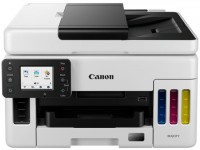
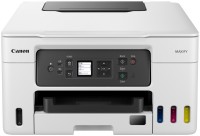
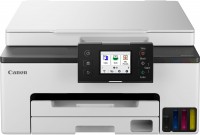
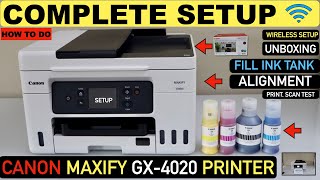
Canon MAXIFY GX4020 (5779C002)
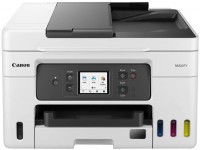 | Outdated Product High-performance color multifunction device with 4-in-1 format from the business-oriented MAXIFY series by the popular brand Canon. The model is designed to meet the needs of small offices and workgroups where not only versatility but also low ownership cost is important. The main economic advantage is the built-in Continuous Ink Supply System (CISS), using GI-26 containers with a huge capacity: up to 6000 pages for black and up to 14000 pages for color inks. Importantly, all inks are pigment-based, ensuring high text clarity and print resistance to moisture and markers on regular office paper. To enhance productivity, the device is equipped with a 35-sheet automatic document feeder for rapid multi-page scanning and copying, as well as an automatic duplex printing function. For integration...into the work environment, the Canon MAXIFY GX4020 MFP offers a full set of interfaces: a LAN port for stable network connection, dual-band Wi-Fi 5 for wireless operation, and Wi-Fi Direct for direct communication with mobile devices. Management is via a 2.7-inch color touchscreen, and there is also support for cloud services and a built-in fax. The print speed reaches up to 18 ppm in monochrome and 13 ppm in color mode, with the first page out in about 8 seconds. A capacious 350-sheet input tray and high monthly capacity (up to 33,000 pages) confirm the device's orientation for intensive office use. |


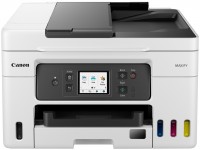
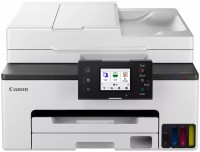
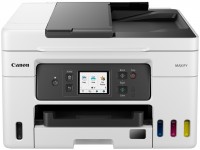

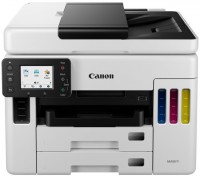
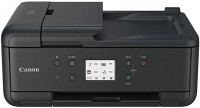
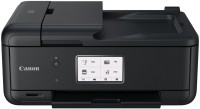
High-performance color multifunction device with 4-in-1 format from the business-oriented MAXIFY series by the popular brand Canon. The model is designed to meet the needs of small offices and workgroups where not only versatility but also low ownership cost is important. The main economic advantage is the built-in Continuous Ink Supply System (CISS), using GI-26 containers with a huge capacity: up to 6000 pages for black and up to 14000 pages for color inks.
Importantly, all inks are pigment-based, ensuring high text clarity and print resistance to moisture and markers on regular office paper. To enhance productivity, the device is equipped with a 35-sheet automatic document feeder for rapid multi-page scanning and copying, as well as an automatic duplex printing function. For integration into the work environment, the Canon MAXIFY GX4020 MFP offers a full set of interfaces: a LAN port for stable network connection, dual-band Wi-Fi 5 for wireless operation, and Wi-Fi Direct for direct communication with mobile devices. Management is via a 2.7-inch color touchscreen, and there is also support for cloud services and a built-in fax. The print speed reaches up to 18 ppm in monochrome and 13 ppm in color mode, with the first page out in about 8 seconds. A capacious 350-sheet input tray and high monthly capacity (up to 33,000 pages) confirm the device's orientation for intensive office use.
|
| ||||||||||||||||||||||||||||||||||||||||||||||||||||||||||||||||||||||||||||||||||||||||


Always clarify the specifications and configuration of the product with the online store manager before purchasing.
Catalog Canon 2026 - new arrivals, bestsellers, and the most relevant models Canon.