
Cooler Master GM27-FQS 27 "
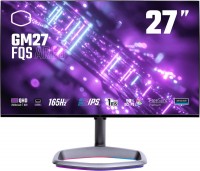 | Outdated Product Product type: gaming; Size ("): 27; Panel type: AHVA; Treatment: anti-glare; Resolution: 2560x1440 (16:9); MPRT response time (ms): 1; Viewing angle vert.: 178; Horizontal viewing angle: 178; Brightness (cd/m²): 300; Static contrast: 1 000:1; HDR; Video transmission: DisplayPort: DisplayPort |


Cooler Master GM27-FQS 27 "
Screen size:27 "
Resolution:2560x1440 (16:9)
Panel:AHVA, MPRT 1 ms
Frequency:165 Hz
Contrast:1 000:1
Brightness:300 cd/m²
Functions:HDR, AMD FreeSync Premium, NVIDIA G-Sync Compatible, Flicker-Free
Connectors:DisplayPort • 2xHDMI v2.0
All specifications
Specifications GM27-FQS
|
| |||||||||||||||||||||||||||||||||||||||||||||||||||||||||||||||||||||||||||||||


The information in the model description is for reference purposes.
Always clarify the specifications and configuration of the product with the online store manager before purchasing.
Catalog Cooler Master 2026 - new arrivals, bestsellers, and the most relevant models Cooler Master.
Always clarify the specifications and configuration of the product with the online store manager before purchasing.
Catalog Cooler Master 2026 - new arrivals, bestsellers, and the most relevant models Cooler Master.

How to Choose a Gaming MonitorWe understand matrix types, suitable resolution, FreeSync and other important aspects when choosing a gaming monitor
Monitor matrices types: TN+film, IPS, VA, OLED, QLED and QD-OLEDCurrent types of monitor matrices, their pros and cons, as well as recommendations for selection
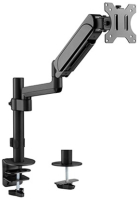
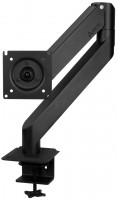
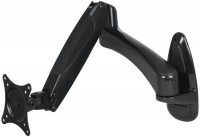
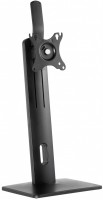
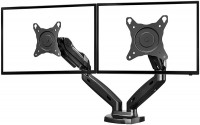
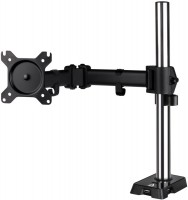
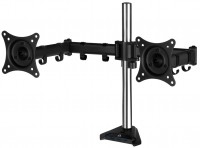
AccessoriesAll accessories for Cooler Master GM27-FQS →



Thin, fast matrix, heavy stand, height adjustment, portrait mode. Fast matrix The absence of a control joystick, instead, there are buttons that are very inconvenient. The preset color profile has very bright colors.  Dmytro Khrystoiev: use Cooler Master GM27-FQS less than month Dmytro Khrystoiev: use Cooler Master GM27-FQS less than month |
Add Review
Video reviews
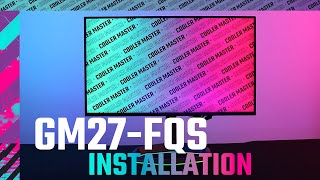
Cooler Master GM27-FQS ARGB Monitor Installation Video
19 August 202211 532 view

Unboxing a 1440p QHD 165Hz Monitor | Cooler Master GM27-FQS ARGB
13 January 20239 392 view

Cooler Master GM27-FQS ARGB - Two Years Down The Road!
6 July 20245 683 view

Cooler Master GM27-FQSA 27" 2K IPS 165Hz QHD Monitor ✅ Review
27 October 20222 884 view

Monitor Cooler Master GM27-FQS ARGB 2K 165Hz
27 December 20222 585 view

Cooler Master GM27 FQS ARGB 165HZ Gaming Monitor | Quick Unboxing and Overview
23 September 20231 382 view
SimilarCompare using chart →
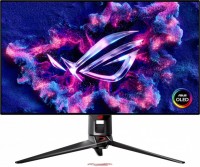
gaming, 31.5 ", 4K, 3840x2160 (16:9), OLED (WOLED), response 0.03 ms, 240 Hz, 480 Hz (Full HD), 10-bit (1.07B Colors), 1.07B, DCI-P3 99 %, HDMI, v 2.1, DisplayPort, USB-C (DP Alt Mode), Power Delivery, ХАБ: USB-A 3x5Gbps, KVM-switch, AMD FreeSync Premium Pro, NVIDIA G-Sync Compatible, VESA Adaptive-Sync, HDR, TÜV Rheinland

gaming, 24.5 ", 1920x1080 (16:9), IPS, response 1 ms, MPRT 0.3 ms, 400 Hz, 16.7M Colors, 16.7M, sRGB 121 %, DCI-P3 92 %, HDMI, DisplayPort, ХАБ: USB-A 4x5Gbps, NVIDIA G-Sync Compatible, VESA Adaptive-Sync, HDR, TÜV Rheinland
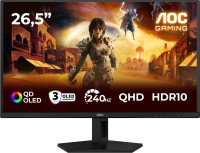
gaming, 26.5 ", 2560x1440 (16:9), QD-OLED, response 0.03 ms, 240 Hz, sRGB 147.6 %, DCI-P3 99.1 %, HDMI, DisplayPort, NVIDIA G-Sync Compatible, VESA Adaptive-Sync, HDR, TÜV Rheinland

gaming, 27 ", 2560x1440 (16:9), QLED, response 1 ms, 200 Hz, 1.07B Colors, 1.07B, sRGB 150 %, DCI-P3 99 %, HDMI, DisplayPort, USB-C (DP Alt Mode), Power Delivery, ХАБ: USB-A 2x5Gbps, KVM-switch, NVIDIA G-Sync Compatible, VESA Adaptive-Sync, HDR, TÜV Rheinland

gaming, 27 ", 4K, 3840x2160 (16:9), IPS, response 1 ms, 160 Hz, 320 Hz (Full HD), 1.07B Colors, 1.07B, sRGB 125 %, DCI-P3 95 %, HDMI, v 2.1, DisplayPort, USB-C (DP Alt Mode), Power Delivery, ХАБ: USB-A 3x5Gbps, KVM-switch, speakers, AMD FreeSync Premium, NVIDIA G-Sync Compatible, VESA Adaptive-Sync, HDR, TÜV Rheinland
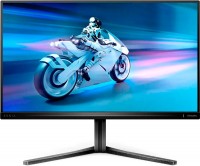
gaming, 27 ", 2560x1440 (16:9), IPS, response 1 ms, MPRT 0.5 ms, 180 Hz, 8-bit + FRC (1.07B Colors), 1.07B, sRGB 125 %, DCI-P3 93.5 %, HDMI, DisplayPort, AMD FreeSync, NVIDIA G-Sync Compatible, VESA Adaptive-Sync, HDR

gaming, 27 ", 2560x1440 (16:9), OLED (WOLED), response 0.03 ms, 240 Hz, 10-bit (1.07B Colors), 1.07B, DCI-P3 99 %, HDMI, v 2.1, DisplayPort, USB-C (DP Alt Mode), AMD FreeSync Premium, NVIDIA G-Sync Compatible, HDR, TÜV Rheinland

gaming, 26.5 ", 2560x1440 (16:9), QD-OLED, response 0.03 ms, 500 Hz, 10-bit (1.07B Colors), 1.07B, sRGB 138 %, DCI-P3 99 %, HDMI, v 2.1, DisplayPort, USB-C (DP Alt Mode), Power Delivery, AMD FreeSync Premium Pro, VESA Adaptive-Sync, HDR, TÜV Rheinland
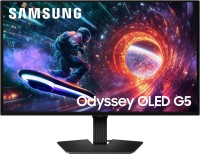
gaming, 27 ", 2560x1440 (16:9), QD-OLED, response 0.03 ms, 180 Hz, 1.07B Colors, 1.07B, DCI-P3 99 %, HDMI, DisplayPort, AMD FreeSync, NVIDIA G-Sync Compatible, HDR, Pantone Validated

26.5 ", 2560x1440 (16:9), QD-OLED, response 0.03 ms, 240 Hz, 10-bit (1.07B Colors), DCI-P3 99 %, HDMI, v 2.1, DisplayPort, speakers, AMD FreeSync Premium, HDR
gaming, 34 ", 3440x1440 (21:9), curved 1500R, *VA, response 1 ms, MPRT 0.5 ms, 180 Hz, 10-bit (1.07B Colors), 1.07B, sRGB 125 %, DCI-P3 94 %, HDMI, DisplayPort, VESA Adaptive-Sync, HDR

gaming, 27 ", 2560x1440 (16:9), QD-OLED, response 0.03 ms, 500 Hz, 10-bit (1.07B Colors), 1.07B, DCI-P3 99 %, HDMI, v 2.1, DisplayPort, ХАБ: USB-A 2x5Gbps, AMD FreeSync Premium Pro, NVIDIA G-Sync Compatible, VESA Adaptive-Sync, HDR, Pantone Validated
7-fqs-argb after that everything is great, compared with my Asus UX410U to which it is currently connected. Suitable for both gaming and work.