
Glofish X800
 | Outdated Product OS: Windows Mobile; Main display: display ("): 2.8; screen resolution: 640x480; CPU (GHz): 0.5; Memory card slot: microSD; Main lens (MP): 2; Cellular technology: 3G; FM receiver; GPS module; Capacity (mAh): 1530; Dimensions (mm): 114x61x16; Weight (g): 146; |


We recommend products in stockMobile Phones Glofish →
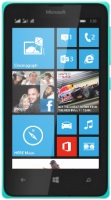
1SIM, compact, 4 ", 233 ppi, Windows Phone 8.1, 8 GB, RAM 1 GB, camera: 2 MP, charger: 1560 mAh, 134 g
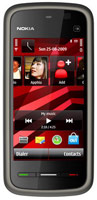
1SIM, compact, 3.2 ", 229 ppi, proprietary, RAM 0.1 GB, camera: 2 MP, charger: 1320 mAh, 115 g
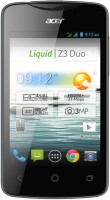
compact, 3.5 ", 165 ppi, Android, 4 GB, RAM 0.5 GB, camera: 3 MP, charger: 1500 mAh, 120 g
Glofish X800
Screen:2.8 ", 640x480
Memory size:+ memory card slot
Camera:2 MP
Battery:1530 mAh
All specifications
Specifications X800
|
| |||||||||||||||||||||||||||||||||||||||||||||||||||||||||||||||||||


E-Catalog UK editor, Mobile Phones
Serhii Shkurupii, edited 28.07.2026
The information in the model description is for reference purposes.
Always clarify the specifications and configuration of the product with the online store manager before purchasing.
Catalog Glofish 2026 - new arrivals, bestsellers, and the most relevant models Glofish.
Always clarify the specifications and configuration of the product with the online store manager before purchasing.
Catalog Glofish 2026 - new arrivals, bestsellers, and the most relevant models Glofish.
AccessoriesAll accessories for Glofish X800 →





Connectors:
- A standard 2.5 mm headphone jack is located on the left side of the device
- miniUSB — data transfer and device charging occurs through this connector.
- Memory expansion slot supports hot-swappable cards
- \"Slide\" for mechanical blocking of the device is missing
- Talk time — up to 4 hours
- Standby — Approximately 130 hours
- Use in PDA mode — 10-15 hours
- GPS navigator mode — about 3-5 hours
- Modes: normal, portrait, timer
- File formats: BMP, JPEG, Exif(JPEG)
- The ability to display the date, time on the image, as well as the location if the GPS navigator finds the coordinates of the area
- Shooting video with a resolution of 320x240, 176x144, 128x96 pixels in 3gp format
- Effects: Negative, Grayscale, Flashback, Reflection
- White Balance: Auto, Incandescent, Fluorescent, Sunlight, Shade, Overcast, Night Mode
- Modes: shooting with a timer, portrait, adding frames to photos, Macro mode
- The main control unit of the device consists of 8 keys and a joystick
- The buttons for quickly launching the GPS programme and the Today button have changed their position in relation to the younger model Glofiish x500 +, now they are in the general control unit of the device
- The camera call button is on the right side
- Turning the device on / off is done by pressing, again, the button located on the right side of the device, but already a little higher
- Left side: 2.5 mm headset jack and volume control buttons
- Communicator E-Ten Glofiish X-800
- Leather case for carrying the device on the belt
- Charger
- PC sync cable(miniUSB>USB)
- stereo headset
- Stylus
- CD with synchronization software and user manual
- Brief user manual
- Accumulator battery