
HP 22f 22 "
 | Outdated Product Product type: monitor; Size ("): 22; Panel type: IPS; Treatment: anti-glare; Resolution: 1920x1080 (16:9); Response time GtG (ms): 5; Viewing angle vert.: 178; Horizontal viewing angle: 178; Brightness (cd/m²): 300; Static contrast: 1 000:1; Dynamic Contrast: 10 000 000:1; Video transmission: VGA |


We recommend products in stockMonitors HP →
21.45 ", 1920x1080 (16:9), IPS, response 4 ms, 100 Hz, 8-bit (16.7M Colors), 16.7M, VGA, HDMI, speakers
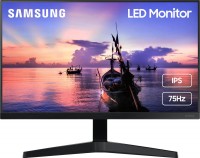
21.5 ", 1920x1080 (16:9), IPS, response 3 ms, 75 Hz, sRGB 96 %, HDMI, DisplayPort, speakers, AMD FreeSync
22 ", 1920x1080 (16:9), IPS, response 5 ms, 60 Hz, 6-bit + FRC (16.7M Colors), 16.7M, VGA, HDMI, speakers
21.5 ", 1920x1080 (16:9), IPS, MPRT 0.4 ms, 100 Hz, 6-bit + FRC (16.7M Colors), 16.7M, sRGB 99 %, HDMI, DisplayPort, ХАБ: USB-A 4x5Gbps, speakers, AMD FreeSync, TÜV Rheinland

21.5 ", 1920x1080 (16:9), IPS, MPRT 1 ms, 100 Hz, 16.7M Colors, 16.7M, sRGB 96 %, HDMI, DisplayPort, ХАБ: USB-A 2x2.0, speakers, AMD FreeSync, VESA Adaptive-Sync, TÜV Rheinland
22 ", 1920x1080 (16:9), IPS, response 5 ms, 75 Hz, 8-bit (16.7M Colors), 16.7M, HDMI, DisplayPort, ХАБ: USB-A 2x2.0, AMD FreeSync
23 ", 1920x1080 (16:9), IPS, response 4 ms, 60 Hz, 6-bit + FRC (16.7M Colors), 16.7M, VGA, HDMI, DisplayPort, ХАБ: USB-A 4x5Gbps
22 ", 1920x1080 (16:9), IPS, response 5 ms, 75 Hz, VGA, HDMI, DisplayPort, ХАБ: USB-A 2x2.0, speakers, AMD FreeSync, NVIDIA G-Sync Compatible
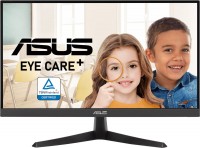
21.45 ", 1920x1080 (16:9), IPS, MPRT 2 ms, 75 Hz, HDMI, DisplayPort, AMD FreeSync, VESA Adaptive-Sync, TÜV Rheinland
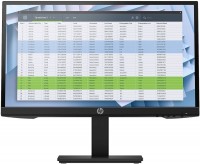
22 ", 1920x1080 (16:9), IPS, response 5 ms, 75 Hz, 6-bit + FRC (16.7M Colors), 16.7M, VGA, HDMI, DisplayPort
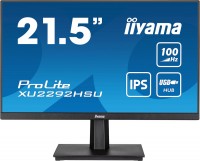
21.5 ", 1920x1080 (16:9), IPS, MPRT 0.4 ms, 100 Hz, HDMI, DisplayPort, ХАБ: USB-A 4x5Gbps, speakers, AMD FreeSync
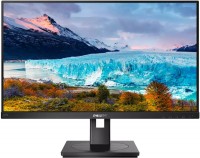
22 ", 1920x1080 (16:9), IPS, response 4 ms, 75 Hz, sRGB 102 %, VGA, DVI-D, HDMI, DisplayPort, speakers, AMD FreeSync
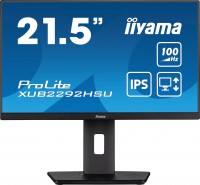
21.5 ", 1920x1080 (16:9), IPS, MPRT 0.4 ms, 100 Hz, 6-bit + FRC (16.7M Colors), 16.7M, sRGB 99 %, HDMI, DisplayPort, ХАБ: USB-A 4x5Gbps, speakers, AMD FreeSync, TÜV Rheinland
HP 22f 22 "
Screen size:22 "
Resolution:1920x1080 (16:9)
Panel:IPS, response 5 ms
Frequency:60 Hz
Contrast:1 000:1
Brightness:300 cd/m²
Functions:AMD FreeSync, Flicker-Free
Connectors:HDMI, VGA
All specifications
Specifications 22f
|
| ||||||||||||||||||||||||||||||||||||||||||||||||||||||||||||||

The information in the model description is for reference purposes.
Always clarify the specifications and configuration of the product with the online store manager before purchasing.
Catalog HP 2026 - new arrivals, bestsellers, and the most relevant models HP.
Always clarify the specifications and configuration of the product with the online store manager before purchasing.
Catalog HP 2026 - new arrivals, bestsellers, and the most relevant models HP.

How to Choose a Gaming MonitorWe understand matrix types, suitable resolution, FreeSync and other important aspects when choosing a gaming monitor
Monitor matrices types: TN+film, IPS, VA, OLED, QLED and QD-OLEDCurrent types of monitor matrices, their pros and cons, as well as recommendations for selection
AccessoriesAll accessories for HP 22f →





Cool, clear, super colors, ips matrix Small font at 1920x1080  Valery Bondar: use HP 22f less than month Valery Bondar: use HP 22f less than month |
Add Review
Video reviews

HP M22F गेमिंग मॉनिटर रिव्यू - 12 हज़ार से कम कीमत में गेमिंग मॉनिटर
20 December 202191 797 view
HP M22f 22 inchs FHD IPS Monitor Unboxing in Bangla By Maxtubeee
22 May 202290 385 view

DELL SE2219HX Vs Hp 22F LED Moniter Comparison | Best For Gamers | Which One IS Best ??
7 February 202076 839 view

HP m22f monitor review।।জাতীয় ও সেরা মনিটর m22f রিভিউ।।monitor review bangla।।AfsarFT।
5 November 202139 866 view

Did I Just Find Best Monitor Ever?? | Under 10k | HP 22F Unboxing & Review
15 July 202013 682 view
১০০০০ টাকায় সেরা মনিটর|LG22MK600 Vs HP22F |Budget Gaming Monitor |LG22MK600 Unboxing|GTBD|Bangla|
20 December 201913 602 view

Best Budget PC Display 2025 | HP 22fw ultra-slim IPS FHD display 2025 | Unboxing & Review
14 April 20218 766 view

Best Monitor Hp 22fw Unboxing & 4k Video Test
7 November 20207 762 view

22" Editing & Designing Monitor Update Price | Customer Review | HP M22f 22" | Premier Computer
17 June 20227 660 view

সেরা বাজেট গেমিং মনিটর || HP 22f Full Review (Bangla)
4 July 20193 217 view

Hp 22F IPS LED Moniter Unboxing & Depth Review And Video Test Budget Gaming Moniter
13 November 20192 822 view

HP 22F IPS Display 1080P Monitor Unboxing & Details Review In Assamese
25 September 20192 151 view

HP 22F Full HD 75Hz Display | BEST Monitor For your PC UNBOXING|
24 November 20191 103 view

HP 22f FHD IPS LED Display Monitor Unboxing
27 August 2020725 view
HP 22f Full HD IPS Display (1920 x 1080P) 21.5 Inch Ultra-Slim Monitor Unboxing & Review.
16 June 2020430 view

Unboxing HP 22f Monitor
26 June 2020327 view

Hp 22f 21.5inch IPS Diagonal FHD Ultra Slim Monitor unboxing
31 May 2020176 view
I was looking for a 16:10 format monitor and found a Dell that was 1500 UAH more expensive, but it has pivot - you can adjust the height of the stand. But my wife preferred the HP because of the thin bezels, more attractive design, and hidden buttons. Also, the model is newer than the Dell, although Dell makes excellent monitors. The advantage of the 16:10 format is that more information fits vertically, making it better for office work.
There is one issue: on the HP 22f, the font in programs is quite small. The interface of programs and Windows, folder names, everything is in small font! This is very inconvenient for accountants! When you increase the global scale on the desktop to, let's say, 125%, in Word, Excel, and some office programs, the font becomes blurry and unclear. You can work in the original 100% scale, but sometimes it strains the eyes, while in Mozilla and Chrome, the scaling is independent, and everything remains crisp. You can set a custom scale for each site - making fonts and images larger. I decided to switch to the same HP 24" monitor - with the same resolution but a larger screen so fonts and icons will be bigger. You cannot change the resolution of the HP 22f; the image becomes immediately unclear and stretched. Only 1920x1080.