
HP OfficeJet Pro 8610
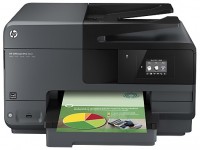 | Outdated Product Paper size: A4; Print Type: inkjet; Output Type: colour; B/W printing (ppm): 31; Colour printing (ppm): 31; Double-side printing; Autofeed (sheets): 35; Black Ink Page Yield (pages): 1000; Colour Ink Page Yield (pages): 700; PC connection (USB); network connection (LAN); Wi-Fi: Wi-Fi 4 (802.11n) |


HP OfficeJet Pro 8610
Type:colour, inkjet
Format:A4
Connection:USB B, LAN, Wi-Fi 4 (802.11n)
Print Resolution:1200х1200 dpi
Scanning:1200х1200 dpi
B/W printing:31 ppm
Colour print:31 ppm
Number of cartridges:4 pcs
Support for Google Home.
All specifications
Specifications OfficeJet Pro 8610
|
| |||||||||||||||||||||||||||||||||||||||||||||||||||||||||||||||||||||||||||||||||||||||||||||


The information in the model description is for reference purposes.
Always clarify the specifications and configuration of the product with the online store manager before purchasing.
Catalog HP 2026 - new arrivals, bestsellers, and the most relevant models HP.
Always clarify the specifications and configuration of the product with the online store manager before purchasing.
Catalog HP 2026 - new arrivals, bestsellers, and the most relevant models HP.
Series HP OfficeJet (inkjet, office)
movable, colour, flowers 4, inkjet, A4, 4800x1200 dpi, b/w 10 ppm, color 7 ppm, Wi-Fi Direct, AirPrint
colour, flowers 4, inkjet, A4, printing 4800x1200 dpi, 2-side print, scanning 1200х1200 dpi, autoscan, RAM 512 MB, fast CPU, LAN, Wi-Fi Direct, AirPrint, Bluetooth
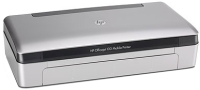
movable, colour, flowers 4, inkjet, A4, 4800x1200 dpi, b/w 22 ppm, color 18 ppm, Bluetooth
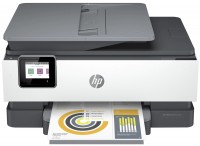
colour, flowers 4, inkjet, A4, printing 1200х1200 dpi, 2-side print, photo print, scanning 1200х1200 dpi, autoscan, RAM 256 MB, fast CPU, LAN, Wi-Fi Direct, AirPrint, fax machine
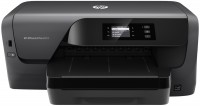
colour, flowers 4, inkjet, A4, 1200x1200 dpi, b/w 34 ppm, color 34 ppm, Wi-Fi Direct, AirPrint
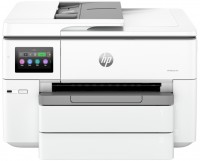
colour, flowers 4, inkjet, A3, printing 4800x1200 dpi, 2-side print, scanning 1200х1200 dpi, 2-side scanning, autoscan, RAM 512 MB, fast CPU, LAN, Wi-Fi Direct, AirPrint, Bluetooth
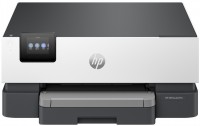
colour, flowers 4, inkjet, A4, 4800x1200 dpi, b/w 32 ppm, color 32 ppm, Bluetooth, Wi-Fi Direct, AirPrint
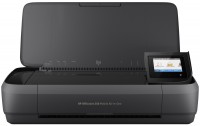
colour, flowers 4, inkjet, A4, printing 4800x1200 dpi, scanning 600х600 dpi, RAM 256 MB, Wi-Fi Direct, AirPrint, Bluetooth
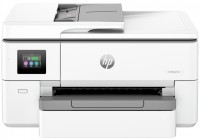
colour, flowers 4, inkjet, A3, printing 4800x1200 dpi, 2-side print, scanning 1200х1200 dpi, 2-side scanning, autoscan, RAM 512 MB, fast CPU, LAN, Wi-Fi Direct, AirPrint, Bluetooth
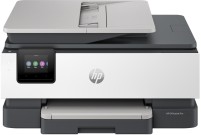
colour, flowers 4, inkjet, A4, printing 4800x1200 dpi, 2-side print, photo print, scanning 1200х1200 dpi, autoscan, RAM 512 MB, fast CPU, LAN, Wi-Fi Direct, AirPrint, Bluetooth
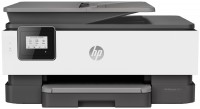
colour, flowers 4, inkjet, A4, printing 1200х1200 dpi, 2-side print, scanning 1200х1200 dpi, autoscan, RAM 256 MB, fast CPU, Wi-Fi Direct, AirPrint
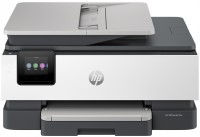
colour, flowers 4, inkjet, A4, printing 4800x1200 dpi, 2-side print, scanning 1200х1200 dpi, autoscan, RAM 512 MB, fast CPU, LAN, Wi-Fi Direct, AirPrint, fax machine
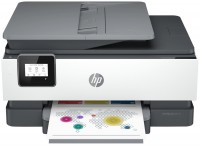
colour, flowers 4, inkjet, A4, printing 1200х1200 dpi, 2-side print, scanning 1200х1200 dpi, autoscan, RAM 256 MB, fast CPU, Wi-Fi Direct, AirPrint
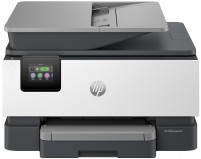
colour, flowers 4, inkjet, A4, printing 4800x1200 dpi, 2-side print, scanning 1200х1200 dpi, 2-side scanning, autoscan, RAM 512 MB, fast CPU, LAN, Wi-Fi Direct, AirPrint, Bluetooth, fax machine
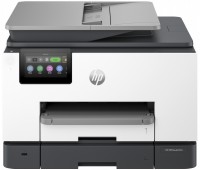
colour, flowers 4, inkjet, A4, printing 4800x1200 dpi, 2-side print, scanning 1200х1200 dpi, 2-side scanning, autoscan, RAM 512 MB, fast CPU, LAN, Wi-Fi Direct, AirPrint, Bluetooth, fax machine
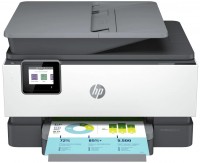
colour, flowers 4, inkjet, A4, printing 1200х1200 dpi, 2-side print, photo print, scanning 1200х1200 dpi, 2-side scanning, autoscan, RAM 512 MB, fast CPU, LAN, Wi-Fi Direct, AirPrint, fax machine
colour, flowers 4, inkjet, A4, printing 1200х1200 dpi, 2-side print, scanning 1200х1200 dpi, autoscan, RAM 512 MB, fast CPU, LAN, Wi-Fi Direct, AirPrint, fax machine
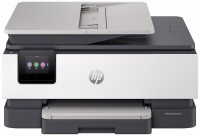
colour, flowers 4, inkjet, A4, printing 4800x1200 dpi, 2-side print, scanning 1200х1200 dpi, autoscan, RAM 512 MB, fast CPU, LAN, Wi-Fi Direct, AirPrint, Bluetooth, fax machine
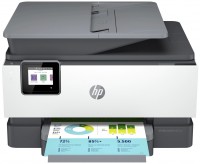
colour, flowers 4, inkjet, A4, printing 1200х1200 dpi, 2-side print, photo print, scanning 1200х1200 dpi, 2-side scanning, autoscan, RAM 512 MB, fast CPU, LAN, Wi-Fi Direct, AirPrint, fax machine
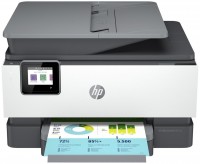
colour, flowers 4, inkjet, A4, printing 1200х1200 dpi, 2-side print, photo print, scanning 1200х1200 dpi, 2-side scanning, autoscan, RAM 512 MB, fast CPU, LAN, Wi-Fi Direct, AirPrint, fax machine
AccessoriesAll accessories for HP OfficeJet Pro 8610 →
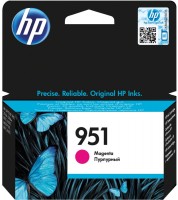
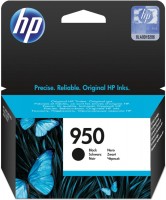
Beautiful Fast printing (draft speed higher than lasers) Automatic feeder in scanner Duplex printing Ethernet connection Huge capacity of original cartridges (750-1000-1500-2300 copies) Was unable to install third-party CISS in it (bought and tried two sets of CISS - ended up throwing both away - it refuses to accept them) No access to the input tray during printing, no single sheet feeding Touchscreen display. No buttons on the panel and terribly inconvenient menu - to make a simple copy, you need to enter the touch menu and rummage through the settings (when on any other MFP you just place the sheet and press a button) High prices for original consumables Not for photo printing use HP OfficeJet Pro 8610 week i recommend it should buy |
Add Review
Media types:
Plain Paper, HP Bright White Paper, HP Premium Presentation Paper, Matte Paper, HP Premium Plus Photo Paper, HP Advanced Photo Paper, HP Everyday Glossy Photo Paper, Other Photo Paper, Other Greeting Cards, HP Professional Glossy/Matte Inkjet Paper 180 g, Other brochure paper
Plain Paper, HP Bright White Paper, HP Premium Presentation Paper, Matte Paper, HP Premium Plus Photo Paper, HP Advanced Photo Paper, HP Everyday Glossy Photo Paper, Other Photo Paper, Other Greeting Cards, HP Professional Glossy/Matte Inkjet Paper 180 g, Other brochure paper
We recommendCompare using chart →
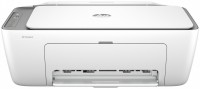
colour, flowers 4, inkjet, A4, printing 4800x1200 dpi, photo print, scanning 1200х1200 dpi, RAM 64 MB, fast CPU, Wi-Fi Direct, AirPrint
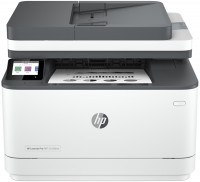
monochrome, laser, A4, printing 1200х1200 dpi, 2-side print, scanning 1200х1200 dpi, autoscan, RAM 512 MB, LAN, Wi-Fi Direct, AirPrint, Bluetooth, fax machine
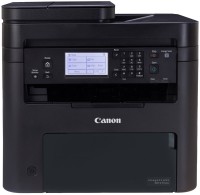
monochrome, laser, A4, printing 2400х600 dpi, 2-side print, scanning 600х600 dpi, autoscan, RAM 256 MB, LAN, Wi-Fi Direct, AirPrint, fax machine

colour, flowers 4, laser, A4, printing 1200х1200 dpi, 2-side print, scanning 9600х9600 dpi, 2-side scanning, autoscan, RAM 1024 MB, fast CPU, LAN, Wi-Fi Direct, AirPrint, fax machine, hDD, 4 GB
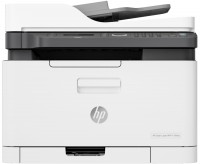
colour, flowers 4, laser, A4, printing 600х600 dpi, scanning 600х600 dpi, autoscan, RAM 128 MB, LAN, Wi-Fi Direct, AirPrint, fax machine
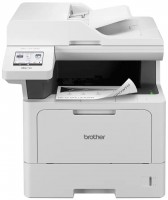
monochrome, laser, A4, printing 1200х1200 dpi, 2-side print, scanning 1200х1200 dpi, autoscan, RAM 512 MB, LAN, Wi-Fi Direct, AirPrint, fax machine

monochrome, laser, A4, printing 600х600 dpi, 2-side print, scanning 600х600 dpi, RAM 64 MB, AirPrint
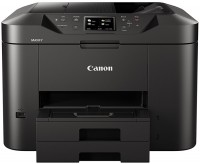
colour, flowers 4, inkjet, A4, printing 1200х600 dpi, 2-side print, scanning 1200х1200 dpi, autoscan, LAN, AirPrint, fax machine
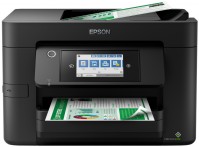
colour, flowers 4, inkjet, A4, printing 4800x2400 dpi, 2-side print, scanning 1200х2400 dpi, autoscan, LAN, Wi-Fi Direct, AirPrint, fax machine
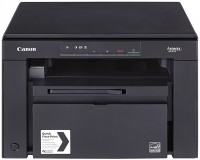

colour, flowers 4, laser, A4, printing 1200х1200 dpi, 2-side print, scanning 9600х9600 dpi, autoscan, RAM 1024 MB, fast CPU, LAN, Wi-Fi Direct, AirPrint, hDD, 4 GB
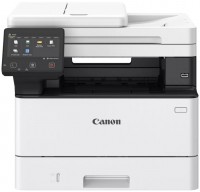
monochrome, laser, A4, printing 1200х1200 dpi, 2-side print, scanning 600х600 dpi, 2-side scanning, autoscan, RAM 1024 MB, fast CPU, LAN, Wi-Fi Direct, AirPrint, hDD, 4 GB
If it were possible to install third-party CISS or continuous ink systems, it would be priceless.
Although even so, the printing cost is cheaper than lasers (the cost of the original cartridge is twice lower than that of a laser, and its resource is about one and a half times higher - 2300 copies here versus 1600 for laser counterparts)
But still, I would like it to be even cheaper )