Lenovo IdeaPad L340 15 Gaming
 | Outdated Product |

| This model is out of stock |
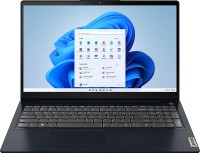
A family of medium-format gaming laptops with a high-quality 15.6" FullHD-resolution screen, a full-size backlit keyboard, good battery life and a balanced hardware configuration. Designed for use as mobile gaming stations, they can also serve as a universal home PC, replacing a full-size desktop. Based on high-performance 4- and 6-core Intel Core i5/i7 processors that are capable of operating at clock speeds from 2.4 to 4.5 GHz (in Turbo Boost mode) Demonstrate impressive single and multi-threaded performance, enough to solve all household and most serious professional tasks.The amount of DDR4 RAM, depending on the model, can vary from 8 to 16GB.The gaming capabilities of Lenovo IdeaPad L340 15 Gaming laptops depend on the position of the model in the line.The minimum configuration includes a discrete Nvidia GeForce GTX 1050 graphics card with 3 GB GDDR5, which is enough for everyone and gr (until 2020 inclusive) at medium-high / high graphics settings. Older models are equipped with a more powerful GeForce GTX 1650 video adapter with 4 GB of video memory, which is capable of providing a comfortable frame rate at high / maximum graphics settings. All models with high-speed network interfaces Gigabit Ethernet + Wi-Fi 5.

















2 1 1 1 |
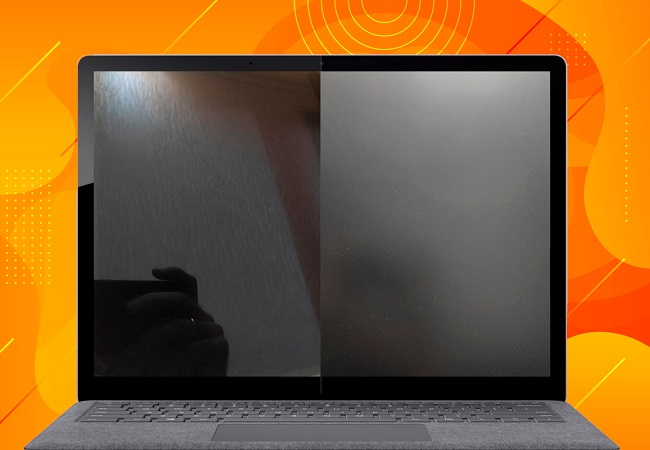
I bought this laptop on a store’s birthday sale for €510, and for that price it’s just perfect. Some sites say it has a Core i5-9300HF without an integrated graphics card, but in reality it’s a Core i5-9300H (which is what mine has), and it does have integrated graphics — obviously a big plus. After installing Windows 10, I recommend installing the official app — Lenovo Vantage (through it you can update the necessary drivers, BIOS firmware, set the battery to an economy mode to extend its lifespan, and other useful things). Also, don’t worry if the auto-brightness adjusts itself to the interface while you’re using it (I freaked out at first and thought something was wrong with the display) — that’s how “Intel Graphics Command Center” works by default (you can turn it off like this — open the “Intel Graphics Command Center” app > System > Power > disable “Enhanced Power Saving”). To fine-tune the touchpad (to prevent accidental palm clicks, etc.) — download the official “ETDProperties” app from the Microsoft Store, since for some reason the driver doesn’t add this add-on to the system settings. + Not flashy, pleasant design for a gaming laptop (you can even take this to work) + Fast and powerful. I don’t know why, but in games the GTX 1050 in this laptop performs much better than in similar configurations in other laptops. I’m judging by YouTube tests of laptops with this GPU. Maybe the CPU boosts it that well? Or the new drivers work better? No idea, but a fact is a fact. + Surprisingly quiet. Even in games it’s quiet with the right settings (if you do undervolting and limit the frame rate in games via the "NVIDIA Control Panel" to 40). And outside of games, during normal use the fans sometimes don’t run at all, since there’s no need. + Runs cool + Webcam privacy shutter - Display. Bad IPS. First time I’ve run into image retention on a laptop, and it happened on this one. If a high-contrast static image sits on the screen for a long time (and I do mean for a long time), you can see a faint “ghost” of the previous image on a dark background. It’s not a big deal — it fades after a couple of minutes and most people won’t notice, but it surprised me. Color reproduction is so-so, and there’s backlight bleed on a black screen. Also, weirdly, even though the coating is matte, reflections under very bright light are worse for me than on a glossy display. This is my first matte screen, maybe I’m just not used to it, but that’s how it is. Bottom line: if you work with color, this laptop definitely isn’t for you. Or you’ll need to buy an external monitor. In games and everyday use, these drawbacks aren’t noticeable. - The plastic the laptop is made of. Soft and looks flimsy. Honestly, after opening and closing it a bunch of times, the top panel has a slight dip in the middle if you look closely from the side (you won’t see it in normal use and it doesn’t get in the way). So you need to handle this plastic with care. - The top half of the laptop shakes with vibrations (for example, if you move the table it’s on or knock on the table), like a toy on a spring. - No storage activity LED. (Turns out that’s pretty important for me)  Yaroslav: use Lenovo IdeaPad L340 15 Gaming few months Yaroslav: use Lenovo IdeaPad L340 15 Gaming few months |
A good budget model for light gaming and work. I got the config with a 250 GB M.2 SSD, i5-9300H, 1050, and 8 GB RAM. + Performance for the price + Bright display, camera shutter, backlit keyboard, a fairly comfortable touchpad + Battery life in "light" use (typing, Office apps) - about 4 hours on average. Gaming - 1.5 - 2 hours. + Anti-glare screen + Has the essential ports + Option to add an extra storage drive - Only one RAM stick installed - Slightly different keyboard - Gets dusty fast - Speakers clearly aren’t for music or gaming  Dmitriy: use Lenovo IdeaPad L340 15 Gaming less than month Dmitriy: use Lenovo IdeaPad L340 15 Gaming less than month |
Worth the money In the game flies i didn't find any problems Maksim Zaharov: use Lenovo IdeaPad L340 15 Gaming less than month |