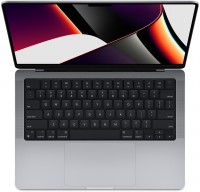
How to Choose an Apple MacBook
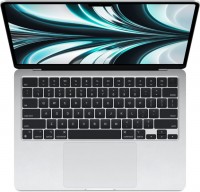
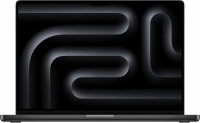
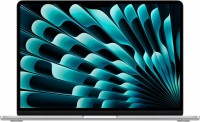
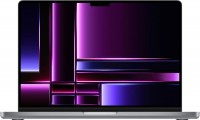
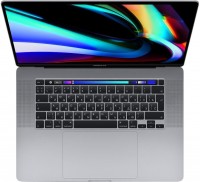
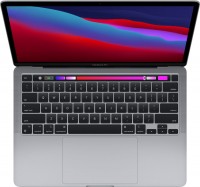
It is better to start choosing an Apple laptop not with the processor generation, but with the intended usage scenario. For studying, office work, and everyday tasks, the MacBook Air will suit most users; the MacBook Pro is worth considering for regular video editing, working with graphics, development, and other prolonged heavy workloads. The most affordable MacBook Neo is designed for basic tasks, but its memory, storage, and connectivity limitations should be taken into account in advance.
| What the user needs |
Models to consider |
Main difference |
| Studying, browsing, documents, video |
MacBook Neo |
The simplest entry into macOS, but only 8 GB of memory and 256/512 GB SSD
|
| Universal everyday laptop |
MacBook Air 13 M5 |
Lightweight body, 16 GB of memory in base configurations, convenient for
frequent travel
|
| The same, but with a larger screen |
MacBook Air 15 M5 |
Performance is close to the Air 13; the main advantage is the 15.3″ screen
|
| Video editing, development, working with photos and graphics |
MacBook Pro 14 M5 / M5 Pro |
More powerful system and Liquid Retina XDR display with a high refresh rate
|
| Heavy professional projects |
MacBook Pro 14/16 M5 Pro or M5 Max |
More computing and graphics resources, memory, and professional interfaces
|
| Looking to save money |
MacBook Air or Pro from previous M4/M3 generations
|
Make sense when there is a significant price difference and the specifications
are sufficient
|
For Studying and the Simplest Tasks
MacBook Neo
is worth considering if the laptop is needed primarily for browsing, documents,
video calls, watching movies, and undemanding educational software. The current
version uses A18 Pro, 8 GB of unified memory, and a 256 or 512 GB SSD. The display
has a 13″ diagonal, while the claimed battery life reaches 16 hours of video
playback.
The main issue here is not the processor but the configuration limitations. 8 GB
of memory leaves less headroom for heavy multitasking, while 256 GB fills up
quickly if photos, videos, and large applications are stored locally. There is
only one high-speed USB-C port and a second USB-C port using the USB 2 standard,
while one external display is supported, up to 4K at 60 Hz. Therefore, the Neo is
best as an affordable entry-level MacBook; paying extra for the Air makes sense if
the laptop is being purchased for long-term use or the tasks may become more
demanding.
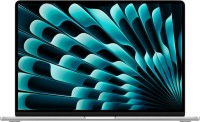
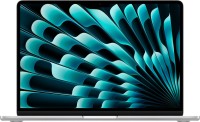
For Most Users — MacBook Air
MacBook Air
13 M5 is the most versatile starting point. It is suitable for studying, office
work, programming, photo editing, and occasional video editing without the need
to buy a professional model. Current M5 Air models are available with 16–32 GB of
unified memory and SSDs from 512 GB; the claimed battery life is up to 18 hours of
video playback.
Between the Air 13 and Air 15, the choice should be based primarily on size, not
on the expected difference in speed. The 13.6″ display is more convenient for
frequent travel, while the 15.3″ display provides more workspace for spreadsheets,
editors, and multiple windows. The current Air 13 weighs about 1.23 kg, while the
Air 15 weighs about 1.5 kg.
16 GB of memory is enough for typical everyday work. Paying extra for 24 or 32 GB
makes sense if demanding work applications, virtual environments, or large graphic
design projects are used simultaneously, or if the laptop is being purchased with
substantial headroom for the future. The same applies to the SSD: 512 GB is
convenient for a cloud-based workflow, while 1 TB or more is primarily needed by
those who store large photo, video, or work-project libraries locally.
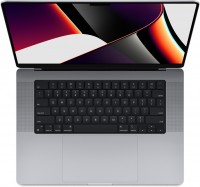
When You Really Need a MacBook Pro
MacBook Pro
should be chosen not simply because it is “higher-end,” but when its advantages
will be used regularly. The current lineup includes a 14-inch version with M5, as
well as 14- and 16-inch models with M5 Pro and M5 Max. M5 Pro and M5 Max are
designed for heavier computing and graphics workloads and also provide Thunderbolt
5; the Pro includes HDMI and an SDXC slot, which is convenient for monitors,
cameras, and professional peripherals.
For programming, moderate video editing, and working with graphics, it is
reasonable to start comparisons with the MacBook Pro 14. The M5 Pro makes sense
when compilation, rendering, or video editing takes up a significant part of the
workday. The M5 Max is a specialized option for tasks that genuinely use a powerful
GPU and large amounts of memory. There is usually no need to buy it for browsing,
office applications, or occasional photo editing.
Size also matters. The MacBook Pro 16 provides more workspace and is convenient as
a primary professional computer, but it is noticeably heavier: for example, the
previous-generation Pro 16 with M4 Pro listed in the catalog weighs about 2.14 kg.
If the laptop has to be carried every day, the 14-inch model is often more
practical.
Is It Worth Buying a Previous-Generation MacBook?
The catalog includes Air and Pro models with M4, M3, M2, and even M1 at the same
time. The arrival of M5 does not, by itself, make them poor choices. For example, a
MacBook Air M4 with 16 GB of memory may be a more sensible choice than the new M5
if it costs significantly less and its performance is sufficient for your tasks.
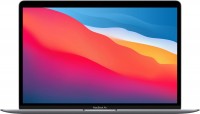
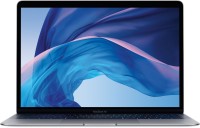
E-Catalog also continues to list the MacBook Air M1 and professional models from
previous generations.
It is better to compare generations by specific configuration: memory and SSD
capacity, display, ports, external-monitor support, and price. A small speed
increase alone rarely justifies a large premium for ordinary office work.
Important Considerations Before Buying
A single MacBook model may have many configurations with different amounts of
memory and SSD storage and even different numbers of graphics cores, so a name such
as “MacBook Air M5” does not fully describe a specific laptop. For example, the
current Air M5 is available with 16–32 GB of memory, while the catalog lists GPU
options with different numbers of cores for the 13-inch model.
Check the ports and external-display support separately. This is especially
important when working with multiple monitors, fast SSDs, memory cards, and other
peripherals. Do not choose a model based only on the chip generation: for real-world
convenience, memory capacity, storage, screen size, and the selection of connectors
are often more important.
How to Choose a MacBook on E-Catalog
-
Determine your main tasks: basic studying and office work, versatile everyday
use, or regular professional workloads.
-
Choose the device class: MacBook Neo for simple tasks, MacBook Air for most users,
or MacBook Pro for demanding work.
-
Decide on the screen size: compact 13–14″ models are easier to carry, while
15–16″ models provide more workspace.
-
Choose the memory capacity. For a versatile MacBook, 16 GB is a sensible starting
point; more is primarily needed for demanding work scenarios.
-
Determine the required SSD capacity: 256 GB should be considered only when storing
a small amount of local files, 512 GB is more versatile, while 1 TB or more is
needed for large media libraries and projects.
-
Use the processor filter to select suitable Apple M5, M5 Pro, or M5 Max models,
and to save money, additionally compare similar M4 or M3 models. The catalog has
separate filters for these generations.
-
Check the required interfaces, Thunderbolt, the number of supported monitors, and
the weight if the laptop will often be used away from home.
-
Keep 2–4 similar configurations and compare them by memory, SSD, display, ports,
and price. Only then choose a specific store offer.