
OfficePro M267
 |


We recommend products in stockMice OfficePro →

OfficePro M267 2023wireless | ||||||||||||||||||||||||||||||||||||||||||||||||
|
| |||||||||||||||||||||||||||||||||||||||||||||||


The information in the model description is for reference purposes.
Always clarify the specifications and configuration of the product with the online store manager before purchasing.
Catalog OfficePro 2026 - new arrivals, bestsellers, and the most relevant models OfficePro.
Always clarify the specifications and configuration of the product with the online store manager before purchasing.
Catalog OfficePro 2026 - new arrivals, bestsellers, and the most relevant models OfficePro.

How to choose a gaming mouseWe'll look at grip types, sensor sensitivity, pushbutton switches, and other important nuances

How to choose a mouse for games, office tasks and creative workLet's explore the nuances of the computer mouse market together and find the perfect options that match your requirements
AccessoriesAll accessories for OfficePro M267 →
















Model overview based on user reviews
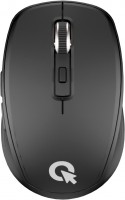
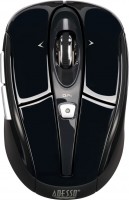
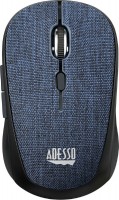
The OfficePro M267 mouse is appreciated for its silent click, making it a suitable choice for quiet environments. Users find its size, ergonomics, and design appealing, especially given its affordable price. However, some drawbacks have been noted, such as a ribbed side surface that can be uncomfortable for the thumb, and a sharp edge at the bottom that causes discomfort for the pinky finger. Additionally, the scroll wheel may start to squeak after some use, which can be annoying. Despite these issues, the mouse is considered a good value for its price, though potential buyers might want to consider these factors before purchasing.
Pros
Cons
I accidentally took a couple of days to replace the top-of-the-line Logitech MX Anywhere, which in 2011 cost a whopping 700 hryvnias and somewhere in the 20th year, the left button began to malfunction (you have to tinker with effort). They have the same size and design, but the laser is regular red. SILENT CLICK! Size, ergonomics, design. Ribbed side surface - a bad decision. Very uncomfortable for the thumb! I'll stick on a soft strip. :)  John Rice: use OfficePro M267 less than month John Rice: use OfficePro M267 less than month |
Read the disadvantages and maybe look for something else... SILENT CLICK except the scroll wheel. Now, after a couple of weeks of regular use, the main drawbacks have surfaced: besides the mentioned ribbed surface of the sides, a SHARP edge has appeared at the bottom! For the pinky, it's just pure pain. The wheel has started to SQUEAK with such an annoying sound, like styrofoam against glass, but only if you spin it very hard. If not too hard - just a few lines, then the squeak isn't noticeable. John Rice: use OfficePro M267 less than month |
Add Review
Ask Question