
Samsung S27F350FH 27 "
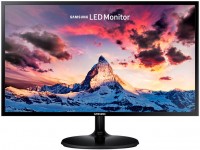 | Outdated Product Product type: monitor; Size ("): 27; Panel type: IPS; Treatment: matte; Resolution: 1920x1080 (16:9); Response time GtG (ms): 4; Viewing angle vert.: 178; Horizontal viewing angle: 178; Brightness (cd/m²): 250; Static contrast: 1 000:1; Video transmission: VGA; HDMI: HDMI; Connectors (optional): Flicker-Free |


We recommend products in stockMonitors Samsung →
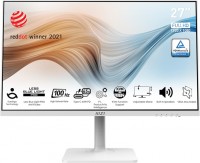
27 ", 1920x1080 (16:9), IPS, response 4 ms, MPRT 1 ms, 100 Hz, 6-bit + FRC (16.7M Colors), sRGB 108 %, HDMI, DisplayPort, USB-C (DP Alt Mode), Power Delivery, HUB: USB-A 2x2.0, KVM switch, speakers, AMD FreeSync, VESA Adaptive-Sync, HDR, TÜV Rheinland
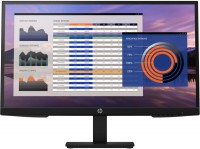

27 ", 1920x1080 (16:9), IPS, response 5 ms, 100 Hz, 6-bit + FRC (16.7M Colors), VGA, HDMI, DisplayPort, speakers, TÜV Rheinland
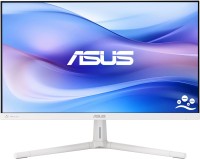
27 ", 1920x1080 (16:9), IPS, MPRT 1 ms, 100 Hz, 6-bit + FRC (16.7M Colors), HDMI, VESA Adaptive-Sync, TÜV Rheinland
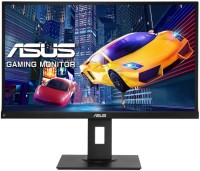
27 ", 1920x1080 (16:9), IPS, response 5 ms, 75 Hz, 8-bit (16.7M Colors), VGA, HDMI, DisplayPort, speakers, AMD FreeSync

27 ", 1920x1080 (16:9), IPS, response 5 ms, 120 Hz, 6-bit + FRC (16.7M Colors), sRGB 99 %, HDMI, DisplayPort, HUB: USB-A 2x5Gbps, USB-C 2x5Gbps, TÜV Rheinland

27 ", 1920x1080 (16:9), IPS, response 5 ms, 100 Hz, 16.7M Colors, sRGB 99 %, HDMI, DisplayPort, USB-C (DP Alt Mode), Power Delivery, LAN, HUB: USB-A 4x5Gbps, USB-C 1x5Gbps, TÜV Rheinland

27 ", 1920x1080 (16:9), IPS, response 4 ms, 120 Hz, 6-bit + FRC (16.7M Colors), sRGB 113 %, HDMI, DisplayPort, USB-C (DP Alt Mode), Power Delivery, LAN, HUB: USB-A 4x5Gbps, speakers, VESA Adaptive-Sync, HDR, TÜV Rheinland
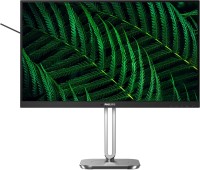
27 ", 1920x1080 (16:9), IPS, response 4 ms, 100 Hz, 8-bit (16.7M Colors), sRGB 110 %, VGA, HDMI, DisplayPort, HUB: USB-A 4x5Gbps, speakers, VESA Adaptive-Sync, TÜV Rheinland
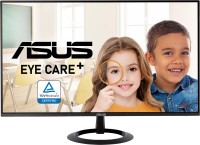
27 ", 1920x1080 (16:9), IPS, MPRT 1 ms, 100 Hz, HDMI, VESA Adaptive-Sync, TÜV Rheinland
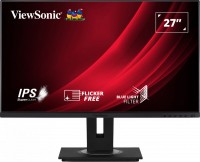
27 ", 1920x1080 (16:9), IPS, response 5 ms, 60 Hz, 6-bit + FRC (16.7M Colors), sRGB 102 %, VGA, HDMI, DisplayPort, HUB: USB-A 4x5Gbps, speakers
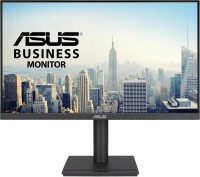
27 ", 1920x1080 (16:9), IPS, MPRT 1 ms, 100 Hz, 16.7M Colors, sRGB 99 %, VGA, HDMI, DisplayPort, HUB: USB-A 2x5Gbps, speakers, VESA Adaptive-Sync, TÜV Rheinland

smart, 27 ", 1920x1080 (16:9), IPS, response 5 ms, 60 Hz, 16.7M Colors, HDMI, Bluetooth, Wi-Fi, HUB: USB-A 2x2.0, speakers, HDR

27 ", 1920x1080 (16:9), IPS, response 5 ms, 120 Hz, 6-bit + FRC (16.7M Colors), sRGB 99 %, HDMI, DisplayPort, HUB: USB-A 2x5Gbps, USB-C 2x5Gbps, TÜV Rheinland
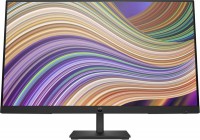
27 ", 1920x1080 (16:9), IPS, response 5 ms, 75 Hz, 6-bit + FRC (16.7M Colors), VGA, HDMI, DisplayPort
Samsung S27F350FH 27 "
Screen size:27 "
Resolution:1920x1080 (16:9)
Panel:IPS, response 4 ms
Frequency:60 Hz
Contrast:1 000:1
Brightness:250 cd/m²
Functions:AMD FreeSync, Flicker-Free
Connectors:HDMI, VGA
All specifications
Specifications S27F350FH
|
| ||||||||||||||||||||||||||||||||||||||||||||||||||||||||||||||||

The information in the model description is for reference purposes.
Always clarify the specifications and configuration of the product with the online store manager before purchasing.
Catalog Samsung 2026 - new arrivals, bestsellers, and the most relevant models Samsung.
Always clarify the specifications and configuration of the product with the online store manager before purchasing.
Catalog Samsung 2026 - new arrivals, bestsellers, and the most relevant models Samsung.

Series Samsung 3xx seriesCompare using chart →
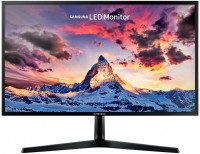
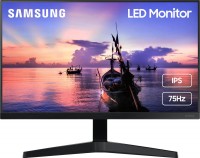
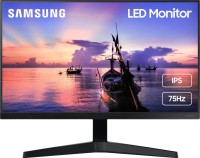
24 ", 1920x1080 (16:9), IPS, response 5 ms, 75 Hz, 8-bit (16.7M Colors), VGA, HDMI, AMD FreeSync
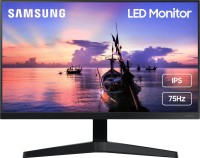
27 ", 1920x1080 (16:9), IPS, response 5 ms, 75 Hz, 8-bit (16.7M Colors), VGA, HDMI, AMD FreeSync
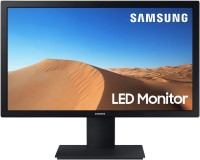
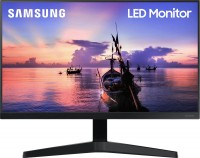
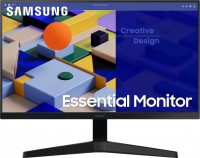
27 ", 1920x1080 (16:9), IPS, response 5 ms, 75 Hz, 8-bit (16.7M Colors), VGA, HDMI, AMD FreeSync, TÜV Rheinland
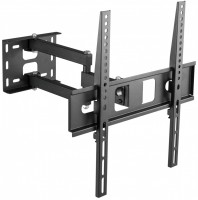
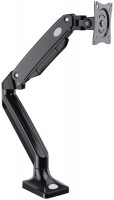
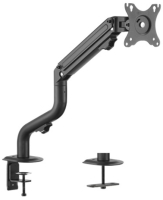
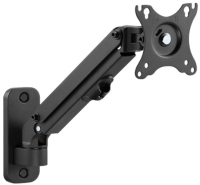
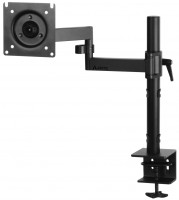
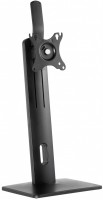
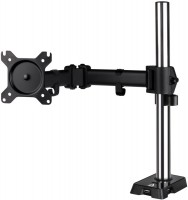
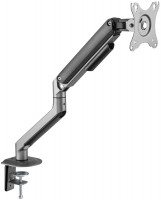
AccessoriesAll accessories for Samsung S27F350FH →




Bought used in excellent condition. Wasn't particularly aiming for Samsung, but it turned out that way. It's important to determine the requirements, what you need the monitor for. With this model, it's great for browsing the internet, watching movies, and gaming. The colors here are vivid, contrasting, the picture is excellent, but... If you need a monitor for graphics, whether for web or printing, it's more complicated. While it handles colors more or less well, it struggles with gray tones. In the light range, it's impossible to adjust the balance – it's either too yellow, too blue, or too green. There's no middle ground. Contrast, sharpness, brightness. Looks nice externally. HDMI. Liked the menu control. The LED backlighting adds a slight vignetting around the perimeter of the frame. As a result, with a general light background on flat elements, near the frame, there is a technical gradient. And in dark scenes (in the movie for example) - the edges are slightly highlighted. use Samsung S22F350FHI few months |
Add Review