
Samsung T240 24 " black
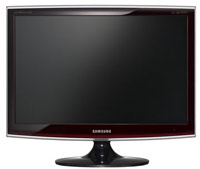 | Outdated Product Product type: monitor; Size ("): 24; Panel type: TN+film; Treatment: anti-glare; Resolution: 1920x1200 (16:10); Response time GtG (ms): 5; Viewing angle vert.: 160; Horizontal viewing angle: 170; Brightness (cd/m²): 300; Static contrast: 1 000:1; Dynamic Contrast: 20 000:1; Video transmission: VGA |


Samsung T240 24 " black
Screen size:24 "
Resolution:1920x1200 (16:10)
Panel:TN+film, response 5 ms
Frequency:75 Hz
Contrast:1 000:1
Brightness:300 cd/m²
Connectors:HDMI, DVI-D, VGA
All specifications
Specifications T240
|
| ||||||||||||||||||||||||||||||||||||||||||||||||||

The information in the model description is for reference purposes.
Always clarify the specifications and configuration of the product with the online store manager before purchasing.
Catalog Samsung 2026 - new arrivals, bestsellers, and the most relevant models Samsung.
Always clarify the specifications and configuration of the product with the online store manager before purchasing.
Catalog Samsung 2026 - new arrivals, bestsellers, and the most relevant models Samsung.

How to Choose a Gaming MonitorWe understand matrix types, suitable resolution, FreeSync and other important aspects when choosing a gaming monitor
Monitor matrices types: TN+film, IPS, VA, OLED, QLED and QD-OLEDCurrent types of monitor matrices, their pros and cons, as well as recommendations for selection
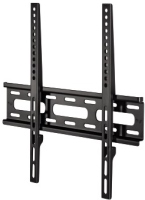
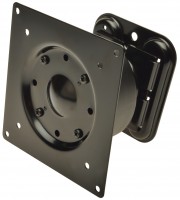
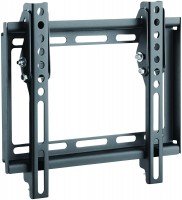
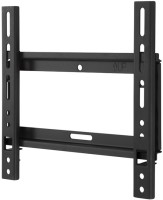
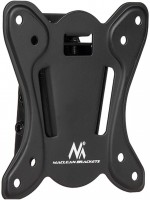
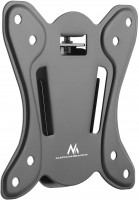
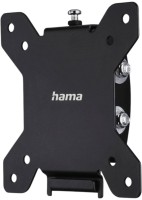
AccessoriesAll accessories for Samsung T240 →


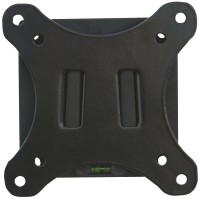
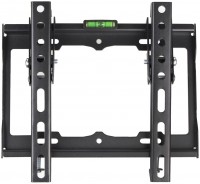
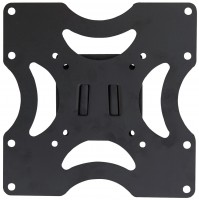
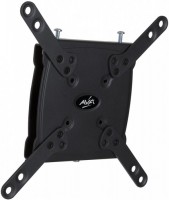

Additional features monitor Samsung T240:
widescreen monitor
The wide format of the monitor will make it easier to place user application windows on the desktop. With the same screen size, working on a widescreen monitor will be more comfortable and therefore more performant.
Magic Speed
Fast response time of 2 ms — provides a clear picture when displaying fast moving objects, such as movies or games.
MagicTune
The kit includes a package of proprietary software for managing and configuring Samsung monitors from a personal computer. All necessary settings can be made with the mouse without using the buttons on the front of the monitor.
Magic Bright 3
Genuine Samsung technology that allows you to easily and quickly adjust optimal brightness and contrast levels by simply selecting one of six preset modes, including: Text, Web, Game, Sports, Cinema, and " User Mode".
Dynamic Contrast
Dynamic Contrast (DC) mode is designed to better display fast-changing scenes, such as when watching movies or playing fast-paced games. The monitor analyzes the input video signal and then adjusts the brightness of the backlight according to the brightness of the particular frame. As a result, the ratio between the brightness levels of the white colour of the brightest frame and the black colour of the least illuminated frame increases, in other words, the dynamic contrast of the image increases.
HDCP
HDCP (High-bandwidth Digital Content Protection) technology is designed to prevent illegal copying of high-quality video signal transmitted via DVI and HDMI interfaces. Protected video can only be played back on equipment that supports HDCP. Support for this technology is fully implemented in this SyncMaster monitor.
Programmable control button
You can decide which frequently used function will be activated by pressing this button: All settings are made using MagicTune software; Possible functions are MagicBright3, automatic adjustment, MagicColor, signal source selection, midtone adjustment.
- MagicSpeed
- MagicTune
- MagicBright 3
widescreen monitor
The wide format of the monitor will make it easier to place user application windows on the desktop. With the same screen size, working on a widescreen monitor will be more comfortable and therefore more performant.
Magic Speed
Fast response time of 2 ms — provides a clear picture when displaying fast moving objects, such as movies or games.
MagicTune
The kit includes a package of proprietary software for managing and configuring Samsung monitors from a personal computer. All necessary settings can be made with the mouse without using the buttons on the front of the monitor.
Magic Bright 3
Genuine Samsung technology that allows you to easily and quickly adjust optimal brightness and contrast levels by simply selecting one of six preset modes, including: Text, Web, Game, Sports, Cinema, and " User Mode".
Dynamic Contrast
Dynamic Contrast (DC) mode is designed to better display fast-changing scenes, such as when watching movies or playing fast-paced games. The monitor analyzes the input video signal and then adjusts the brightness of the backlight according to the brightness of the particular frame. As a result, the ratio between the brightness levels of the white colour of the brightest frame and the black colour of the least illuminated frame increases, in other words, the dynamic contrast of the image increases.
HDCP
HDCP (High-bandwidth Digital Content Protection) technology is designed to prevent illegal copying of high-quality video signal transmitted via DVI and HDMI interfaces. Protected video can only be played back on equipment that supports HDCP. Support for this technology is fully implemented in this SyncMaster monitor.
Programmable control button
You can decide which frequently used function will be activated by pressing this button: All settings are made using MagicTune software; Possible functions are MagicBright3, automatic adjustment, MagicColor, signal source selection, midtone adjustment.
SimilarCompare using chart →
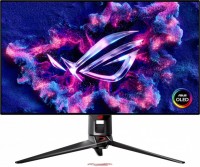
gaming, 31.5 ", 4K, 3840x2160 (16:9), OLED (WOLED), response 0.03 ms, 240 Hz, 480 Hz (Full HD), 10-bit (1.07B Colors), 1.07B, DCI-P3 99 %, HDMI, v 2.1, DisplayPort, USB-C (DP Alt Mode), Power Delivery, ХАБ: USB-A 3x5Gbps, KVM-switch, AMD FreeSync Premium Pro, NVIDIA G-Sync Compatible, VESA Adaptive-Sync, HDR, TÜV Rheinland

gaming, 31.5 ", 4K, 3840x2160 (16:9), IPS, response 0.5 ms, 160 Hz, 320 Hz (Full HD), 8-bit + FRC (1.07B Colors), 1.07B, sRGB 131 %, DCI-P3 99 %, HDMI, v 2.1, DisplayPort, ХАБ: USB-A 2x2.0, VESA Adaptive-Sync, HDR, TÜV Rheinland

gaming, 31.5 ", 4K, 3840x2160 (16:9), QD-OLED, response 0.03 ms, 240 Hz, 10-bit (1.07B Colors), 1.07B, DCI-P3 99 %, HDMI, v 2.1, DisplayPort, USB-C (DP Alt Mode), Power Delivery, ХАБ: USB-A 2x5Gbps, KVM-switch, speakers, AMD FreeSync Premium Pro, NVIDIA G-Sync Compatible, HDR

gaming, 24.5 ", 1920x1080 (16:9), IPS, response 1 ms, MPRT 0.3 ms, 400 Hz, 16.7M Colors, 16.7M, sRGB 121 %, DCI-P3 92 %, HDMI, DisplayPort, ХАБ: USB-A 4x5Gbps, NVIDIA G-Sync Compatible, VESA Adaptive-Sync, HDR, TÜV Rheinland
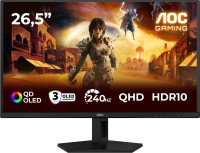
gaming, 26.5 ", 2560x1440 (16:9), QD-OLED, response 0.03 ms, 240 Hz, sRGB 147.6 %, DCI-P3 99.1 %, HDMI, DisplayPort, NVIDIA G-Sync Compatible, VESA Adaptive-Sync, HDR, TÜV Rheinland

gaming, 27 ", 2560x1440 (16:9), QLED, response 1 ms, 200 Hz, 1.07B Colors, 1.07B, sRGB 150 %, DCI-P3 99 %, HDMI, DisplayPort, USB-C (DP Alt Mode), Power Delivery, ХАБ: USB-A 2x5Gbps, KVM-switch, NVIDIA G-Sync Compatible, VESA Adaptive-Sync, HDR, TÜV Rheinland
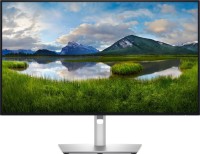
for graphics, 27 ", 4K, 3840x2160 (16:9), IPS, response 5 ms, 120 Hz, 1.07B Colors, 1.07B, sRGB 100 %, DCI-P3 99 %, HDMI, v 2.1, DisplayPort, USB-C (Thunderbolt v4), Power Delivery, LAN, ХАБ: USB-A 5x10Gbps, USB-C 2x10Gbps, KVM-switch, VESA Adaptive-Sync, HDR, CalMAN Verified, TÜV Rheinland

gaming, 27 ", 4K, 3840x2160 (16:9), QD-OLED, response 0.03 ms, 240 Hz, 10-bit (1.07B Colors), 1.07B, DCI-P3 99 %, HDMI, v 2.1, DisplayPort, USB-C (DP Alt Mode), Power Delivery, ХАБ: USB-A 2x5Gbps, KVM-switch, speakers, AMD FreeSync Premium Pro, NVIDIA G-Sync Compatible, HDR, Pantone Validated

gaming, 27 ", 4K, 3840x2160 (16:9), IPS, response 1 ms, 160 Hz, 320 Hz (Full HD), 1.07B Colors, 1.07B, sRGB 125 %, DCI-P3 95 %, HDMI, v 2.1, DisplayPort, USB-C (DP Alt Mode), Power Delivery, ХАБ: USB-A 3x5Gbps, KVM-switch, speakers, AMD FreeSync Premium, NVIDIA G-Sync Compatible, VESA Adaptive-Sync, HDR, TÜV Rheinland

gaming, 27 ", 2560x1440 (16:9), OLED (WOLED), response 0.03 ms, 240 Hz, 10-bit (1.07B Colors), 1.07B, DCI-P3 99 %, HDMI, v 2.1, DisplayPort, USB-C (DP Alt Mode), AMD FreeSync Premium, NVIDIA G-Sync Compatible, HDR, TÜV Rheinland

gaming, 26.5 ", 2560x1440 (16:9), QD-OLED, response 0.03 ms, 500 Hz, 10-bit (1.07B Colors), 1.07B, sRGB 138 %, DCI-P3 99 %, HDMI, v 2.1, DisplayPort, USB-C (DP Alt Mode), Power Delivery, AMD FreeSync Premium Pro, VESA Adaptive-Sync, HDR, TÜV Rheinland
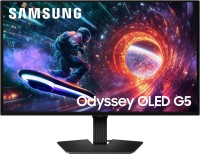
gaming, 27 ", 2560x1440 (16:9), QD-OLED, response 0.03 ms, 180 Hz, 1.07B Colors, 1.07B, DCI-P3 99 %, HDMI, DisplayPort, AMD FreeSync, NVIDIA G-Sync Compatible, HDR, Pantone Validated