
Samsung U24E590D 24 "
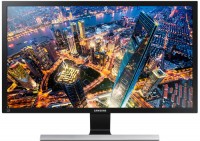 | Outdated Product Product type: monitor; Size ("): 24; Panel type: IPS; Treatment: matte; Resolution: 3840x2160 (16:9); Response time GtG (ms): 4; Viewing angle vert.: 178; Horizontal viewing angle: 178; Brightness (cd/m²): 300; Static contrast: 1 000:1; Video transmission: HDMI: 2xHDMI; Connectors (optional): mini-Jack output (3.5 mm) |


Samsung U24E590D 24 "
24 "
28 "
Screen size:24 "
Resolution:3840x2160 (16:9)
Panel:IPS, response 4 ms
Frequency:60 Hz
Contrast:1 000:1
Brightness:300 cd/m²
Functions:AMD FreeSync, PBP, Flicker-Free
Connectors:2xHDMI
All specifications
Specifications U24E590D
|
| ||||||||||||||||||||||||||||||||||||||||||||||||||||||||||||||||||


E-Catalog UK editor, Monitors
Dmytro Prokopenko, edited 19.08.2026
The information in the model description is for reference purposes.
Always clarify the specifications and configuration of the product with the online store manager before purchasing.
Catalog Samsung 2026 - new arrivals, bestsellers, and the most relevant models Samsung.
Always clarify the specifications and configuration of the product with the online store manager before purchasing.
Catalog Samsung 2026 - new arrivals, bestsellers, and the most relevant models Samsung.

Series Samsung 5xx seriesCompare using chart →
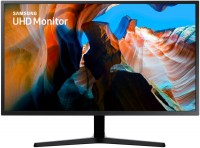
32 ", 4K, 3840x2160 (16:9), *VA, response 4 ms, 60 Hz, 8-bit + FRC (1.07B Colors), HDMI, DisplayPort, AMD FreeSync
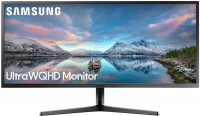
34 ", 3440x1440 (21:9), *VA, response 4 ms, 60 Hz, 8-bit (16.7M Colors), HDMI, DisplayPort, AMD FreeSync
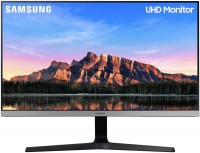
28 ", 4K, 3840x2160 (16:9), IPS, response 4 ms, 60 Hz, 8-bit + FRC (1.07B Colors), sRGB 99.5 %, HDMI, DisplayPort, AMD FreeSync, HDR
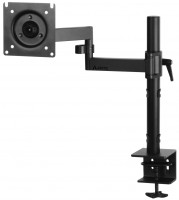
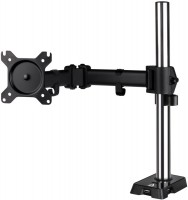
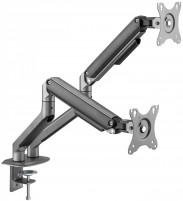
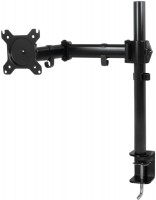
AccessoriesAll accessories for Samsung U24E590D →








I have had the Samsung U28E590D for half a year now, connected via DP. I bought it to replace a 24" (AMVA+) monitor. The detail is amazing - that's what I was primarily looking for. The 1080p on the 24" initially disappointed me and I was just waiting for the moment to upgrade to something better. At first, the black color was somewhat disappointing, until I turned on 10bit (a month ago) - I was pleasantly surprised by the change. Now I couldn't be happier. The viewing angles are, of course, smaller than on the AMVA+, but either I've gotten used to it, or it's not critical, as it doesn't bother me at all (sitting 60 cm from the screen). The quality is satisfying in games and movies. In some games, the FPS has dropped to unacceptable levels (15-20), but I manage with a 1440p resolution for now, the FPS is 2-3 times more on my GTX 1066. The monitor stand is stable. The price (14.5k) for 4K in 28" is just super low. Purchased in January 2020. There are no built-in speakers or USB ports.  Andrey Gorelov: use Samsung U28E590D few months Andrey Gorelov: use Samsung U28E590D few months |
I got this 4k monitor for gaming and watching movies. Let's break down games and movies separately. Games: I knew that most games in 4k would run at 20-30 fps max for me, but still got a 4k thinking that I'd lower the resolution to FullHD for games and be happy, BUT... alas, on a 4k monitor, FullHD isn't as "native and clear" as on monitors with a maximum resolution of FullHD. To understand, go into any game and lower the resolution on your monitor by 2 notches, and you'll get FullHD on 4k. It's nonsense and disappointing) so now I have to run games on medium, sometimes even low settings in native 4k resolution, otherwise reducing the resolution blurs the image. So, for gaming, for those with a graphics card below 1080, I recommend getting a FullHD monitor. Movies: It's not all smooth with movies either. The same FullHD content on YouTube looks different. I'll try to explain) I watched the same video in FullHD quality from different bloggers on YouTube, and for someone, it looks like 480 (seriously!), while for others, it somewhat resembles FullHD. (I guess it depends on how they upload the video to YouTube). As for 4k, everything is fine!) I liked it. <--- (regarding YouTube). I downloaded a movie in 4k. Very bright picture!!! In a bad way :D. I fiddled with the monitor settings and couldn't really change anything. I fiddled with the player settings and got it right. 4k movies are awesome. Price No for this model, but in general there are a lot of questions about 4k monitors) use Samsung U28E590D few months |
Add Review
Additional features monitor Samsung U24E590D:
FreeSync Technology
FreeSync eliminates the tearing and stuttering that occurs between the graphics card's frame rate and the monitor's refresh rate. Thanks to this, gamers can see almost seamless and smooth motion at any high resolution in heavy games.
- FreeSync Technology
- The PBP (Picture-by-Picture) function allows you to work simultaneously in two windows from two different signal sources
- PiP (Picture-in-Picture) function - picture-in-picture
FreeSync Technology
FreeSync eliminates the tearing and stuttering that occurs between the graphics card's frame rate and the monitor's refresh rate. Thanks to this, gamers can see almost seamless and smooth motion at any high resolution in heavy games.
SimilarCompare using chart →
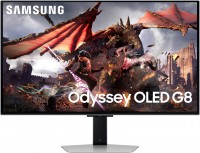
gaming, smart, 32 ", 4K, 3840x2160 (16:9), QD-OLED, response 0.03 ms, 240 Hz, 10-bit (1.07B Colors), DCI-P3 99 %, HDMI, v 2.1, DisplayPort, Bluetooth, Wi-Fi, HUB: USB-A 2x5Gbps, speakers, AMD FreeSync Premium Pro, VESA Adaptive-Sync, HDR

gaming, 31.5 ", 4K, 3840x2160 (16:9), WOLED, response 0.03 ms, 165 Hz, 330 Hz (Full HD), 10-bit (1.07B Colors), DCI-P3 99 %, HDMI, v 2.1, DisplayPort, USB-C (DP Alt Mode), Power Delivery, HUB: USB-A 3x5Gbps, KVM switch, AMD FreeSync Premium Pro, NVIDIA G-Sync Compatible, HDR, TÜV Rheinland
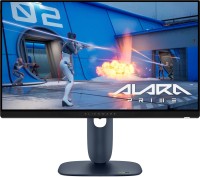
gaming, 24.5 ", 1920x1080 (16:9), IPS, response 0.5 ms, 320 Hz, 16.7M Colors, sRGB 99 %, HDMI, v 2.1, DisplayPort, HUB: USB-A 2x5Gbps, AMD FreeSync Premium, NVIDIA G-Sync Compatible, VESA Adaptive-Sync, HDR

gaming, 31.5 ", 4K, 3840x2160 (16:9), IPS, response 0.5 ms, 160 Hz, 320 Hz (Full HD), 8-bit + FRC (1.07B Colors), sRGB 131 %, DCI-P3 99 %, HDMI, v 2.1, DisplayPort, HUB: USB-A 2x2.0, VESA Adaptive-Sync, HDR, TÜV Rheinland

gaming, 31.5 ", 4K, 3840x2160 (16:9), QD-OLED, response 0.03 ms, 240 Hz, 10-bit (1.07B Colors), DCI-P3 99 %, HDMI, v 2.1, DisplayPort, USB-C (DP Alt Mode), Power Delivery, HUB: USB-A 2x5Gbps, KVM switch, speakers, AMD FreeSync Premium Pro, NVIDIA G-Sync Compatible, HDR
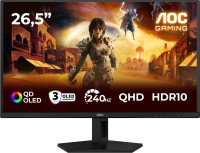
gaming, 26.5 ", 2560x1440 (16:9), QD-OLED, response 0.03 ms, 240 Hz, sRGB 147.6 %, DCI-P3 99.1 %, HDMI, DisplayPort, NVIDIA G-Sync Compatible, VESA Adaptive-Sync, HDR, TÜV Rheinland

gaming, 27 ", 2560x1440 (16:9), QD-IPS, response 1 ms, 200 Hz, 1.07B Colors, sRGB 150 %, DCI-P3 99 %, HDMI, DisplayPort, USB-C (DP Alt Mode), Power Delivery, HUB: USB-A 2x5Gbps, KVM switch, NVIDIA G-Sync Compatible, VESA Adaptive-Sync, HDR, TÜV Rheinland

gaming, 27 ", 4K, 3840x2160 (16:9), IPS, response 1 ms, 160 Hz, 320 Hz (Full HD), 1.07B Colors, sRGB 125 %, DCI-P3 95 %, HDMI, v 2.1, DisplayPort, USB-C (DP Alt Mode), Power Delivery, HUB: USB-A 3x5Gbps, KVM switch, speakers, AMD FreeSync Premium, NVIDIA G-Sync Compatible, VESA Adaptive-Sync, HDR, TÜV Rheinland

gaming, 27 ", 2560x1440 (16:9), WOLED, response 0.03 ms, 240 Hz, 10-bit (1.07B Colors), DCI-P3 99 %, HDMI, v 2.1, DisplayPort, USB-C (DP Alt Mode), AMD FreeSync Premium, NVIDIA G-Sync Compatible, HDR, TÜV Rheinland

gaming, 27 ", 4K, 3840x2160 (16:9), Mini LED IPS, response 1 ms, 160 Hz, 320 Hz (Full HD), 8-bit + FRC (1.07B Colors), sRGB 151.8 %, DCI-P3 98 %, HDMI, v 2.1, DisplayPort, HUB: USB-A 4x5Gbps, NVIDIA G-Sync Compatible, VESA Adaptive-Sync, HDR
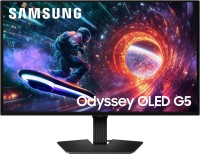
gaming, 27 ", 2560x1440 (16:9), QD-OLED, response 0.03 ms, 180 Hz, 1.07B Colors, DCI-P3 99 %, HDMI, DisplayPort, AMD FreeSync, NVIDIA G-Sync Compatible, HDR, Pantone Validated

26.5 ", 2560x1440 (16:9), QD-OLED, response 0.03 ms, 240 Hz, 10-bit (1.07B Colors), DCI-P3 99 %, HDMI, v 2.1, DisplayPort, speakers, AMD FreeSync Premium, HDR