
Xerox AltaLink C81353T (ALC81353T)
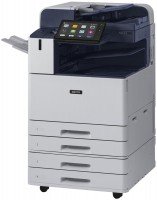 | Outdated Product Paper size: A3; Print Type: laser; Output Type: colour; Number of colors: 4; B/W printing (ppm): 35; Colour printing (ppm): 35; Double-side printing; Autofeed (sheets): 130; Black Ink Page Yield (pages): 59000; Colour Ink Page Yield (pages): 28000; OPC drum cycle (ths pages): 180; PC connection (USB) |


Xerox AltaLink C81353T
Type:colour, flowers 4, laser
Format:A3
Connection:USB B, NFC, LAN
Print Resolution:2400х1200 dpi
Scanning:600х600 dpi
B/W printing:35 ppm
Colour print:35 ppm
Number of cartridges:4 pcs
All specifications
Specifications AltaLink C81353T
|
| |||||||||||||||||||||||||||||||||||||||||||||||||||||||||||||||||||||||||||||||||||||||||||||||||


E-Catalog UK editor, All-in-One Printers
Mykola Boberskyi, edited 17.09.2025
The information in the model description is for reference purposes.
Always clarify the specifications and configuration of the product with the online store manager before purchasing.
Catalog Xerox 2026 - new arrivals, bestsellers, and the most relevant models Xerox.
Always clarify the specifications and configuration of the product with the online store manager before purchasing.
Catalog Xerox 2026 - new arrivals, bestsellers, and the most relevant models Xerox.
We recommendCompare using chart →
monochrome, laser, A4, printing 2400х600 dpi, 2-side print, scanning 600х600 dpi, autoscan, RAM 256 MB, LAN, Wi-Fi Direct, AirPrint, fax machine

colour, flowers 4, laser, A4, printing 1200х1200 dpi, 2-side print, scanning 9600х9600 dpi, 2-side scanning, autoscan, RAM 1024 MB, fast CPU, LAN, Wi-Fi Direct, AirPrint, fax machine, hDD, 4 GB
colour, flowers 4, laser, A4, printing 600х600 dpi, scanning 600х600 dpi, autoscan, RAM 128 MB, LAN, Wi-Fi Direct, AirPrint, fax machine
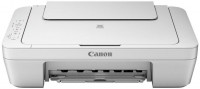
colour, flowers 4, inkjet, A4, printing 4800x600 dpi, photo print, scanning 600х1200 dpi, no display
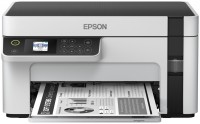
monochrome, inkjet, CISS, A4, printing 1440x720 dpi, scanning 1200х2400 dpi, Wi-Fi Direct
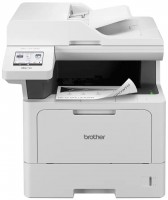
monochrome, laser, A4, printing 1200х1200 dpi, 2-side print, scanning 1200х1200 dpi, autoscan, RAM 512 MB, LAN, Wi-Fi Direct, AirPrint, fax machine
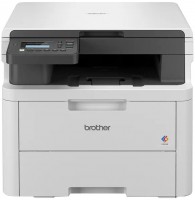
colour, flowers 4, LED, A4, printing 2400х600 dpi, 2-side print, scanning 1200х1200 dpi, RAM 512 MB, Wi-Fi Direct
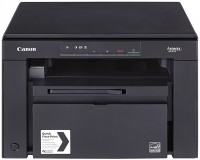

colour, flowers 4, laser, A4, printing 1200х1200 dpi, 2-side print, scanning 9600х9600 dpi, autoscan, RAM 1024 MB, fast CPU, LAN, Wi-Fi Direct, AirPrint, hDD, 4 GB
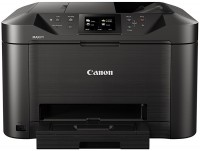
colour, flowers 4, inkjet, A4, printing 1200х600 dpi, 2-side print, scanning 1200х1200 dpi, 2-side scanning, autoscan, LAN, AirPrint, fax machine
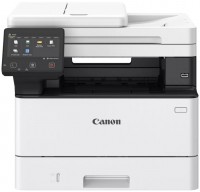
monochrome, laser, A4, printing 1200х1200 dpi, 2-side print, scanning 600х600 dpi, 2-side scanning, autoscan, RAM 1024 MB, fast CPU, LAN, Wi-Fi Direct, AirPrint, hDD, 4 GB
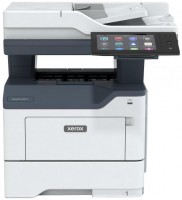
monochrome, laser, A4, printing 1200х1200 dpi, 2-side print, scanning 1200х1200 dpi, 2-side scanning, autoscan, RAM 2048 MB, fast CPU, LAN, NFC, fax machine, hDD, 32 GB