
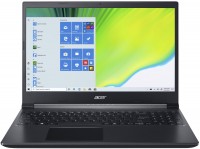
Acer Aspire 7 A715-75G
 | Outdated Product |

| This model is out of stock |
A family of versatile high-performance large-format laptops that can equally successfully cope with the role of a mobile gaming platform and an entry-level workstation. The products of the family are equipped with 17.3-inch FullHD-resolution IPS displays with good colour reproduction and excellent comfortable viewing angles. The manufacturer is positioned as a model of the middle price category, capable of providing comfortable work with any resource-intensive professional applications.
Thanks to the use of Nvidia GeForce GTX 1650/1650Ti discrete gaming graphics cards, Acer Aspire 7 A715-75G laptops are able to provide consistently high frame rates in all popular games of 2015-2020 at high, and often maximum graphics quality settings. An impressive level of computing performance is guaranteed by 9th generation 4/6-core Intel Core i5/i7 processors (Coffee Lake core, 14 nm). The base DDR4 RAM (8/16 GB) can be easily expanded up to 32 GB, which may be necessary for ultra-high resolution photo processing, 4K video editing and virtualization tasks. The Wi-Fi 6 adapter (802.11n/ac/ax) and the LAN module are responsible for high-speed traffic transmission in networks.
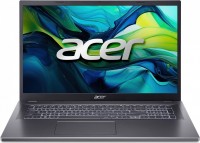
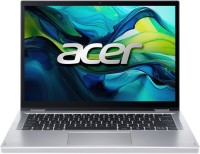
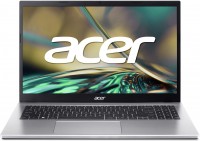


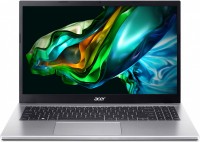
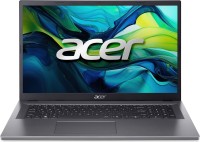





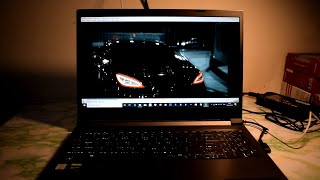


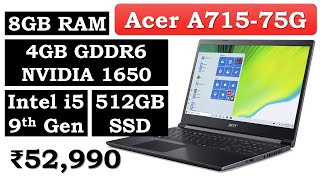




i7-9750H (really more powerful than the i7-8750H, no matter what anyone says). IPS matrix (not sure about others, but after TN+Film my eyes “thank me”!). The body is plastic, but sturdy, nothing bends or creaks. The body hardly collects fingerprints. GTX 1650Ti Mobile is roughly equal in performance to the GTX 1060 Mobile, which is not bad. Supports 2666 MHz RAM, but one stick of 8 GB is installed. Added another one at 8/2400 (was available), because with such a processor I don't see much difference. Compact (363.4 x 254.5 x 23.25 mm), not heavy (2.15 kg). Quite a long-lasting battery. As an example, it's enough for several hours of YouTube. Opens with one hand (like, passed the MacBook test). The SSD is quite average. Immediately installed Samsung 970 EVO. There is no second NVME bay or SATA port. The charging port is in the middle on the right, which is convenient for left-handed people, but not so much for right-handed people.  mindzhurna: use Acer Aspire 7 A715-75G few months mindzhurna: use Acer Aspire 7 A715-75G few months |
Powerful, official Windows, antivirus already downloaded. Loud noise |




I would first recommend updating the BIOS
Link to BIOS v. 1.03 (and drivers):
https://www.acer.com/ac/ru/RU/content/support-pro
duct/8336?b=1&pn=NH.Q88ER.004&sn=NHQ88ER004019169433400Enter the BIOS (hold F2 when turning on (loading)).
Go to the Main tab
Select Keyboard backlight timeout.
Enable Disable.
Press F10 and Enter.
Enjoy.
P.S. Somehow this issue is still not resolved on Russian-language tech blogging on YouTube. In reviews, they still report: "We couldn't figure out how to keep the backlight from turning off."