GamePro MK122 Red Swich (MK122R)
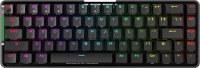
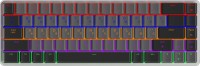 | Outdated Product An ultracompact gaming keyboard designed with a focus on mobility and versatility of connectivity. The key feature of this model is its hybrid operating mode: it can be used both wired and wirelessly, connecting via a radio channel with a range of up to 10 meters. This offers the user freedom from cables and allows for a tidy workspace. With an exceptionally lightweight design of 275 grams and compact dimensions, it is a convenient solution for those who frequently travel or use the keyboard with multiple devices. The model features low-profile, linear Outemu Red mechanical switches, characterized by short travel, smooth pressing, and no click, facilitating high input speed. The durability of the switches is stated at 50 million key presses.... A practical detail is the backlighting design: the wireless keyboard GamePro MK122 Red Switch has transparent Cyrillic characters, ensuring both alphabets are evenly lit, providing comfortable typing in any lighting conditions. Despite its lightness, the "skeleton" type body has a metal construction ensuring sufficient strength. Necessary functions for gamers are included, such as Anti-Ghosting with N-KRO support for proper registration of all key presses, as well as a gaming mode. Volume control and effects of the multicolor backlight are managed through combinations with the Fn key. Power in wireless mode is provided by a built-in battery with charging capability via a modern USB-C port. |




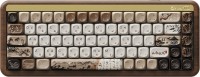
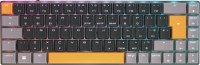
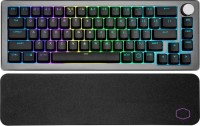


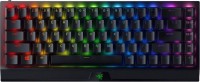
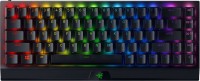

GamePro MK122 Red Swich | |||||||||||||||||||||||||||||||||||||||||||||||||||||||||||||||||||||||||||||||||||
|
| ||||||||||||||||||||||||||||||||||||||||||||||||||||||||||||||||||||||||||||||||||


An ultracompact gaming keyboard designed with a focus on mobility and versatility of connectivity. The key feature of this model is its hybrid operating mode: it can be used both wired and wirelessly, connecting via a radio channel with a range of up to 10 meters. This offers the user freedom from cables and allows for a tidy workspace. With an exceptionally lightweight design of 275 grams and compact dimensions, it is a convenient solution for those who frequently travel or use the keyboard with multiple devices.
The model features low-profile, linear Outemu Red mechanical switches, characterized by short travel, smooth pressing, and no click, facilitating high input speed. The durability of the switches is stated at 50 million key presses. A practical detail is the backlighting design: the wireless keyboard GamePro MK122 Red Switch has transparent Cyrillic characters, ensuring both alphabets are evenly lit, providing comfortable typing in any lighting conditions.
Despite its lightness, the "skeleton" type body has a metal construction ensuring sufficient strength. Necessary functions for gamers are included, such as Anti-Ghosting with N-KRO support for proper registration of all key presses, as well as a gaming mode. Volume control and effects of the multicolor backlight are managed through combinations with the Fn key. Power in wireless mode is provided by a built-in battery with charging capability via a modern USB-C port.
Always clarify the specifications and configuration of the product with the online store manager before purchasing.
Catalog GamePro 2026 - new arrivals, bestsellers, and the most relevant models GamePro.