
HP LaserJet Ultra M134FN
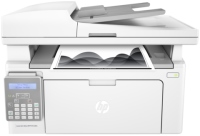 | Outdated Product Paper size: A4; Print Type: laser; Output Type: monochrome; B/W printing (ppm): 22; Autofeed (sheets): 35; Black Ink Page Yield (pages): 2300; OPC drum cycle (ths pages): 9; PC connection (USB); network connection (LAN); Display: monochrome; built-in fax; Noise level (dB): 51; Dimensions (mm): 415x288x280 |


We recommend products in stockAll-in-One Printers HP →
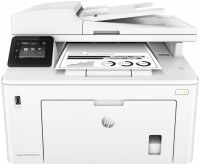
monochrome, laser, A4, printing 1200х1200 dpi, 2-side print, scanning 1200х1200 dpi, autoscan, RAM 256 MB, LAN, Wi-Fi Direct, AirPrint, NFC, fax machine

monochrome, laser, A4, printing 1200х1200 dpi, 2-side print, scanning 600х2400 dpi, autoscan, RAM 32 MB, LAN, fax machine
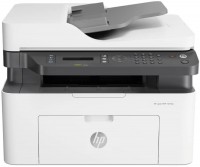
monochrome, laser, A4, printing 1200х1200 dpi, scanning 600х600 dpi, autoscan, RAM 128 MB, LAN, Wi-Fi Direct, AirPrint, fax machine
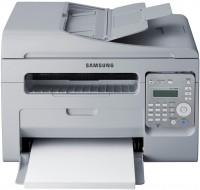
monochrome, laser, A4, printing 1200х1200 dpi, scanning 4800х4800 dpi, autoscan, RAM 64 MB, fax machine

monochrome, laser, A4, printing 1200х1200 dpi, 2-side print, scanning 1200х1200 dpi, autoscan, RAM 128 MB, LAN, fax machine
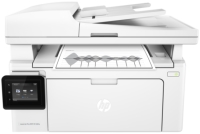
monochrome, laser, A4, printing 1200х1200 dpi, scanning 1200х1200 dpi, autoscan, RAM 256 MB, LAN, Wi-Fi Direct, AirPrint, fax machine
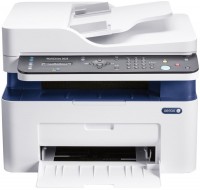
monochrome, laser, A4, printing 1200х1200 dpi, scanning 1200х1200 dpi, autoscan, RAM 128 MB, LAN, Wi-Fi Direct, AirPrint, fax machine
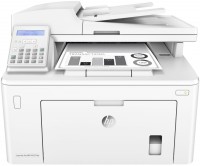
monochrome, laser, A4, printing 1200х1200 dpi, 2-side print, scanning 1200х1200 dpi, autoscan, RAM 256 MB, LAN, fax machine
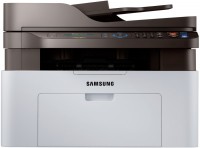
monochrome, laser, A4, printing 1200х1200 dpi, scanning 4800х4800 dpi, autoscan, RAM 128 MB, LAN, AirPrint, NFC, fax machine
monochrome, laser, A4, printing 4800x600 dpi, scanning 1200х1200 dpi, autoscan, RAM 128 MB, LAN, fax machine
monochrome, laser, A4, printing 4800x600 dpi, 2-side print, scanning 1200х1200 dpi, autoscan, RAM 128 MB, LAN, fax machine
HP LaserJet Ultra M134FN
Type:monochrome, laser
Format:A4
Connection:USB B, LAN
Print Resolution:1200х1200 dpi
Scanning:1200х1200 dpi
B/W printing:22 ppm
Number of cartridges:1 pcs
All specifications
Specifications LaserJet Ultra M134FN
|
| |||||||||||||||||||||||||||||||||||||||||||||||||||||||||||||||||||||||||||||||||||||

The information in the model description is for reference purposes.
Always clarify the specifications and configuration of the product with the online store manager before purchasing.
Catalog HP 2026 - new arrivals, bestsellers, and the most relevant models HP.
Always clarify the specifications and configuration of the product with the online store manager before purchasing.
Catalog HP 2026 - new arrivals, bestsellers, and the most relevant models HP.
Series HP LaserJet (laser, office)
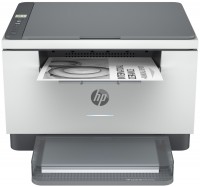
monochrome, laser, A4, printing 600х600 dpi, 2-side print, scanning 600х600 dpi, RAM 64 MB, LAN, Wi-Fi Direct, AirPrint, Bluetooth
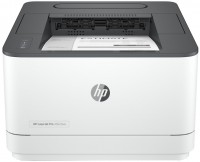
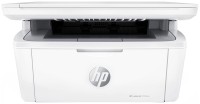
monochrome, laser, A4, printing 600х600 dpi, scanning 600х600 dpi, RAM 64 MB, Wi-Fi Direct, AirPrint, Bluetooth
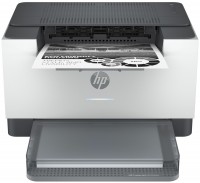
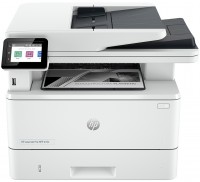
monochrome, laser, A4, printing 1200х1200 dpi, 2-side print, scanning 1200х1200 dpi, 2-side scanning, autoscan, RAM 512 MB, fast CPU, LAN, Wi-Fi Direct, AirPrint, Bluetooth
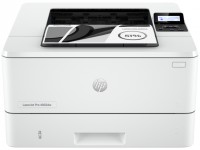
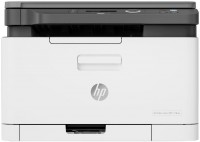
colour, flowers 4, laser, A4, printing 600х600 dpi, scanning 600х600 dpi, RAM 128 MB, LAN, Wi-Fi Direct, AirPrint
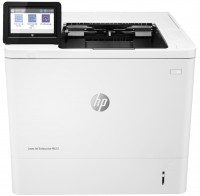
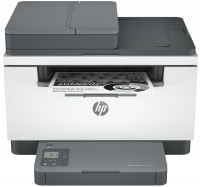
monochrome, laser, A4, printing 600х600 dpi, 2-side print, scanning 600х600 dpi, autoscan, RAM 64 MB, LAN, Wi-Fi Direct, AirPrint, Bluetooth
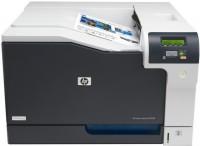

monochrome, laser, A4, printing 600х600 dpi, 2-side print, scanning 600х600 dpi, RAM 64 MB, AirPrint
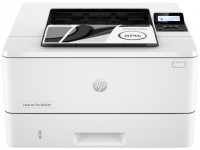
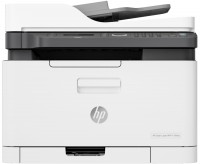
colour, flowers 4, laser, A4, printing 600х600 dpi, scanning 600х600 dpi, autoscan, RAM 128 MB, LAN, Wi-Fi Direct, AirPrint, fax machine
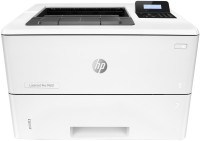
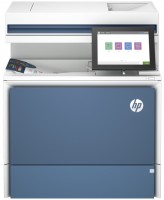
colour, laser, A4, printing 1200х1200 dpi, 2-side print, scanning 600х600 dpi, 2-side scanning, autoscan, RAM 6144 MB, fast CPU, LAN, hDD, 32 GB
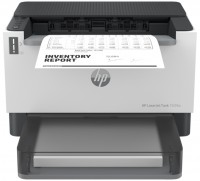
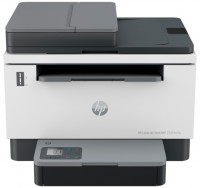
monochrome, laser, A4, printing 600х600 dpi, 2-side print, scanning 600х600 dpi, autoscan, RAM 64 MB, LAN, Wi-Fi Direct, AirPrint, Bluetooth
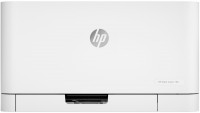
colour, flowers 4, laser, A4, 600x600 dpi, b/w 18 ppm, color 4 ppm, Wi-Fi Direct, AirPrint
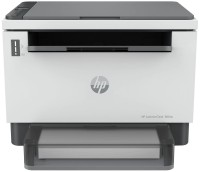
monochrome, laser, A4, printing 600х600 dpi, scanning 600х600 dpi, RAM 64 MB, LAN, Wi-Fi Direct, AirPrint, Bluetooth
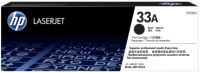
the first DRAM chip locked after about 5700 pages. We bought a new drum, put it in - it is defective, wedges, because of this, the print on the paper is noticeably stretched. I replaced the chip from a new one to an old one, printed another thousand pages - wide black stripes on the drum went away. Now there are 6,400 pages on the counter, I think - throw away 2 thousand hryvnias for a new dram or know how to operate the device. Maybe I'll leave it as a scanner... It is used at work, it is not a pity to throw it away due to such troubles, the cost of printing is very high use HP LaserJet Ultra M134FN month or more i recommend it don't buy |
Add Review