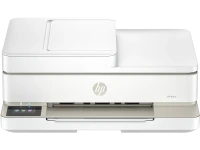
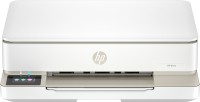
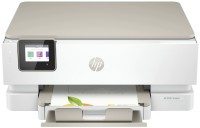
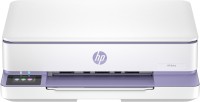
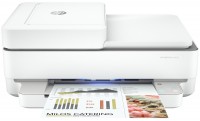
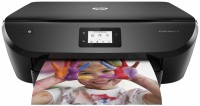
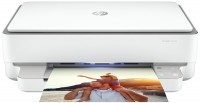
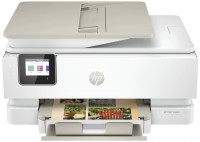
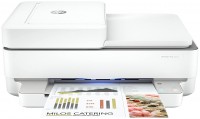
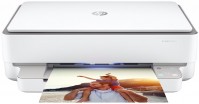
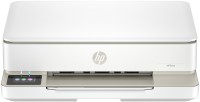
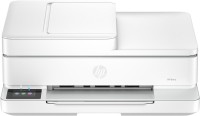
Functional home inkjet 4-in-1 multifunction device with an automatic document feeder, mainly designed to meet the needs of the modern home office. The model features a 35-sheet automatic feeder, which significantly simplifies working with multi-page documents and makes the device more convenient for regular office use. The feeder supports duplex scanning, allowing for quick digitization of contracts and other double-sided documents without manually turning pages.
Combined with automatic duplex printing, this provides full automation of copying. The HP Envy 6520E MFP retains the stylish design of the ENVY line with compact dimensions, while offering a full range of features including a built-in fax. The 2.4-inch color touchscreen provides convenient control, and the modern Wi-Fi 5 module ensures a stable wireless connection. Support for AirPrint and HP ePrint cloud services allows printing from any device from anywhere. A maximum resolution of 4800x1200 dpi ensures high-quality photo and graphic document printing. A two-cartridge system with the possibility of using extended cartridges helps to optimize costs, and a record low power consumption of 4.25 W makes the device one of the most economical to operate, which is particularly important for constant home use.
The information in the model description is for reference purposes. Always clarify the specifications and configuration of the product with the online store manager before purchasing. Catalog HP 2026 - new arrivals, bestsellers, and the most relevant models HP.
When you make a purchase through links on our site, we may receive a affiliate commission.
Hp 714N9B
EU PlugYou dream it.Envy does it.Elevate home printing with the World´s 1 Printer Company.HP´s wireless all in one colour pho... moreto printer, with automatic document feeder and the easiest-to-use print app, offers vivid scanning, copying, duplex printing, and borderless photos.[2,3].HP Instant Ink eligible Dynamic security enabled printer Certain HP printers are intended to work only with cartridges that have a new or reused HP chip or electronic circuitry.These printers use dynamic security measures to block cartridges using a non-HP chip or electronic circuitry.Periodic firmware updates will maintain the effectiveness of these measures and block cartridges that previously worked.Reused HP chips and electronic circuitry enable the use of reused, remanufactured, and refilled cartridges.This is an HP+ enabled printer.Choose HP+ at product setup to activate benefits.HP+ requires an HP account, ongoing connection to the internet, and exclusive use of Original HP Ink cartridges for the life of the printer.More at:ENVY 6520e Wireless All-in-One Color Printer, Instant Ink, Photo printing.Print technology:Thermal inkjet, Printing:Colour printing, Maximum resolution:4800 x 1200 DPI, Print speed (colour, normal quality, A4/US Letter):7 ppm.Copying:Colour copying, Maximum copy resolution:300 x 300 DPI.Scanning:Colour scanning, Optical scanning resolution:1200 x 1200 DPI.Duplex functions:Print.Maximum ISO A-series paper size:A4.Wi-Fi.Product colour:BeigeWireless, HP+, HP Instant Ink eligible, Print from phone or tablet, Scan to email, Automatic document feeder, Two-sided printing, Touchscreen, Scan to HP Cloud, True to screen photo printing (P3), 5x5 and 4x12 panoramic photo printing, 4x6 double sided photo and card printing, Borderless photo printing Print, copy, scan, mobile fax Print speed up to 10 ppm (black) and 7 ppm (colour) Up to 1200X 1200 rendered dpi (when Printing from a computer)
HP ENVY 6520e A4 Colour Multifunction Inkjet Printer with 3 months Instant Ink 714N9B#687
Elevate home printing with the World's #1 Printer Company. HP's wireless all in one colour photo printer, with automatic docu... morement feeder and the easiest-to-use print app, offers vivid scanning, copying, duplex printing, and borderless photos.
HP ENVY 6520e Wireless All-in-One Color Printer. Instant Ink; Photo pr
HP ENVY 6520e Wireless All-in-One Color Printer. Instant Ink; Photo printing You dream it. Envy does it. Elevate home printin... moreg with the World's #1 Printer Company. HP's wireless all in one colour photo printer. with automatic document feeder and the easiest-to-use print app. offers vivid scanning. copying. duplex printing. and borderless photos.[2.3]. HP Instant Ink eligibleDynamic security enabled printer Certain HP printers are intended to work only with cartridges that have a new or reused HP chip or electronic circuitry. These printers use dynamic security measures to block cartridges using a non-HP chip or electronic circuitry. Periodic firmware updates will maintain the effectiveness of these measures and block cartridges that previously worked. Reused HP chips and electronic circuitry enable the use of reused. remanufactured. and refilled cartridges.This is an HP+ enabled printer. Choose HP+ at product setup to activate benefits. HP+ requires an HP account. ongoing connection to the internet. and exclusive use of Original HP Ink cartridges for the life of the printer. More at: http://www.hp.com/plus-faq