
Comparison TCL 65C805 vs TCL 65C845
Add to comparison | 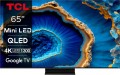 | 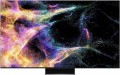 |
|---|---|---|
| TCL 65C805 | TCL 65C845 | |
from £1,062.00 | from £799.00 | |
| User reviews | ||
| TOP sellers | ||
| Size | 65 " | 65 " |
| Operating system | Google TV (Android TV) | Google TV (Android TV) |
Display | ||
| Matrix | QLED | QLED |
| Backlight type | Mini LED | Mini LED |
| Screen surface | anti-glare | anti-glare |
| Resolution | 3840x2160 px | 3840x2160 px |
| Upscaling | up to 4K | up to 4K |
| Brightness | 2000 cd/m² | |
| Dynamic contrast | 6 000:1 | |
| Frame rate | 100/120 Hz | 100/120 Hz |
| Frame rate (game mode) | 144 Hz | |
| HDR support | HDR10+, Dolby Vision | HDR10+, Dolby Vision |
| Brightness / contrast enhancement |  |  |
| Colour enhancement | | |
| AMD compatible | AMD FreeSync Premium Pro | AMD FreeSync Premium Pro |
Multimedia | ||
| Speaker system | ONKYO | |
| Sound power | 30 W | 40 W |
| Number of speakers | 2 | 2 |
| Subwoofer | | |
| Audio decoders | Dolby AC4, Dolby TrueHD, Dolby Atmos, DTS | Dolby Atmos, DTS |
| Digital tuner | DVB-T2 (terrestrial) DVB-C (cable) DVB-S2 (satellite) | |
| Picture-in-picture | | |
Features | ||
| Features | Wi-Fi 5 (802.11ac) Google Cast (Chromecast) Bluetooth voice control Amazon Alexa Google Assistant | AirPlay 2 Wi-Fi 6 (802.11ax) Miracast Bluetooth v5.2 voice control Amazon Alexa Google Assistant |
Connectors | ||
| HDMI | 4 | 4 |
| HDMI version | v 2.1 | v 2.1 |
| HDMI technologies | eARC, VRR, ALLM | VRR, ALLM, eARC |
| Additional inputs | USB-A LAN composite AV input | USB-A LAN composite AV input |
| Outputs | mini-Jack (3.5 mm) headphones optical | optical |
General | ||
| RAM | 3 GB | |
| Wall mount | VESA 300x300 mm | VESA 400x400 mm |
| Stand shape | 1 leg on the platform | monolithic |
| Power consumption | 111 W | |
| Energy efficiency class (new) | G | |
| Dimensions (WxHxD) | 1444x898x320 mm | 1446x903x319 mm |
| Dimensions without stand (WxHxD) | 1444x840x66 mm | 1446x832x76 mm |
| Weight | 20.7 kg | 26 kg |
| Color | ||
| Added to E-Catalog | september 2023 | may 2023 |


Compare TCL 65C805 and 65C845
TVs TCL 65C805 and TCL 65C845 have the same diagonal size of 65 inches and operate on Google TV (Android TV). However, the 65C845 stands out with a higher brightness of 2000 cd/m² and a dynamic contrast ratio of 6000:1, providing better picture quality. The audio system of the 65C845 features ONKYO acoustics with power of 40 W and a built-in subwoofer, whereas the 65C805 has a power of 30 W without a subwoofer. Both TVs support HDR10+ and Dolby Vision, but the 65C845 is also compatible with AMD FreeSync Premium Pro. In terms of connectivity, both devices have 4 HDMI ports, but the 65C845 supports eARC.
You may be interested in
TCL 65C805 often compared


TCL 65C845 often compared


Glossary
Brightness
The maximum brightness of the image provided by the TV screen.
The image on the screen should be bright enough so that you do not have to strain your eyes unnecessarily to view it. However, too high brightness is undesirable — it will also lead to fatigue. The optimal brightness level depends on the surrounding conditions: the more intense the ambient light, the brighter the TV screen should be. So, on a sunny day, the screen may have to be “turned up” to the maximum, and in the evening, in dimmed light, a relatively dim image will be more comfortable. In addition note that large screens require higher brightness, since they are designed for a greater distance from the viewer.
Thus, the higher the number in this paragraph, the greater the margin of brightness this model has, the better it will show itself in intense ambient light. The lowest indicator sufficient for more or less comfortable viewing in any conditions is 300 cd/m² for models with a diagonal of up to 32", 400 cd/m² for models in the range of 32 – 55" and 600 cd/m² for large screens of 60" and more. In this case, the brightness margin anyway will not be superfluous. But with lower indicators, you may have to darken the room somewhat for comfortable viewing.
The image on the screen should be bright enough so that you do not have to strain your eyes unnecessarily to view it. However, too high brightness is undesirable — it will also lead to fatigue. The optimal brightness level depends on the surrounding conditions: the more intense the ambient light, the brighter the TV screen should be. So, on a sunny day, the screen may have to be “turned up” to the maximum, and in the evening, in dimmed light, a relatively dim image will be more comfortable. In addition note that large screens require higher brightness, since they are designed for a greater distance from the viewer.
Thus, the higher the number in this paragraph, the greater the margin of brightness this model has, the better it will show itself in intense ambient light. The lowest indicator sufficient for more or less comfortable viewing in any conditions is 300 cd/m² for models with a diagonal of up to 32", 400 cd/m² for models in the range of 32 – 55" and 600 cd/m² for large screens of 60" and more. In this case, the brightness margin anyway will not be superfluous. But with lower indicators, you may have to darken the room somewhat for comfortable viewing.
Dynamic contrast
The level of dynamic contrast provided by the TV screen.
Contrast in a general sense is the ratio in brightness between the brightest whites and the darkest blacks that the screen can produce. Other things being equal, the higher the screen contrast, the better the quality of colour reproduction and detail, the lower the likelihood that it will be impossible to see details in too bright or too dark areas of the image. Formally, the main characteristic of screens is static contrast (see above), but even in advanced matrices it is relatively low. Therefore, manufacturers went to the trick, introducing such a characteristic as "dynamic contrast".
Dynamic contrast ratio is the difference between the brightest whites at the highest screen brightness settings and the darkest blacks at the lowest. These contrast ratios can be quite impressive—much higher than static—however, it is impossible to achieve such values within a single frame, and dynamic contrast ratio is stated more for promotional purposes than for describing the actual specifications of the screen. However, it cannot be said that this indicator is completely unrelated to reality. The fact is that many TVs use automatic brightness control, which changes the settings depending on the characteristics of the image. This control is based on the fact that when displaying bright scenes, there is no need to provide a deep black level, and in dark scenes, high brightness of light areas is not needed — th...ese are the features of the human eye. This means that in bright scenes you can increase the overall brightness, and in dark scenes you can reduce it; the maximum brightness difference achievable in this mode of operation is precisely described by dynamic contrast.
Contrast in a general sense is the ratio in brightness between the brightest whites and the darkest blacks that the screen can produce. Other things being equal, the higher the screen contrast, the better the quality of colour reproduction and detail, the lower the likelihood that it will be impossible to see details in too bright or too dark areas of the image. Formally, the main characteristic of screens is static contrast (see above), but even in advanced matrices it is relatively low. Therefore, manufacturers went to the trick, introducing such a characteristic as "dynamic contrast".
Dynamic contrast ratio is the difference between the brightest whites at the highest screen brightness settings and the darkest blacks at the lowest. These contrast ratios can be quite impressive—much higher than static—however, it is impossible to achieve such values within a single frame, and dynamic contrast ratio is stated more for promotional purposes than for describing the actual specifications of the screen. However, it cannot be said that this indicator is completely unrelated to reality. The fact is that many TVs use automatic brightness control, which changes the settings depending on the characteristics of the image. This control is based on the fact that when displaying bright scenes, there is no need to provide a deep black level, and in dark scenes, high brightness of light areas is not needed — th...ese are the features of the human eye. This means that in bright scenes you can increase the overall brightness, and in dark scenes you can reduce it; the maximum brightness difference achievable in this mode of operation is precisely described by dynamic contrast.
Frame rate (game mode)
The maximum frequency at which the TV can operate at its primary screen resolution. Models with a high refresh rate, such as 144 or 165 Hz, can generally achieve it only when Game Mode is activated. In Game Mode, heavy image processing is disabled, which reduces input lag, frees up CPU resources, and allows the panel to render more frames per second — movements become smoother, making it easier to track targets in shooters and turns in racing games.
Brightness / contrast enhancement
TV support for one or another brightness / contrast enhancement technology.
Usually, in this case, software image processing is implied, in such a way as to improve brightness and/or contrast (if necessary). Specific processing methods may be different — in particular, in some cases we are actually talking about turning standard content into HDR (see above), and some manufacturers do not specify technical details at all. The effectiveness of different technologies can also be different, and besides, it is highly dependent on the specific content: in some cases, the improvement will be obvious, in others it may be almost imperceptible. Also note that this feature is not always useful, so in most models it is turned off.
Usually, in this case, software image processing is implied, in such a way as to improve brightness and/or contrast (if necessary). Specific processing methods may be different — in particular, in some cases we are actually talking about turning standard content into HDR (see above), and some manufacturers do not specify technical details at all. The effectiveness of different technologies can also be different, and besides, it is highly dependent on the specific content: in some cases, the improvement will be obvious, in others it may be almost imperceptible. Also note that this feature is not always useful, so in most models it is turned off.
Colour enhancement
The TV's support of one or the other colour enhancement technology.
Such technologies usually involve image processing in software to provide brighter and/or more accurate colours. Specific processing methods may be different, some manufacturers do not specify technical details at all, limiting themselves to advertising statements. The effect of using such technologies can also vary: in some cases it is clearly visible, in others it is almost absent, depending on the features of the picture. It is also worth saying that this feature, usually, needs to be turned on manually in the TV menu (accordingly, it can be turned off if desired).
Such technologies usually involve image processing in software to provide brighter and/or more accurate colours. Specific processing methods may be different, some manufacturers do not specify technical details at all, limiting themselves to advertising statements. The effect of using such technologies can also vary: in some cases it is clearly visible, in others it is almost absent, depending on the features of the picture. It is also worth saying that this feature, usually, needs to be turned on manually in the TV menu (accordingly, it can be turned off if desired).
Speaker system
The brand of the speaker system installed in the TV.
This item is indicated if the TV is equipped with advanced sound system, which is noticeably superior in quality to conventional speakers. Such information further emphasizes the high level of the device. At the same time, the specifications usually do not contain the full name of the speaker system, but only the brand name — for example, Bang & Olufsen, Harman Kardon, JBL, etc.: even such information is quite enough in this case.
This item is indicated if the TV is equipped with advanced sound system, which is noticeably superior in quality to conventional speakers. Such information further emphasizes the high level of the device. At the same time, the specifications usually do not contain the full name of the speaker system, but only the brand name — for example, Bang & Olufsen, Harman Kardon, JBL, etc.: even such information is quite enough in this case.
Sound power
The nominal power of the sound produced by the TV's sound system.
The larger the screen and the greater the estimated distance to the viewer, the more powerful the sound system must be in order to be heard normally. Manufacturers take this moment into account, moreover, most often they also provide a solid volume margin. So if a TV is bought for home viewing in a quiet, calm environment, you can not pay much attention to the sound power: it is guaranteed to be enough for such a usage. It makes sense to specifically look for models with high-power speakers for a noisy environment — for example, a cafe or other public space. Detailed recommendations on this matter can be found in special sources, but here we note that even in such cases, connecting external speakers can be a good alternative.
The larger the screen and the greater the estimated distance to the viewer, the more powerful the sound system must be in order to be heard normally. Manufacturers take this moment into account, moreover, most often they also provide a solid volume margin. So if a TV is bought for home viewing in a quiet, calm environment, you can not pay much attention to the sound power: it is guaranteed to be enough for such a usage. It makes sense to specifically look for models with high-power speakers for a noisy environment — for example, a cafe or other public space. Detailed recommendations on this matter can be found in special sources, but here we note that even in such cases, connecting external speakers can be a good alternative.
Subwoofer
The presence of a subwoofer as part of the TV sound system.
A subwoofer is a specialized speaker for bass and ultra-low frequencies. It makes the sound richer in the bass, which is especially useful when watching adventure films with appropriate sound effects (bumps, explosions), as well as concerts. It should noted that the specifications of built-in subwoofers are usually much more limited than those of external ones; so don't expect cinema-like bass from a TV audio system. However, the advantage in bass quality for such TVs (compared to models without a subwoofer) will still be noticeable.
A subwoofer is a specialized speaker for bass and ultra-low frequencies. It makes the sound richer in the bass, which is especially useful when watching adventure films with appropriate sound effects (bumps, explosions), as well as concerts. It should noted that the specifications of built-in subwoofers are usually much more limited than those of external ones; so don't expect cinema-like bass from a TV audio system. However, the advantage in bass quality for such TVs (compared to models without a subwoofer) will still be noticeable.
Audio decoders
A decoder can be broadly described as a standard in which digital audio (often multi-channel) is recorded. For normal playback of such sound, it is necessary that the corresponding decoder is supported by the device. Dolby Digital and DTS were the first in multi-channel decoding, gradually improving and introducing new features. The final stage for 2020 is Dolby Atmos and DTS X decoders.
– Dolby Atmos. A decoder that uses not a rigid distribution of sound across channels, but the processing of audio objects, due to which it can be used with almost any number of channels on a reproducing system — the sound will be divided between channels so that each audio object is heard as close as possible to its proper place. When using Dolby Atmos, ceiling speakers (or speakers facing the ceiling) are highly desirable. However, in extreme cases, you can do without them.
— DTS X. An analogue of the Dolby Atmos described above, when the sound is distributed not through individual channels, but through audio objects. The digital signal contains information about where (according to the director's intention) the object audible to the user should be and how it should move, and the processor of the reproducing device processes this information and determines exactly how the sound should be distributed over the available channels in order to achieve the required localization. Thanks to this, DTS X is not tied to a specific number of audi...o channels — there can be as many as you like, the system will automatically divide the sound into them, achieving the desired sound. Also note that this decoder allows you to separately adjust the volume of dialogues.
– Dolby Atmos. A decoder that uses not a rigid distribution of sound across channels, but the processing of audio objects, due to which it can be used with almost any number of channels on a reproducing system — the sound will be divided between channels so that each audio object is heard as close as possible to its proper place. When using Dolby Atmos, ceiling speakers (or speakers facing the ceiling) are highly desirable. However, in extreme cases, you can do without them.
— DTS X. An analogue of the Dolby Atmos described above, when the sound is distributed not through individual channels, but through audio objects. The digital signal contains information about where (according to the director's intention) the object audible to the user should be and how it should move, and the processor of the reproducing device processes this information and determines exactly how the sound should be distributed over the available channels in order to achieve the required localization. Thanks to this, DTS X is not tied to a specific number of audi...o channels — there can be as many as you like, the system will automatically divide the sound into them, achieving the desired sound. Also note that this decoder allows you to separately adjust the volume of dialogues.