
Comparison WD Blue WD80EAZZ 8 TB 128/5640 vs Seagate SkyHawk +Rescue ST8000VX010 8 TB 256/5900
Add to comparison | 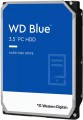 | 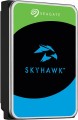 |
|---|---|---|
| WD Blue WD80EAZZ 8 TB 128/5640 | Seagate SkyHawk +Rescue ST8000VX010 8 TB 256/5900 | |
from £259.00 | Compare prices 13 | |
| User reviews | ||
| TOP sellers | ||
| Placement | built-in | built-in |
| Type | HDD | HDD |
| Features | for PC | server |
| Volume | 8 TB | 8 TB |
| Form factor | 3.5 " | 3.5 " |
| Connection | SATA3 | SATA3 |
| Manufacturer's warranty | 2 years | 3 years |
Technical specs | ||
| Cache memory | 128 MB | 256 MB |
| Record technology | CMR | CMR |
| RPM | 5600 rpm | 5400 rpm |
| Data transfer rate | 185 MB/s | 180 MB/s |
| Plates | 2 | |
| Operation power consumption | 6.2 W | |
| Standby power consumption | 4.1 W | |
| Reading noise level | 30 dB | |
| Standby mode noise level | 25 dB | |
| MTBF | 1 M h | |
| MTBF (on/off) | 300 K | 600 K |
Features | ||
| Features | for video surveillance | |
General | ||
| Size | 147x102x26 mm | 147x102x26 mm |
| Weight | 750 g | 630 g |
| Added to E-Catalog | october 2023 | may 2023 |





Compare WD Blue WD80EAZZ and Seagate SkyHawk +Rescue ST8000VX010
You may be interested in
My comparisons
WD Blue often compared


Seagate SkyHawk +Rescue often compared

Glossary
Features
The general purpose of a hard drive is the type of devices for which it was originally intended.
— For PC. Hard drives designed for use with conventional consumer computers and laptops. At the same time, the possibility of installing an internal HDD (see "Performance") directly depends on the form factor (see the relevant paragraph), while external models are not subject to such restrictions — it is enough for them to have the appropriate connection connector. Also note that almost all external hard drives are designed specifically for PCs; making server models external is not technically justified.
— For the server. Hard drives designed for servers have increased speed and reliability, because they constantly have to receive and give large amounts of information. To ensure speed, they may provide an increased rotation speed (up to 15,000 rpm). Such drives are made only internal (see "Performance"), and, in addition to SATA, they can use other, more specific connection methods — for example, SAS(see "Connection interfaces").
— For game console. Specialized hard drives designed for use with game consoles. They are made only external (see "Performance"), they are intended mainly for storing games — including saves and user settings profiles. The main difference between such devices and classic external HDDs is...precisely the optimization for working with game consoles, including the availability of special software tools for improved integration. Many of these drives are originally designed for a specific model or family of set-top boxes.
— For PC. Hard drives designed for use with conventional consumer computers and laptops. At the same time, the possibility of installing an internal HDD (see "Performance") directly depends on the form factor (see the relevant paragraph), while external models are not subject to such restrictions — it is enough for them to have the appropriate connection connector. Also note that almost all external hard drives are designed specifically for PCs; making server models external is not technically justified.
— For the server. Hard drives designed for servers have increased speed and reliability, because they constantly have to receive and give large amounts of information. To ensure speed, they may provide an increased rotation speed (up to 15,000 rpm). Such drives are made only internal (see "Performance"), and, in addition to SATA, they can use other, more specific connection methods — for example, SAS(see "Connection interfaces").
— For game console. Specialized hard drives designed for use with game consoles. They are made only external (see "Performance"), they are intended mainly for storing games — including saves and user settings profiles. The main difference between such devices and classic external HDDs is...precisely the optimization for working with game consoles, including the availability of special software tools for improved integration. Many of these drives are originally designed for a specific model or family of set-top boxes.
Manufacturer's warranty
Manufacturer's warranty provided for this model.
In fact, this is the minimum service life promised by the manufacturer, subject to the rules of operation. Most often, the actual service life of the device is much longer than the guaranteed one.
In fact, this is the minimum service life promised by the manufacturer, subject to the rules of operation. Most often, the actual service life of the device is much longer than the guaranteed one.
Cache memory
The amount of internal hard drive memory. This memory is an intermediate link between the high-speed computer RAM and the relatively slow mechanics responsible for reading and writing information on disk platters. In particular, the buffer is used to store the most frequently requested data from the disk — thus, the access time to them is reduced.
Technically, the size of the buffer affects the speed of the hard drive — the larger the buffer, the faster the drive. However, this influence is rather insignificant, and at the level of human perception, a significant difference in performance is noticeable only when the buffer size of the two drives differs many times — for example, 8 MB and 64 MB.
Technically, the size of the buffer affects the speed of the hard drive — the larger the buffer, the faster the drive. However, this influence is rather insignificant, and at the level of human perception, a significant difference in performance is noticeable only when the buffer size of the two drives differs many times — for example, 8 MB and 64 MB.
RPM
For drives used in a PC (see "Intended use"), 5400 rpm(normal) and 7200 rpm(high) are considered standard speeds. There are also more specific options, including models with the ability to adjust the speed depending on the load. In server HDDs, in turn, higher speeds can be used — 10,000 rpm and even 15,000 rpm.
Data transfer rate
The speed of data transfer between the disk and client devices is determined by the type of drive, spindle speed, memory buffer size and connection connectors. The last parameter is the most important, since it is impossible to exceed the bandwidth of a particular interface.
Plates
The number of platters provided in the design of the hard drive.
Physically, a hard disk consists of one or more platters, on which information is recorded. Several plates can be provided in order to achieve the desired volume without increasing the form factor. At the same time, it is also necessary to install an appropriate number of reading heads in such a drive, which complicates the design, reduces its reliability, and increases the cost. Therefore, manufacturers choose the number of plates based on a reasonable compromise between these points, and for selection, this parameter is more of a reference than practically significant.
Physically, a hard disk consists of one or more platters, on which information is recorded. Several plates can be provided in order to achieve the desired volume without increasing the form factor. At the same time, it is also necessary to install an appropriate number of reading heads in such a drive, which complicates the design, reduces its reliability, and increases the cost. Therefore, manufacturers choose the number of plates based on a reasonable compromise between these points, and for selection, this parameter is more of a reference than practically significant.
Operation power consumption
The amount of power consumed by the disk when reading and writing information. In fact, this is the peak power consumption, it is in these modes that the drive consumes the most energy.
HDD power consumption data is needed primarily to calculate the overall system power consumption and power supply requirements for the system. In addition, for laptops that are planned to be used often "in isolation from outlets", it is advisable to choose more economical drives.
HDD power consumption data is needed primarily to calculate the overall system power consumption and power supply requirements for the system. In addition, for laptops that are planned to be used often "in isolation from outlets", it is advisable to choose more economical drives.
Standby power consumption
The amount of power consumed by the disk "idle". In the on state, the disk platters rotate regardless of whether information is being written or read or not — maintaining this rotation takes the energy consumed while waiting.
The lower the power consumption while waiting, the more economical the disk is, the less energy it consumes. At the same time, we note that in fact this parameter is relevant mainly when choosing a drive for a laptop, when energy efficiency is crucial. For stationary PCs, “idle” power consumption does not play a special role, and when calculating the requirements for a power supply, it is necessary to take into account not this indicator, but the power consumption during operation (see above).
The lower the power consumption while waiting, the more economical the disk is, the less energy it consumes. At the same time, we note that in fact this parameter is relevant mainly when choosing a drive for a laptop, when energy efficiency is crucial. For stationary PCs, “idle” power consumption does not play a special role, and when calculating the requirements for a power supply, it is necessary to take into account not this indicator, but the power consumption during operation (see above).
Reading noise level
The level of noise produced by the disk when reading and/or writing information. The source of sound in this case is the moving plates of the disk, as well as the mechanics that control the reading heads. The lower the noise level, the more comfortable the use of the device. The maximum noise produced by modern hard drives during operation is about 50 dB — this is comparable to the sound background in an average office.