
Comparison Tracer Roadster vs Tracer Drifter
Add to comparison | 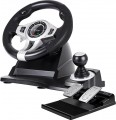 | 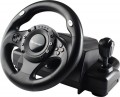 |
|---|---|---|
| Tracer Roadster | Tracer Drifter | |
| Compare prices 1 | from £84.00 | |
| TOP sellers | ||
| Device type (configuration) | steering wheel and pedals | steering wheel and pedals |
| Compatibility | PC (Windows) Xbox PlayStation 3 PlayStation 4 | PC (Windows) |
| Connection | wired | wired |
| Cable | USB-A 1.8 m | USB-A |
Technical specifications | ||
| Total number of buttons | 14 | 6 |
| Feedback | absent | vibration |
| D-pad controller |  |  |
| Steering wheel turn | 270° | 270° |
| Paddle shifters | 2 pcs | 2 pcs |
| Pedals | accelerator brake | accelerator brake |
General information | ||
| Mounting | suction cups | suction cups |
| Steering wheel cover | rubber | rubber |
| Power source | USB port | USB port |
| Color | ||
| Added to E-Catalog | january 2022 | november 2019 |



Compare Tracer Roadster and Drifter
Price comparison
You may be interested in
My comparisons
Tracer Roadster often compared


Glossary
Compatibility
Compatibility shows which devices a gaming wheel can work with: PC, PlayStation, Xbox, Nintendo Switch or specific console generations. It is important to check this parameter before purchasing because a PC wheel does not always fit a console, and models for PlayStation and Xbox often have different versions (PS3, PS4, PS5) due to the proprietary license and electronics inside the base.
Special attention should be given to steering wheels that have specific compatibility with bases. In most cases, all bases from the brand are suitable, but it is better to confirm this additionally.
Special attention should be given to steering wheels that have specific compatibility with bases. In most cases, all bases from the brand are suitable, but it is better to confirm this additionally.
Cable
The cable can have a different interface indicating which connector the device connects to a PC, console, or another set component. Most commonly, USB-A is used, a standard connector for connecting to a computer or console, convenient because it doesn't require rare cables and is usually recognized by the system immediately. A proprietary interface is a manufacturer's branded connector often used for connecting pedals, shifters, handbrakes, or steering wheels to a compatible base. This option can be convenient within a single ecosystem but limits compatibility with devices from other brands.
At the same time, the cable can be detachable, simplifying storage, transport, and replacement of the cable.
At the same time, the cable can be detachable, simplifying storage, transport, and replacement of the cable.
Total number of buttons
The total number of buttons provided in the manipulator's design.
The more buttons, the more additional functions can be "assigned" to the manipulator, reducing the likelihood of having to use other control devices (e.g., a PC keyboard) during gameplay. However, many gaming consoles (see "Platform Compatibility") require a certain minimum number of buttons for a compatible gamepad — having fewer buttons would simply not allow full use of all the console functions. For instance, the standard controller for the PlayStation 4 has 11 buttons.
Note that the D-Pad manipulator (see below) is not counted in this calculation: it is considered a specific control device, although it is based on buttons.
The more buttons, the more additional functions can be "assigned" to the manipulator, reducing the likelihood of having to use other control devices (e.g., a PC keyboard) during gameplay. However, many gaming consoles (see "Platform Compatibility") require a certain minimum number of buttons for a compatible gamepad — having fewer buttons would simply not allow full use of all the console functions. For instance, the standard controller for the PlayStation 4 has 11 buttons.
Note that the D-Pad manipulator (see below) is not counted in this calculation: it is considered a specific control device, although it is based on buttons.
Feedback
Type of feedback provided in the design of the controller (if it is available at all).
Feedback is the controller's response to certain events occurring in the game. Such a response enhances the "immersion effect," creating the impression for the player that they are holding a real airplane joystick, car steering wheel, etc. It can be as follows:
— Vibration. Feedback in the form of vibration allows imitation of, for example, the shaking from driving off-road, the shudder of an airplane when firing onboard weapons, or entering a turbulence zone, etc.
— Force. Controllers with force feedback are capable of creating certain resistance to the player's efforts—for example, to imitate the difficulty of turning the steering wheel with wheels stuck in the mud.
— Vibration/force. Controllers supporting both of the feedback types described above. This option is the most advanced and at the same time the most expensive.
Feedback is the controller's response to certain events occurring in the game. Such a response enhances the "immersion effect," creating the impression for the player that they are holding a real airplane joystick, car steering wheel, etc. It can be as follows:
— Vibration. Feedback in the form of vibration allows imitation of, for example, the shaking from driving off-road, the shudder of an airplane when firing onboard weapons, or entering a turbulence zone, etc.
— Force. Controllers with force feedback are capable of creating certain resistance to the player's efforts—for example, to imitate the difficulty of turning the steering wheel with wheels stuck in the mud.
— Vibration/force. Controllers supporting both of the feedback types described above. This option is the most advanced and at the same time the most expensive.
D-pad controller
D-pad controller helps control the menu, camera, and additional functions directly from the gaming wheel without resorting to the keyboard or gamepad. It is usually a cross-shaped pad with up, down, left, and right presses, and some models also support diagonal commands. This element is convenient for switching cameras, navigating settings, selecting menu items, controlling onboard functions, or issuing quick commands during a race.