
Comparison ARCTIC Z2 Basic vs i-Tech MBS-03F
Add to comparison | 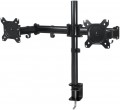 | 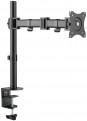 |
|---|---|---|
| ARCTIC Z2 Basic | i-Tech MBS-03F | |
| Compare prices 5 | Outdated Product | |
| TOP sellers | ||
| Type | desktop mount | desktop mount |
| Number of mounts | for 2 panels | |
| Installation | clamp | clamp |
Specs | ||
| Minimum size | 13 " | 13 " |
| Max. size | 27 " | 27 " |
| Max. weight | 8 kg | 8 kg |
| Adjustments | tilt turn depth adjustment slide rotation height adjustment | tilt turn depth adjustment slide rotation height adjustment |
Angles and dimensions | ||
| Upward tilt angle | 15 ° | 45 ° |
| Downward tilt angle | 15 ° | 45 ° |
| Turn angle | 180 ° | 360 ° |
| Rotation angle | 360 ° | 360 ° |
| VESA | 75x75mm 100x100 mm | 75x75mm 100x100 mm |
General | ||
| Cable management |  | |
| Color | ||
| Added to E-Catalog | july 2020 | april 2019 |





Compare ARCTIC Z2 Basic and i-Tech MBS-03F
Price comparison
You may be interested in
My comparisons
i-Tech MBS-03F often compared


Glossary
Number of mounts
The number of mounts for TVs provided in the design of the stand. Most modern stands have one mount — after all, most often TVs are used as a single device, and this is quite enough. However, there are models on which you can install more TVs — up to 6. This allows you to create a "wall" of several screens put together.
In addition, there are options for 2 mounts, where TVs are installed "back to back", with screens in different directions; they are usually of the ceiling type (see above). The area of application for such mounts is primarily public places where public address systems are used: waiting rooms of railway stations and airports, large shopping centers, etc.
The most advanced models offer 3 or 4 mounts, mainly for creating "video walls" of monitors.
Note that in our catalog this parameter is indicated only for models with two or more mounts; if it is not specified, it means that there is only one mount.
In addition, there are options for 2 mounts, where TVs are installed "back to back", with screens in different directions; they are usually of the ceiling type (see above). The area of application for such mounts is primarily public places where public address systems are used: waiting rooms of railway stations and airports, large shopping centers, etc.
The most advanced models offer 3 or 4 mounts, mainly for creating "video walls" of monitors.
Note that in our catalog this parameter is indicated only for models with two or more mounts; if it is not specified, it means that there is only one mount.
Upward tilt angle
The maximum upwards tilt angle from the vertical of the installed screen. The larger the tilt angle, the wider the adjustment possibilities, however, in fact, an angle of more than 5° is rarely required.
Downward tilt angle
The maximum downward tilt angle from the vertical for the installed screen. As with the upward tilt angle, the larger this angle, the wider the adjustment possibilities; however, downward tilt is usually required more frequently (the TV may be installed under the ceiling), and its angle can be as high as 15-20°.
Turn angle
The angle within which the screen installed on the mount can rotate. Measured from far left to far right. In modern models, it can reach 180°.