
Comparison SteelSeries Prime+ vs SteelSeries Prime
Add to comparison | 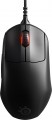 | 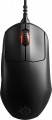 |
|---|---|---|
| SteelSeries Prime+ | SteelSeries Prime | |
| Compare prices 1 | Compare prices 1 | |
| User reviews | ||
| TOP sellers | ||
| Product type | mouse | mouse |
| Connection | wired | wired |
| Sensor | optical | optical |
| Type | for game | for game |
Sensor and control | ||
| Sensor | TrueMove Pro+ | TrueMove Pro |
| Sensor resolution | 100 – 18000 DPI | 100 – 18000 DPI |
| Max. acceleration | 50 G | 50 G |
| Max. speed | 450 ips | 450 ips |
| Max. polling rate | 1000 Hz (1 ms) | |
| Number of buttons | 4 | 4 |
| Side buttons |  | |
| DPI-button | | |
| Switch type | optical-magnetic | |
| Switches | Prestige | |
| Switch resource | 100 mln | |
| Scroll wheels | 1 | 1 |
Additional features | ||
| Optimal grip | palmar, digital, claw | palmar, digital, claw |
| Programmable buttons | | |
| Built-in memory | | |
| Lighting | RGB | RGB |
| Lighting effects | + | + |
| Feet material | teflon (PTFE) | |
Connection and power supply | ||
| Cable | USB-A removable braided | USB-A removable braided |
| Cable length | 2 m | 2 m |
| Port on the device | microUSB | microUSB |
General | ||
| Suitable for left-handers | | |
| Size (LxWxH) | 125x68x42 mm | 125x68x42 mm |
| Weight | 71 g | 69 g |
| Color | ||
| Added to E-Catalog | june 2021 | june 2021 |


Compare SteelSeries Prime+ and Prime
SteelSeries Prime+ and SteelSeries Prime are wired gaming mice that have much in common but also key differences. **Prime+ is slightly heavier (71 g compared to 69 g for Prime)** and **features an OLED screen on the bottom**, allowing you to adjust settings without using software. It also has an **additional sensor for lift-off distance detection**. While both mice use optical sensors with up to 18000 DPI resolution, **Prime+ has a more flexible cable and a slightly wider CPI range**. However, Prime offers **lower click latency and higher quality switches**, as noted by users. Both devices are suitable for various grip types and feature **RGB lighting**, but Prime+ may be preferable for those who value quick customization options.
Price comparison
You may be interested in
SteelSeries Prime+ often compared


Glossary
Sensor
The model of the sensor installed in the mouse. This information is indicated mainly for models equipped with high-end sensors, which are significantly superior in their capabilities to simpler solutions. Such characteristics are important primarily for gaming mice, so most of the devices for which the sensor model is specified belong to this category.
Knowing the name, you can find detailed data on the sensor and evaluate its capabilities. Note that one of the most popular brands nowadays, under which advanced sensors are produced, is PixArt ; on the market are often found, in particular, sensors PixArt 3212, PixArt 3325, PixArt 3327, PixArt 3335, PixArt 3360, PixArt 3389, PixArt 3395, PixArt 3950.
Knowing the name, you can find detailed data on the sensor and evaluate its capabilities. Note that one of the most popular brands nowadays, under which advanced sensors are produced, is PixArt ; on the market are often found, in particular, sensors PixArt 3212, PixArt 3325, PixArt 3327, PixArt 3335, PixArt 3360, PixArt 3389, PixArt 3395, PixArt 3950.
Max. polling rate
The polling rate shows how often the mouse sensor exchanges data with the computer about cursor movement. This parameter is measured in hertz (Hz), with one second being taken as the unit of time for its assessment. The smoothness and speed of cursor movement directly depend on the polling rate of the sensor. Directly connected to it is the mouse response time — this is the time interval required for the signal about the manipulator's movement to reach the display of the cursor position change on the screen. Response time is measured in milliseconds (ms). The higher the mouse's "hertz rate," the lesser the response time it demonstrates. The most common value can be considered 1000 Hz with a response time of 1 millisecond. For competitive games, attention should be paid to faster mice, including 2000 Hz, 4000 Hz, and 8000 Hz. Values below might negatively manifest just in gaming scenarios.
Switch type
The type of switches in a mouse indicates the mechanism used under the main buttons to register a click. It affects the feel when pressing, actuation speed, lifespan, and resistance to accidental double clicks.
— Optical. Button mechanisms where the press is registered not by closing metal contacts but by interrupting a light beam. This makes them faster, less prone to wear, and almost unaffected by accidental double-click issues.
These switches are especially valued in gaming mice, where response speed and stability after a large number of clicks are crucial. For example, in shooters or MOBA games, they help achieve clear feedback without delay and contact bouncing.
— Mechanical. Classic button mechanisms where a click is registered due to the closing of metal contacts. They provide a familiar tactile feel, a well-audible click, and are widely used in both office and gaming models.
Compared to optical switches, mechanical ones are usually simpler and cheaper, but over time the contacts may wear out. For example, with active gaming or daily work, after a few years, a double click might occur instead of a single press.
— Optical. Button mechanisms where the press is registered not by closing metal contacts but by interrupting a light beam. This makes them faster, less prone to wear, and almost unaffected by accidental double-click issues.
These switches are especially valued in gaming mice, where response speed and stability after a large number of clicks are crucial. For example, in shooters or MOBA games, they help achieve clear feedback without delay and contact bouncing.
— Mechanical. Classic button mechanisms where a click is registered due to the closing of metal contacts. They provide a familiar tactile feel, a well-audible click, and are widely used in both office and gaming models.
Compared to optical switches, mechanical ones are usually simpler and cheaper, but over time the contacts may wear out. For example, with active gaming or daily work, after a few years, a double click might occur instead of a single press.
Switches
The switches in a mouse indicate which specific switches are installed under the main buttons, such as Omron, Huano, Kailh, TTC, or proprietary solutions from the manufacturer. These determine the click characteristics, actuation force, click volume, lifespan, and the likelihood of double-clicking over time.
Unlike the general switch type, which refers to the working principle—mechanical or optical—the brand and model provide a more precise understanding of the performance level. For example, two mice with mechanical switches might feel different when clicked: some may be softer and quieter, while others could be stiffer, louder, and feel more "gaming-like."
Unlike the general switch type, which refers to the working principle—mechanical or optical—the brand and model provide a more precise understanding of the performance level. For example, two mice with mechanical switches might feel different when clicked: some may be softer and quieter, while others could be stiffer, louder, and feel more "gaming-like."
Switch resource
The durability of mouse switches is measured by the number of clicks the keys can withstand before they begin to show signs of wear or malfunction. Switches can have a lifespan of several million to tens of millions of clicks. In laboratory conditions, this parameter is checked using special testing machines, which diligently press the keys the required number of times, on the basis of which a verdict is made regarding the approximate service life of the switches.
Feet material
- Teflon (PTFE). Polytetrafluoroethylene (PTFE) glides - also known as Teflon - are characterized by an extremely low coefficient of friction. As a result, mice with Teflon feet boast excellent glide and high cursor speed on any type of surface. The minimum level of friction allows you to easily control the movements of the mouse. Manipulators with Teflon gliders perform well in dynamic games and reduce wrist strain during prolonged work at the computer.
— Metal. When properly sanded, the metal feet provide excellent glide for the mouse, and they also have a long service life before abrasion. Note that manipulators with metal gliders are best used on plastic or other hard-wearing playing surfaces. Using a mouse without a mouse pad runs the risk of scratching the surface.
— Metal. When properly sanded, the metal feet provide excellent glide for the mouse, and they also have a long service life before abrasion. Note that manipulators with metal gliders are best used on plastic or other hard-wearing playing surfaces. Using a mouse without a mouse pad runs the risk of scratching the surface.
Weight
The total weight of the mouse. For models with a wired connection, usually, it is indicated without cable, and for devices with weight adjustment (see above) — without weights.
This parameter is important primarily for professional gaming applications, although it is often relevant for ordinary users. Theoretically, less weight promotes speed and reduces fatigue. At the same time, in fact, much depends on the personal habits and preferences of the user: a mouse that is too light may “not be felt in the hands” and not give familiar feedback. Therefore, although most mice have a lower weight limit of 60 – 80 g, however, even among professional gaming models there are much more massive devices — 120 – 140 g or more. The lightest variety of "rodents" is laptop (see "In the direction"), among them devices come across and less than 60 g.
Also note that the weight to some extent depends on the size and “tricked out” of the device, but there is no unambiguous dependence here: models similar in size and functionality can differ markedly in weight.
This parameter is important primarily for professional gaming applications, although it is often relevant for ordinary users. Theoretically, less weight promotes speed and reduces fatigue. At the same time, in fact, much depends on the personal habits and preferences of the user: a mouse that is too light may “not be felt in the hands” and not give familiar feedback. Therefore, although most mice have a lower weight limit of 60 – 80 g, however, even among professional gaming models there are much more massive devices — 120 – 140 g or more. The lightest variety of "rodents" is laptop (see "In the direction"), among them devices come across and less than 60 g.
Also note that the weight to some extent depends on the size and “tricked out” of the device, but there is no unambiguous dependence here: models similar in size and functionality can differ markedly in weight.