
Comparison Golf P55 vs Romoss PEA60
Add to comparison | 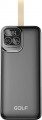 | 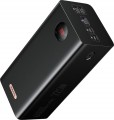 |
|---|---|---|
| Golf P55 | Romoss PEA60 | |
| Outdated Product | from £49.99 | |
| User reviews | ||
| TOP sellers | ||
Capacity 60000 mAh. Ability to charge 4 devices simultaneously. MicroUSB, USB type C and Apple Lightning ports for charging the battery itself. Supports various fast charging standards. Display. | ||
| Battery capacity | 50000 mAh 185 W*h | 60000 mAh 222 W*h |
| Real capacity | 31450 mAh | 36000 mAh |
| Battery type | Li-Pol | Li-Pol |
Charging gadgets / outputs | ||
| USB-C | 1 pcs | 1 pcs |
| USB-A | 2 pcs | 3 pcs |
| USB-C1 | 20 W | 22.5 W |
| USB-A1 | 22.5 W | 18 W |
| USB-A2 | 22.5 W | 12 W |
| USB-A3 | 12 W | |
| Power output (all ports) | 15 W | |
Power bank charging | ||
| Power bank charging inputs | USB-C | USB-C Apple Lightning microUSB |
| Power bank charge power | 20 W | 18 W |
| Full charge time | 14 h | |
Features | ||
| Low current charging |  |  |
| Fast charge | Quick Charge 3.0 Power Delivery 3.0 | Quick Charge 3.0 Power Delivery 3.0 |
| Bundled cables (adapters) | microUSB | |
| Features | info display | info display |
General | ||
| Body material | plastic | plastic |
| Dimensions | 161x82x53 mm | 180x84x66 mm |
| Weight | 1083 g | 1322 g |
| Color | ||
| Added to E-Catalog | september 2023 | november 2021 |


Compare Golf P55 and Romoss PEA60
You may be interested in
Romoss PEA60 often compared


Glossary
Battery capacity
The capacity of a powerbank indicates the amount of energy it can store and is usually specified in two formats in the specifications — mAh and Wh. The mAh value is more familiar to most buyers and helps quickly understand the class of the model, while Wh more accurately reflects the total energy reserve and is more convenient for a more accurate comparison of devices.
For example, a powerbank with 10000 mAh usually has about 37 Wh, a model with 20000 mAh — approximately 74 Wh, and a version with 30000 mAh — about 111 Wh. The higher these values, the more charges for a smartphone, headphones, watch, or other devices can be expected, but the larger, heavier, and usually more expensive the device becomes.
At the same time, it is important to remember that the actual output is always lower than the nominal figures due to energy conversion losses. Therefore, capacity is one of the main parameters that immediately shows whether the powerbank is suitable for a day's backup or for more serious autonomous use.
Real capacity
The real capacity of the power bank.
Real capacity is the amount of energy that a power bank is able to transfer to rechargeable gadgets. This amount is inevitably lower than the nominal capacity (see above) — most often by about 1.6 times (due to the fact that part of the energy goes to additional features and transmission losses). However, it is by real capacity that it is easiest to evaluate the actual capabilities of an external battery: for example, if this figure is 6500 mAh, this model is guaranteed to be enough for two full charges of a smartphone with a 3000 mAh battery and smartwatches for 250 mAh.
The capacity in this case is indicated for 5 V — the standard USB charging voltage. At the same time, the features of milliamp-hours as a unit of capacity are such that the actual amount of energy in the battery depends not only on the number of mAh, but also on the operating voltage. In fact, this means that when using fast charging technologies (see below) that involve increased voltage, the actual value of the actual capacity will differ from the claimed one (it will be lower). There are formulas and methods for calculating this value, they can be found in special sources.
Real capacity is the amount of energy that a power bank is able to transfer to rechargeable gadgets. This amount is inevitably lower than the nominal capacity (see above) — most often by about 1.6 times (due to the fact that part of the energy goes to additional features and transmission losses). However, it is by real capacity that it is easiest to evaluate the actual capabilities of an external battery: for example, if this figure is 6500 mAh, this model is guaranteed to be enough for two full charges of a smartphone with a 3000 mAh battery and smartwatches for 250 mAh.
The capacity in this case is indicated for 5 V — the standard USB charging voltage. At the same time, the features of milliamp-hours as a unit of capacity are such that the actual amount of energy in the battery depends not only on the number of mAh, but also on the operating voltage. In fact, this means that when using fast charging technologies (see below) that involve increased voltage, the actual value of the actual capacity will differ from the claimed one (it will be lower). There are formulas and methods for calculating this value, they can be found in special sources.
USB-A
The number of USB-A ports available for charging smartphones, headphones, accessories, and other devices. This format is still in demand because USB-A is widely used and fits a large number of existing cables and devices, although it usually falls behind USB-C in terms of relevance and power. A single USB-A output is typically sufficient for basic everyday use, while two, three, four, or more are convenient for connecting multiple gadgets simultaneously.
USB-C1
The power capacity of the main USB-C port, which among USB-C connectors is typically the most powerful. This specification is especially important for smartphones with fast charging, tablets, portable consoles, and laptops that require increased power supply.
Values around 18 – 30 W are usually sufficient for fast charging smartphones, 45 – 65 W are suitable for portable consoles, some ultrabooks, and other more demanding devices, and 100 W and above are even designed for powerful laptops and heavy loads.
Values around 18 – 30 W are usually sufficient for fast charging smartphones, 45 – 65 W are suitable for portable consoles, some ultrabooks, and other more demanding devices, and 100 W and above are even designed for powerful laptops and heavy loads.
USB-A1
The power on USB-A1 port shows the maximum output power of the main USB-A port, which among USB-A connectors is usually the most powerful. Values around 10 – 18 W are typically sufficient for regular or fast charging of smartphones, 22.5 – 33 W are already interesting for faster charging of compatible models, while higher values for USB-A are significantly rarer than for USB-C. Compared to USB-A2, USB-A3, or USB-A4, it often makes more sense to connect the most demanding device to USB-A1 if maximum speed from this type of port is needed.
However, the USB-A format itself is already less promising today than USB-C, so such a port is more often used for smartphones, headphones, watches, speakers, and other mobile devices rather than heavy-duty applications like laptops.
However, the USB-A format itself is already less promising today than USB-C, so such a port is more often used for smartphones, headphones, watches, speakers, and other mobile devices rather than heavy-duty applications like laptops.
USB-A2
The maximum power of the second USB-A output, which is usually slightly less than USB-A1, but is still suitable for charging smartphones, accessories, and other everyday devices.
USB-A3
The power on the USB-A3 port indicates the maximum power at which the third USB-A port operates, which is often used as an additional output when charging multiple devices simultaneously. It should be noted that simultaneous charging on multiple ports reduces the maximum output power values.
Power output (all ports)
The total charge power provided by the power bank on all connectors overnight - when devices are connected simultaneously to all charging ports.
This parameter is given due to the fact that the total charge power does not always correspond to the sum of the maximum powers of all available ports. The built-in battery of a power bank often has its own limitation on the output power. Therefore, for example, in a model with two 18 W USB ports, each total charge power can be the same 18 W. Note that the distribution of power among the connectors may be different: in some models it is divided equally, in others it is divided in proportion to the maximum current strength (if it differs on different ports). These nuances should be clarified using the detailed characteristics of the charging connectors.
If you plan to regularly use all power bank connectors at once, you should pay attention to this indicator.
This parameter is given due to the fact that the total charge power does not always correspond to the sum of the maximum powers of all available ports. The built-in battery of a power bank often has its own limitation on the output power. Therefore, for example, in a model with two 18 W USB ports, each total charge power can be the same 18 W. Note that the distribution of power among the connectors may be different: in some models it is divided equally, in others it is divided in proportion to the maximum current strength (if it differs on different ports). These nuances should be clarified using the detailed characteristics of the charging connectors.
If you plan to regularly use all power bank connectors at once, you should pay attention to this indicator.
Power bank charging inputs
The type of input used to charge the power bank's own battery. Simply put, this paragraph indicates which connector on the cable you need to charge the power bank. At the same time, some models provide several inputs for charging at once, which simplifies the search for a cable. Also note that for models with a built-in power bank charging connector (see below), the type of this connector is specified separately.
Most often in modern power banks there are standard connectors microUSB, USB type C and/or Apple Lightning. A lot of accessories are produced for such connectors — cables, network and car chargers, adapters, etc.; so there is usually no difficulty in finding a source of energy. Less common are models with DC input, they are usually equipped with their own power supply (or at least a cable under such a connector). Here is a more detailed description of the different types of inputs:
— microUSB. A smaller version of the USB connector, still very popular in portable tech, despite the active spread of the more advanced USB type C. It has relatively modest capabilities — in particular, it does not allow the implementation of some advanced fast charging technologies. On the other hand, it is very easy to find a source of energy for such a connector: both modern and many of the frankly outdated cables and chargers are...suitable for it.
— USB type C. A miniature type of USB connector, positioned, among other things, as the successor to microUSB. The most noticeable improvement is the reversible design, which allows you not to worry about which side of the plug is inserted into the connector. However, in the case of power banks, this is not the only or even the main advantage: USB type C has more extensive capabilities, allows more powerful currents and use a wider range of fast charging technologies (and Power Delivery was originally created specifically for this connector). Note that in some models the same connector of this type can be used both as an input for charging the battery and as an output for charging external devices — moreover, with automatic switching between these modes.
— Apple Lightning. Initially, this connector is designed for portable gadgets made by Apple. However, in the case of power banks, it can also be found in third-party devices: the idea is that the presence of Lightning allows you to charge an external battery using a cable from an iPhone or iPad and eliminates the need to look for a separate wire. For a number of reasons, this charging input is rarely used as the only one, more often it is provided in addition to microUSB or USB type C (see above).
— DC input. DC is a standard covering several types of connectors at once. Their common feature is a signature round shape, but the diameter, rated voltage and power can be different. In this sense, such connectors are not as convenient as USB type C, Lightning and other generally accepted standards — with a DC socket, it is best to use a native power supply (usually it comes bundled right away), and finding a third-party power source can be a problem. On the other hand, inputs of this type have practically no power limitations, it is easier to achieve high power supply with them than with the connectors described above. Therefore, DC inputs are used mainly in high-capacity power banks, where charging through a "weaker" interface would take an unreasonably long time. However, such models can also be equipped with standard microUSB or USB type C connectors "just in case".
Most often in modern power banks there are standard connectors microUSB, USB type C and/or Apple Lightning. A lot of accessories are produced for such connectors — cables, network and car chargers, adapters, etc.; so there is usually no difficulty in finding a source of energy. Less common are models with DC input, they are usually equipped with their own power supply (or at least a cable under such a connector). Here is a more detailed description of the different types of inputs:
— microUSB. A smaller version of the USB connector, still very popular in portable tech, despite the active spread of the more advanced USB type C. It has relatively modest capabilities — in particular, it does not allow the implementation of some advanced fast charging technologies. On the other hand, it is very easy to find a source of energy for such a connector: both modern and many of the frankly outdated cables and chargers are...suitable for it.
— USB type C. A miniature type of USB connector, positioned, among other things, as the successor to microUSB. The most noticeable improvement is the reversible design, which allows you not to worry about which side of the plug is inserted into the connector. However, in the case of power banks, this is not the only or even the main advantage: USB type C has more extensive capabilities, allows more powerful currents and use a wider range of fast charging technologies (and Power Delivery was originally created specifically for this connector). Note that in some models the same connector of this type can be used both as an input for charging the battery and as an output for charging external devices — moreover, with automatic switching between these modes.
— Apple Lightning. Initially, this connector is designed for portable gadgets made by Apple. However, in the case of power banks, it can also be found in third-party devices: the idea is that the presence of Lightning allows you to charge an external battery using a cable from an iPhone or iPad and eliminates the need to look for a separate wire. For a number of reasons, this charging input is rarely used as the only one, more often it is provided in addition to microUSB or USB type C (see above).
— DC input. DC is a standard covering several types of connectors at once. Their common feature is a signature round shape, but the diameter, rated voltage and power can be different. In this sense, such connectors are not as convenient as USB type C, Lightning and other generally accepted standards — with a DC socket, it is best to use a native power supply (usually it comes bundled right away), and finding a third-party power source can be a problem. On the other hand, inputs of this type have practically no power limitations, it is easier to achieve high power supply with them than with the connectors described above. Therefore, DC inputs are used mainly in high-capacity power banks, where charging through a "weaker" interface would take an unreasonably long time. However, such models can also be equipped with standard microUSB or USB type C connectors "just in case".