
Comparison MSI G244PF E2 23.8 " black vs MSI G244F E2 23.8 " black
Add to comparison |  | 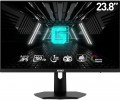 |
|---|---|---|
| MSI G244PF E2 23.8 " black | MSI G244F E2 23.8 " black | |
from £340.46 | Compare prices 2 | |
| User reviews | ||
| TOP sellers | ||
| Product type | gaming | gaming |
| Size | 23.8 " | 23.8 " |
Screen | ||
| Panel type | IPS | IPS |
| Surface treatment | anti-glare | anti-glare |
| Resolution | 1920x1080 (16:9) | 1920x1080 (16:9) |
| FPS | 180 Hz | 180 Hz |
| Pixel size | 0.27 mm | 0.27 mm |
| Response time (GtG) | 1 ms | 1 ms |
| Vertical viewing angle | 178 ° | 178 ° |
| Horizontal viewing angle | 178 ° | 178 ° |
| Brightness | 300 cd/m² | 300 cd/m² |
| Static contrast | 1 000:1 | 1 000:1 |
| Dynamic Contrast | 100 000 000:1 | 100 000 000:1 |
| Colour depth | 8-bit (16.7M Colors) | 8-bit (16.7M Colors) |
| Colour space (sRGB) | 118 % | 118 % |
| Colour space (Adobe RGB) | 91 % | 91 % |
| Colour gamut (DCI-P3) | 88 % | 88 % |
| TÜV Rheinland certificate |  | |
Connection | ||
| Video transmission | DisplayPort v1.2 2xHDMI v2.0 | DisplayPort v1.2 2xHDMI v2.0 |
| Connectors (optional) | mini-Jack output (3.5 mm) | mini-Jack output (3.5 mm) |
Features | ||
| Features | Flicker-Free Adaptive-Sync | Flicker-Free Adaptive-Sync |
| Portrait pivot | |  |
| Screen swivel | | |
| Height adjustment | | |
| Game Features | aim timer FPS display brighten darker areas | aim timer FPS display brighten darker areas |
General | ||
| Wall mount | VESA 75x75mm | VESA 75x75mm |
| External power supply | | |
| Dimensions (WxHxD) | 542x399x197 mm | 542x424x232 mm |
| Dimensions without stand (WxHxD) | 542x322x60 mm | 542x322x60 mm |
| Weight | 4.7 kg | 4.2 kg |
| Weight without stand | 2.7 kg | 2.7 kg |
| Color | ||
| Added to E-Catalog | february 2024 | february 2024 |


Compare MSI G244PF E2 and G244F E2
Price comparison
You may be interested in
MSI G244PF E2 often compared


MSI G244F E2 often compared


Glossary
Portrait pivot
The screen is 90° rotatable on a stand, from landscape (horizontal) to portrait (vertical). The vertical orientation of the screen ( portrait mode) can be useful, for example, when working with large documents made in portrait orientation.
Screen swivel
The presence of a swivel stand in the design of the monitor allows you to change not only the angle of the screen (of course everyone has it), but also its rotation to the right and left. The angle of rotation depends on the model, but anyway, even a slight deviation allows you to quickly adjust the position of the monitor to your needs.
Height adjustment
The ability to move the monitor screen up and down relative to the base. This feature is very convenient for adjusting the height of the screen — moving it on the mount is much easier than looking for a stand or resorting to other tricks.