
Comparison Seagate BarraCuda Pro Compute 2.5" ST500LM034 500 GB vs Toshiba MQ01ACFxxx MQ01ACF032 320 GB
Add to comparison | 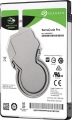 | 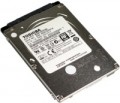 |
|---|---|---|
| Seagate BarraCuda Pro Compute 2.5" ST500LM034 500 GB | Toshiba MQ01ACFxxx MQ01ACF032 320 GB | |
from £96.90 | from £41.90 | |
| User reviews | ||
| TOP sellers | ||
| Placement | built-in | built-in |
| Type | HDD | HDD |
| Features | for PC | for PC |
| Volume | 500 GB | 320 GB |
| Form factor | 2.5 " | 2.5 " |
| Connection | SATA3 | SATA3 |
| Manufacturer's warranty | 5 years | |
Technical specs | ||
| Cache memory | 128 MB | 16 MB |
| RPM | 7200 rpm | 7200 rpm |
| Data transfer rate | 160 MB/s | |
| Average search time | 22 ms | |
| Operation power consumption | 1.9 W | 5.5 W |
| Standby power consumption | 0.7 W | 0.18 W |
| Shockproof | 400 G | 350 G |
| Reading noise level | 24 dB | 24 dB |
| Standby mode noise level | 22 dB | |
| MTBF (on/off) | 600 K | 600 K |
General | ||
| Size | 100x70x7 mm | |
| Weight | 85 g | |
| Added to E-Catalog | april 2018 | december 2013 |


Compare Seagate BarraCuda Pro Compute 2.5" ST500LM034 and Toshiba MQ01ACFxxx MQ01ACF032
You may be interested in
Seagate BarraCuda Pro Compute 2.5" often compared


Glossary
Volume
The capacity of a hard disk drive shows how much data the HDD can store—from documents and photos to games, movies, backups, and large work archives. This parameter determines whether the drive is suitable for a simple home system, file storage, or, for example, for long-term accumulation of video recordings from surveillance cameras.
Models small by modern standards are more often chosen for documents, music, and basic files, whereas drives of 4 – 8 TB and larger are already interesting for large media libraries, backups, and NAS systems. Compared to SSDs, high-capacity HDDs are usually more cost-effective per gigabyte, so they are often chosen particularly when the maximum space is more important than record-breaking speed. For example, a drive of 1 or 2 TB might be enough for a regular PC, while 6 – 10 TB could be suitable for a movie collection, family archive, or constant video recording.
Models small by modern standards are more often chosen for documents, music, and basic files, whereas drives of 4 – 8 TB and larger are already interesting for large media libraries, backups, and NAS systems. Compared to SSDs, high-capacity HDDs are usually more cost-effective per gigabyte, so they are often chosen particularly when the maximum space is more important than record-breaking speed. For example, a drive of 1 or 2 TB might be enough for a regular PC, while 6 – 10 TB could be suitable for a movie collection, family archive, or constant video recording.
Manufacturer's warranty
Manufacturer's warranty provided for this model.
In fact, this is the minimum service life promised by the manufacturer, subject to the rules of operation. Most often, the actual service life of the device is much longer than the guaranteed one.
In fact, this is the minimum service life promised by the manufacturer, subject to the rules of operation. Most often, the actual service life of the device is much longer than the guaranteed one.
Cache memory
The amount of internal hard drive memory. This memory is an intermediate link between the high-speed computer RAM and the relatively slow mechanics responsible for reading and writing information on disk platters. In particular, the buffer is used to store the most frequently requested data from the disk — thus, the access time to them is reduced.
Technically, the size of the buffer affects the speed of the hard drive — the larger the buffer, the faster the drive. However, this influence is rather insignificant, and at the level of human perception, a significant difference in performance is noticeable only when the buffer size of the two drives differs many times — for example, 8 MB and 64 MB.
Technically, the size of the buffer affects the speed of the hard drive — the larger the buffer, the faster the drive. However, this influence is rather insignificant, and at the level of human perception, a significant difference in performance is noticeable only when the buffer size of the two drives differs many times — for example, 8 MB and 64 MB.
Data transfer rate
The speed of data transfer between the disk and client devices is determined by the type of drive, spindle speed, memory buffer size and connection connectors. The last parameter is the most important, since it is impossible to exceed the bandwidth of a particular interface.
Average search time
The time it takes for the hard disk mechanics to find random requested data to read. For each specific case, the search time is different, as it depends on the location of the data on the surface of the disk and the position of the read head, therefore, the average value is indicated in the characteristics of hard drives. The lower the average seek time, the faster the disk works, all other things being equal.
Operation power consumption
The amount of power consumed by the disk when reading and writing information. In fact, this is the peak power consumption, it is in these modes that the drive consumes the most energy.
HDD power consumption data is needed primarily to calculate the overall system power consumption and power supply requirements for the system. In addition, for laptops that are planned to be used often "in isolation from outlets", it is advisable to choose more economical drives.
HDD power consumption data is needed primarily to calculate the overall system power consumption and power supply requirements for the system. In addition, for laptops that are planned to be used often "in isolation from outlets", it is advisable to choose more economical drives.
Standby power consumption
The amount of power consumed by the disk "idle". In the on state, the disk platters rotate regardless of whether information is being written or read or not — maintaining this rotation takes the energy consumed while waiting.
The lower the power consumption while waiting, the more economical the disk is, the less energy it consumes. At the same time, we note that in fact this parameter is relevant mainly when choosing a drive for a laptop, when energy efficiency is crucial. For stationary PCs, “idle” power consumption does not play a special role, and when calculating the requirements for a power supply, it is necessary to take into account not this indicator, but the power consumption during operation (see above).
The lower the power consumption while waiting, the more economical the disk is, the less energy it consumes. At the same time, we note that in fact this parameter is relevant mainly when choosing a drive for a laptop, when energy efficiency is crucial. For stationary PCs, “idle” power consumption does not play a special role, and when calculating the requirements for a power supply, it is necessary to take into account not this indicator, but the power consumption during operation (see above).
Shockproof
A parameter that determines the resistance of the hard drive to drops and shocks during operation (that is, in the on state). Shock resistance is measured in G — units of overload, 1 G corresponds to the usual force of gravity. The higher the G number, the more resistant the disc is to various kinds of concussions and the less likely it is to be damaged, say, in the event of a fall. This setting is especially important for external drives and drives used in laptops.
Standby mode noise level
The amount of noise produced by a disk "idle", when no read and/or write operations are performed. The sound source in this case is the plates — they rotate all the time while the disk is on; since no other mechanics are involved, idle noise is generally lower than read/write noise. The lower the noise level, the more comfortable the use of the device. The maximum noise level of modern hard drives in standby mode is about 40 dB — this is comparable to quiet human speech.