
Comparison Wanbo T4 vs Wanbo T2 Max
Add to comparison |  | 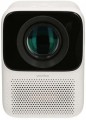 |
|---|---|---|
| Wanbo T4 | Wanbo T2 Max | |
from £166.99 | from £168.20 | |
| TOP sellers | ||
| Main function | portable | portable |
| Operating system | Android 9.0 | Android 9.0 |
Lamp and image | ||
| Lamp type | LED | LED |
| Service life | 20000 h | 20000 h |
| Service life (energy-saving) | 30000 h | |
| Brightness ANSI Lumens | 450 lm | 250 lm |
| Static contrast | 2 000:1 | 2 000:1 |
| Colour rendering | 1.07 billion colours | 16.7 million colours |
Projection system | ||
| Technology | LCD | LCD |
| Size | 1.55" | |
| Real resolution | 1920x1080 px | 1920x1080 px |
| Max. video resolution | 3840x2160 px | 1920x1080 px |
| Image format support | 4:3, 16:9 | 4:3, 16:9 |
| HDR support | HDR10+ | + |
| Colour enhancement |  |  |
Projecting | ||
| Throw distance, min | 1.11 m | 1 m |
| Throw distance, max | 2.53 m | 3 m |
| Image size | 40 – 100 " | 40 – 150 " |
| Throw ratio | 1.25:1 | 1.35:1 |
| Zoom and focus | manual | |
| Autofocus | | |
| Auto keystone correction | | |
| Keystone correction (vert), ± | 40 ° | |
| Keystone correction (horizontal), ± | 40 ° | |
Features | ||
| Bluetooth | v 5.0 | v 4.0 |
| Wi-Fi | Wi-Fi 6 (802.11ax) | Wi-Fi 4 (802.11n) |
| AirPlay | + | |
| Miracast | | |
Hardware | ||
| CPU | MTK9269 | MTK9269 |
| RAM | 1 GB | 1 GB |
| Built-in memory | 16 GB | 16 GB |
| USB-A 2.0 | 1 pcs | 1 pcs |
| Number of speakers | 2 | 2 |
| Sound power | 6 W | 6 W |
| HDMI inputs | 1 | 1 |
| Audio connectors | 3.5 mm output (mini-Jack) | 3.5 mm output (mini-Jack) |
General | ||
| Noise level (nominal) | 38 dB | |
| Noise level (energy-saving / quiet) | 30 dB | 35 dB |
| Power source | mains | mains |
| Power consumption | 65 W | 57 W |
| Size (HxWxD) | 187x125x150 mm | 150x110x140 mm |
| Weight | 1.19 kg | 0.9 kg |
| Color | ||
| Added to E-Catalog | february 2024 | november 2021 |


Compare Wanbo T4 and T2 Max
The Wanbo T4 and Wanbo T2 Max projectors have similar characteristics but differ in several key parameters. The Wanbo T4 offers a brightness of 450 ANSI lumens, which is significantly higher than the 250 ANSI lumens of the T2 Max, making it more suitable for use in bright lighting conditions. Additionally, the T4 supports a wider color range (1.07 billion compared to 16.7 million for the T2 Max) and has a higher maximum video resolution (3840x2160 pixels versus 1920x1080 pixels). However, the T2 Max can project an image to a larger size (up to 150 inches) compared to the maximum 100 inches of the T4. Both projectors run on Android 9.0 and have similar features, such as HDR support and auto trapezoid correction. In terms of portability, the T2 Max is lighter (0.9 kg versus 1.19 kg for the T4), which may be important for users looking for a compact solution.
You may be interested in
My comparisons
Wanbo T4 often compared


Wanbo T2 Max often compared


Glossary
Service life (energy-saving)
When working in economy mode, the brightness of the backlight is noticeably reduced, on average by 30-50%. With a decrease in brightness, heat dissipation also decreases, which saves the working life of the illuminator, thereby increasing the lamp life. Thus, the ECO mode allows you to extend the lamp life by an average of 30%. If the typical projector lamp life is 4000 hours, regular use of the ECO mode will extend the backlight life to approximately 5500 hours.
Brightness ANSI Lumens
This parameter largely determines the ability of the projector to work in a well-lit room. For a dark room, 1000 lumens is enough to make the projection picture bright, rich, clear and understandable. But when working in a lit room, the projector will need at least 3500-4000 lumens. Do not confuse ANSI lumens with Peak lumens. These are two different brightness standards. To convert one type of brightness to another, you need to multiply Peak lumens by 10-12. The result will be an approximate value of ANSI Lumens.
However, experts do not recommend chasing high ANSI lumen brightness values. There are many professional projectors with brightness up to 3500 lm. The lower the brightness, the lower the power consumption, and at the same time, the life of the illuminator increases. Of course, if the projector will be installed in a work office or classroom where good lighting is required, it is recommended to purchase a model with ANSI Lumens brightness of 4000 lumens and more.
Colour rendering
The number of individual colour shades that the projector is capable of displaying.
The minimum indicator for modern projection technology is actually 16 million colours (more precisely, 16.7 million is a standard number associated with the features of digital image processing). In the most advanced models, this value can exceed 1 billion. However, two nuances should be taken into account here: firstly, the human eye is able to recognize only about 10 million colour shades, and secondly, not a single modern image output device (projectors, monitors, etc.) cannot cover the entire spectrum of colours visible to the human eye. Therefore, impressive colour performance is more of a marketing ploy than a real indicator of image quality, and in fact it makes sense to pay attention to other characteristics — primarily brightness and contrast (see above), as well as specific data like a colour gamut chart.
The minimum indicator for modern projection technology is actually 16 million colours (more precisely, 16.7 million is a standard number associated with the features of digital image processing). In the most advanced models, this value can exceed 1 billion. However, two nuances should be taken into account here: firstly, the human eye is able to recognize only about 10 million colour shades, and secondly, not a single modern image output device (projectors, monitors, etc.) cannot cover the entire spectrum of colours visible to the human eye. Therefore, impressive colour performance is more of a marketing ploy than a real indicator of image quality, and in fact it makes sense to pay attention to other characteristics — primarily brightness and contrast (see above), as well as specific data like a colour gamut chart.
Size
The size of the panel/chip affects the depth and final quality of the image. The larger the panel/chip, the more light it is able to process, which means the picture will be clearer and more structured. The average projector has a sensor of 0.5-0.7″, advanced projectors use sensors of 1.2-1.5″ and more.
Max. video resolution
The actual maximum frame resolution that the projector is capable of processing and displaying.
Many models allow project images at a higher resolution than the actual resolution of the projector matrix (see above). For example, a 1920x1080 video can be displayed on a device with a frame size of 1024x768. However, the quality of such an image will be noticeably lower than on a projector, which initially has a resolution of 1920x1080.
The maximum resolution is closely related to both the overall picture quality and the size of the projection screen. The higher the resolution, the sharper the image details become. Of course, the screen size itself should be taken into account. The fact is that on a 40-50″ projection surface there will not be much difference between the Quad HD and 4K formats. A high-resolution picture will be able to show itself on a truly large screen.
Many models allow project images at a higher resolution than the actual resolution of the projector matrix (see above). For example, a 1920x1080 video can be displayed on a device with a frame size of 1024x768. However, the quality of such an image will be noticeably lower than on a projector, which initially has a resolution of 1920x1080.
The maximum resolution is closely related to both the overall picture quality and the size of the projection screen. The higher the resolution, the sharper the image details become. Of course, the screen size itself should be taken into account. The fact is that on a 40-50″ projection surface there will not be much difference between the Quad HD and 4K formats. A high-resolution picture will be able to show itself on a truly large screen.
HDR support
Support for HDR technology — expanded dynamic range — by the projector.
This technology allows for extending the brightness range displayed within a single frame — in simpler terms, it enables displaying both very bright and very dark colors on screen simultaneously. This significantly improves color reproduction; furthermore, small details on very bright or very dark parts of the frame that would be invisible on a regular image remain visible. However, it's worth noting that all the advantages of HDR become noticeable only on a high-quality screen with maximum dimming. Additionally, this function significantly affects the cost of the projector, and the content being played back must initially be recorded in HDR — using exactly the technology supported by the projector (this detail can be clarified in the manual). In light of this, HDR support is mainly found among high-end models for home theaters. It should also be noted that there are several different HDR technologies that are not compatible with each other. Therefore, when purchasing a projector with this function, it's crucial to clarify which exact version of HDR it supports. The following are available:
— HDR10. Historically the first of the consumer HDR formats, less advanced than the options described below but extremely widespread. In particular, HDR10 is supported by virtually all streaming services that provide HDR content at all, and it's also standard for...Blu-ray discs. It allows for working with a color depth of 10 bits (hence the name). At the same time, devices with this format are compatible with HDR10+ content, although its quality will be limited by the capabilities of the original HDR10.
— HDR10+. An enhanced version of HDR10. With the same color depth (10 bits), it uses so-called dynamic metadata, which allows transmitting information about color depth not only for groups of several frames but also for individual frames. This leads to further improvement in color reproduction.
— Dolby Vision. An advanced standard used, for example, in professional filmmaking. It achieves a color depth of 12 bits, uses the aforementioned dynamic metadata, and also allows transmitting two image variants simultaneously in one video stream — HDR and regular (SDR). Dolby Vision is based on the same technology as HDR10, so in modern video equipment, this format is usually combined with HDR10 or HDR10+.
— HLG. An HDR format initially designed for TV broadcasting and live transmissions; hence, it is designed for "working without metadata" and is easier to transfer between different sources. Unlike HDR10, which uses static metadata, and particularly HDR10+ / Dolby Vision, which can dynamically adjust the picture frame by frame, HLG often provides a more universal and predictable HDR signal, although not as precisely tuned for a specific display. However, HLG has a strong point — excellent compatibility: the same stream can appear acceptable even on devices that are not fully HDR-capable, which is crucial for broadcast/satellite content. An example of use is viewing HDR broadcasts and TV content from a set-top box/tuner or streaming where HLG is encountered: the projector will correctly receive the signal and display the extended brightness range and more vibrant colors without manual tweaking of settings.
This technology allows for extending the brightness range displayed within a single frame — in simpler terms, it enables displaying both very bright and very dark colors on screen simultaneously. This significantly improves color reproduction; furthermore, small details on very bright or very dark parts of the frame that would be invisible on a regular image remain visible. However, it's worth noting that all the advantages of HDR become noticeable only on a high-quality screen with maximum dimming. Additionally, this function significantly affects the cost of the projector, and the content being played back must initially be recorded in HDR — using exactly the technology supported by the projector (this detail can be clarified in the manual). In light of this, HDR support is mainly found among high-end models for home theaters. It should also be noted that there are several different HDR technologies that are not compatible with each other. Therefore, when purchasing a projector with this function, it's crucial to clarify which exact version of HDR it supports. The following are available:
— HDR10. Historically the first of the consumer HDR formats, less advanced than the options described below but extremely widespread. In particular, HDR10 is supported by virtually all streaming services that provide HDR content at all, and it's also standard for...Blu-ray discs. It allows for working with a color depth of 10 bits (hence the name). At the same time, devices with this format are compatible with HDR10+ content, although its quality will be limited by the capabilities of the original HDR10.
— HDR10+. An enhanced version of HDR10. With the same color depth (10 bits), it uses so-called dynamic metadata, which allows transmitting information about color depth not only for groups of several frames but also for individual frames. This leads to further improvement in color reproduction.
— Dolby Vision. An advanced standard used, for example, in professional filmmaking. It achieves a color depth of 12 bits, uses the aforementioned dynamic metadata, and also allows transmitting two image variants simultaneously in one video stream — HDR and regular (SDR). Dolby Vision is based on the same technology as HDR10, so in modern video equipment, this format is usually combined with HDR10 or HDR10+.
— HLG. An HDR format initially designed for TV broadcasting and live transmissions; hence, it is designed for "working without metadata" and is easier to transfer between different sources. Unlike HDR10, which uses static metadata, and particularly HDR10+ / Dolby Vision, which can dynamically adjust the picture frame by frame, HLG often provides a more universal and predictable HDR signal, although not as precisely tuned for a specific display. However, HLG has a strong point — excellent compatibility: the same stream can appear acceptable even on devices that are not fully HDR-capable, which is crucial for broadcast/satellite content. An example of use is viewing HDR broadcasts and TV content from a set-top box/tuner or streaming where HLG is encountered: the projector will correctly receive the signal and display the extended brightness range and more vibrant colors without manual tweaking of settings.
Colour enhancement
The projector supports a particular colour enhancement technology.
Such technologies usually involve software image processing to provide brighter and/or more accurate colours. Specific processing methods may be different, some manufacturers do not specify technical details at all, limiting themselves to advertising statements. The effect of using such technologies can also vary: in some cases it is clearly visible, in others it is almost absent, depending on the features of the picture.
Such technologies usually involve software image processing to provide brighter and/or more accurate colours. Specific processing methods may be different, some manufacturers do not specify technical details at all, limiting themselves to advertising statements. The effect of using such technologies can also vary: in some cases it is clearly visible, in others it is almost absent, depending on the features of the picture.
Throw distance, min
The closest distance to the screen that the projector can be used on. Typically, this is the minimum distance at which the image from the projector remains in focus.
This parameter is especially important if the device is to be placed at a small distance from the screen (for example, in a cramped room). Some modern projectors are able to work normally at a distance of 10 – 20 cm. Also note that the throw distances are determined primarily by the lens, and if the initial range of these distances does not suit you, perhaps the situation can be solved by replacing the optics.
This parameter is especially important if the device is to be placed at a small distance from the screen (for example, in a cramped room). Some modern projectors are able to work normally at a distance of 10 – 20 cm. Also note that the throw distances are determined primarily by the lens, and if the initial range of these distances does not suit you, perhaps the situation can be solved by replacing the optics.
Throw distance, max
The farthest distance from the screen that the projector can be used on. This is the maximum distance at which the image remains in focus and maintains acceptable brightness — at least enough for viewing in a darkened room on a high-quality screen.
It is necessary to choose according to this parameter taking into account the expected operating conditions and the distances to be dealt with. At the same time, it's ok to have a certain margin for the maximum distance — since, as already mentioned, it is usually indicated for an perfect screen and a darkened room, and such conditions are not always available. Also note that although the throw distances depend on the lens, not every projector with an interchangeable lens allows the installation of more "long-range" optics than the standard one — the device may simply not have enough brightness for an increased distance.
It is necessary to choose according to this parameter taking into account the expected operating conditions and the distances to be dealt with. At the same time, it's ok to have a certain margin for the maximum distance — since, as already mentioned, it is usually indicated for an perfect screen and a darkened room, and such conditions are not always available. Also note that although the throw distances depend on the lens, not every projector with an interchangeable lens allows the installation of more "long-range" optics than the standard one — the device may simply not have enough brightness for an increased distance.