
Comparison LG OLED55C7V vs LG OLED55B6V
Add to comparison | 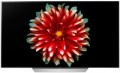 | 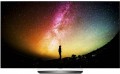 |
|---|---|---|
| LG OLED55C7V | LG OLED55B6V | |
from £329.99 | from $1,802.00 up to $3,674.00 | |
| TOP sellers | ||
Coverage of 99% of the DCI-P3 space. Excellent contrast and perfect blacks. Minimum input signal delay. | ||
| Size | 55 " | 55 " |
| Operating system | Smart TV (proprietary system) | Smart TV (proprietary system) |
Display | ||
| Matrix | OLED | OLED |
| Screen surface | anti-glare | anti-glare |
| Resolution | 3840x2160 px | 3840x2160 px |
| Brightness | 720 cd/m² | |
| Frame rate | 100/120 Hz | 50/60 Hz |
| Colour gamut DCI-P3 | 99 % | |
| HDR support | HDR10 | HDR10 |
Multimedia | ||
| Sound power | 40 W | 40 W |
| Number of speakers | 2 | 4 |
| Subwoofer |  |  |
| Digital tuner | DVB-T2 (terrestrial) DVB-C (cable) DVB-S (satellite) DVB-S2 (satellite) | DVB-T2 (terrestrial) DVB-C (cable) DVB-S2 (satellite) |
Features | ||
| Features | Wi-Fi Miracast Bluetooth voice control | Wi-Fi Miracast Bluetooth voice control |
Connectors | ||
| HDMI | 4 | 4 |
| Additional inputs | USB-A LAN component composite AV input COM port (RS-232) RS-232 | USB-A LAN component composite AV input COM port (RS-232) RS-232 |
| Outputs | mini-Jack (3.5 mm) headphones optical | mini-Jack (3.5 mm) headphones optical |
General | ||
| Wall mount | VESA 200x300 mm | VESA 300x200 mm |
| Power consumption | 195 W | |
| Dimensions (WxHxD) | 1230x750x217 mm | 1229x759x225 mm |
| Dimensions without stand (WxHxD) | 1230x710x47 mm | 1229x715x48.6 mm |
| Weight | 19.2 kg | 18.6 kg |
| Color | ||
| Added to E-Catalog | may 2017 | august 2016 |


Compare LG OLED55C7V and OLED55B6V
You may be interested in
LG OLED55C7V often compared


LG OLED55B6V often compared
Glossary
Brightness
The maximum brightness of the image provided by the TV screen.
The image on the screen should be bright enough so that you do not have to strain your eyes unnecessarily to view it. However, too high brightness is undesirable — it will also lead to fatigue. The optimal brightness level depends on the surrounding conditions: the more intense the ambient light, the brighter the TV screen should be. So, on a sunny day, the screen may have to be “turned up” to the maximum, and in the evening, in dimmed light, a relatively dim image will be more comfortable. In addition note that large screens require higher brightness, since they are designed for a greater distance from the viewer.
Thus, the higher the number in this paragraph, the greater the margin of brightness this model has, the better it will show itself in intense ambient light. The lowest indicator sufficient for more or less comfortable viewing in any conditions is 300 cd/m² for models with a diagonal of up to 32", 400 cd/m² for models in the range of 32 – 55" and 600 cd/m² for large screens of 60" and more. In this case, the brightness margin anyway will not be superfluous. But with lower indicators, you may have to darken the room somewhat for comfortable viewing.
The image on the screen should be bright enough so that you do not have to strain your eyes unnecessarily to view it. However, too high brightness is undesirable — it will also lead to fatigue. The optimal brightness level depends on the surrounding conditions: the more intense the ambient light, the brighter the TV screen should be. So, on a sunny day, the screen may have to be “turned up” to the maximum, and in the evening, in dimmed light, a relatively dim image will be more comfortable. In addition note that large screens require higher brightness, since they are designed for a greater distance from the viewer.
Thus, the higher the number in this paragraph, the greater the margin of brightness this model has, the better it will show itself in intense ambient light. The lowest indicator sufficient for more or less comfortable viewing in any conditions is 300 cd/m² for models with a diagonal of up to 32", 400 cd/m² for models in the range of 32 – 55" and 600 cd/m² for large screens of 60" and more. In this case, the brightness margin anyway will not be superfluous. But with lower indicators, you may have to darken the room somewhat for comfortable viewing.
Frame rate
The true panel frequency of a TV without marketing enhancements and interpolation; today there are two classes: 50/60 Hz and 100/120 Hz. The pair of 50 and 60 Hz exists due to historical video signal standards (Europe 25/50, USA/Asia 30/60), with modern TVs typically accepting both. It is reasonable to consider the 100/120 Hz pair as one: it is the same high-end hardware platform, simply operating in multiples of its "native" content (100 Hz for 50 Hz sources, 120 Hz for 60 Hz). This class provides smoother motion in sports and 24p movies (at 120 Hz — in a multiple of 5:5 without stuttering) and unlocks 4K@120 Hz/VRR for gaming; 50/60 Hz remains the basic option for TV and streaming without gaming ambitions.
Colour gamut DCI-P3
Color gamut describes the range of colors that can be displayed on a screen. It is indicated in percentages, but not relative to the entire variety of visible colors, rather to a specific color space (color model). This is because no modern screen can display all the colors visible to the human eye. Nevertheless, the larger the color gamut, the broader the screen's capabilities, and the better its color reproduction quality.
DCI-P3 is an advanced color model mainly used in digital cinemas. It is significantly wider than the standard sRGB, providing more accurate and realistic colors. However, in practice, this model is primarily used for professional filmmaking and other tasks of a similar level. This is why televisions with this standard display movies and series as close as possible to the director's vision.
DCI-P3 is an advanced color model mainly used in digital cinemas. It is significantly wider than the standard sRGB, providing more accurate and realistic colors. However, in practice, this model is primarily used for professional filmmaking and other tasks of a similar level. This is why televisions with this standard display movies and series as close as possible to the director's vision.
Number of speakers
The number of speakers installed in the TV.
Theoretically, one speaker is enough to work with sound, but most entry-level and mid-range models (as well as many premium devices) provide two speakers — for stereo operation, which allows to achieve some surround sound effect. And more than two speakers usually means the TV has enhanced audio capabilities such as a subwoofer or soundbar (see below).
Theoretically, one speaker is enough to work with sound, but most entry-level and mid-range models (as well as many premium devices) provide two speakers — for stereo operation, which allows to achieve some surround sound effect. And more than two speakers usually means the TV has enhanced audio capabilities such as a subwoofer or soundbar (see below).
Subwoofer
The presence of a subwoofer as part of the TV sound system.
A subwoofer is a specialized speaker for bass and ultra-low frequencies. It makes the sound richer in the bass, which is especially useful when watching adventure films with appropriate sound effects (bumps, explosions), as well as concerts. It should noted that the specifications of built-in subwoofers are usually much more limited than those of external ones; so don't expect cinema-like bass from a TV audio system. However, the advantage in bass quality for such TVs (compared to models without a subwoofer) will still be noticeable.
A subwoofer is a specialized speaker for bass and ultra-low frequencies. It makes the sound richer in the bass, which is especially useful when watching adventure films with appropriate sound effects (bumps, explosions), as well as concerts. It should noted that the specifications of built-in subwoofers are usually much more limited than those of external ones; so don't expect cinema-like bass from a TV audio system. However, the advantage in bass quality for such TVs (compared to models without a subwoofer) will still be noticeable.
Digital tuner
Types of digital tuners (receivers) provided for in the design of the TV.
Such tuners are necessary for receiving digital TV broadcasts; for normal operation, the broadcast standard must match the type of tuner (with some exceptions, see below). Note that the receivers are also available as separate devices; however, it is easier (and often cheaper) to buy a TV with a built-in tuner of the desired format. In modern TV you can find terrestrial tuners DVB-T2, cable DVB-C and satellite DVB-S and DVB-S2, here are their main features:
— DVB-T2 (terrestrial). The main modern standard for digital broadcasting. Such broadcasting has a number of advantages over traditional analogue broadcasting: it allows higher resolution and multi-channel audio transmission, with better sound and picture quality, and this quality is fully preserved until the signal weakens to a critical level. However, in some countries digital terrestrial broadcasting is just being put into operation, so it will not hurt to check the availability of DVB-T2 coverage in your area.
— DVB-C (cable). The main modern standard for digital broadcasting in cable networks. Despite the advent of the more advanced DVB-C2, it still continues to be widely used, and most likely this situation will not change for a long time.
— DVB-S (satellite). The first...generation of the digital DVB standard for satellite broadcasting. Nowadays, it is relatively rare due to the advent of a more advanced DVB-S2, which is also backwards compatible with the original DVB-S.
— DVB-S2 (satellite). The most advanced and popular of today's digital satellite broadcasting standards. Being the heir to DVB-S, has retained compatibility with it; therefore, manufacturers often limit themselves to installing only a DVB-S2 tuner on their TVs — it allows you to receive both major satellite broadcast formats.
Such tuners are necessary for receiving digital TV broadcasts; for normal operation, the broadcast standard must match the type of tuner (with some exceptions, see below). Note that the receivers are also available as separate devices; however, it is easier (and often cheaper) to buy a TV with a built-in tuner of the desired format. In modern TV you can find terrestrial tuners DVB-T2, cable DVB-C and satellite DVB-S and DVB-S2, here are their main features:
— DVB-T2 (terrestrial). The main modern standard for digital broadcasting. Such broadcasting has a number of advantages over traditional analogue broadcasting: it allows higher resolution and multi-channel audio transmission, with better sound and picture quality, and this quality is fully preserved until the signal weakens to a critical level. However, in some countries digital terrestrial broadcasting is just being put into operation, so it will not hurt to check the availability of DVB-T2 coverage in your area.
— DVB-C (cable). The main modern standard for digital broadcasting in cable networks. Despite the advent of the more advanced DVB-C2, it still continues to be widely used, and most likely this situation will not change for a long time.
— DVB-S (satellite). The first...generation of the digital DVB standard for satellite broadcasting. Nowadays, it is relatively rare due to the advent of a more advanced DVB-S2, which is also backwards compatible with the original DVB-S.
— DVB-S2 (satellite). The most advanced and popular of today's digital satellite broadcasting standards. Being the heir to DVB-S, has retained compatibility with it; therefore, manufacturers often limit themselves to installing only a DVB-S2 tuner on their TVs — it allows you to receive both major satellite broadcast formats.
Wall mount
Most TVs have a VESA wall mount which may vary in size. The basis for such mount is a rectangular plate with four holes for screws in the corners. The main characteristic of such a mount is the distance between the holes — it is measured along the sides of the rectangle and is expressed in two numbers. The original VESA format is 100x100, these mounts are used for most medium-sized LCD TVs. For small screens, 75x75 mounts are provided, for large ones — 200x200 and more (up to 800x400).
However, there are also models that are equipped with a standard (proprietary) mount from the manufacturer. Mostly these are either ultra-thin TVs or designer lines. Anyway, the mount in the kit is suitable only for the selected model.
However, there are also models that are equipped with a standard (proprietary) mount from the manufacturer. Mostly these are either ultra-thin TVs or designer lines. Anyway, the mount in the kit is suitable only for the selected model.
Power consumption
The electrical power normally consumed by the TV. This parameter strongly depends on the screen size and sound power (see above), however, it can be determined by other parameters — primarily additional features and technologies implemented in the design. It is worth noting that most modern LCD TVs are quite economical, and most often this parameter does not play a significant role — in most cases, power consumption is about several tens of watts. And even large models with a diagonal of 70 – 90" consume about 200 – 300 W — this can be compared with the system unit of a low-power desktop PC.