
Comparison HyperX Ruby vs HyperX Blast
Add to comparison | 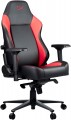 | 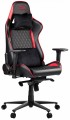 |
|---|---|---|
| HyperX Ruby | HyperX Blast | |
| Outdated Product | from £675.71 | |
| TOP sellers | ||
| Features | gaming | gaming |
| Max. user weight | 150 kg | 150 kg |
Size and weight | ||
| Back height | 83 cm | |
| Seat size (WxD) | 39x48 cm | |
| Weight | 26 kg | |
Design | ||
| Base | cross with rollers | cross with rollers |
| Mechanism | MultiBlock | MultiBlock |
| Armrests |  | |
| Waist support | | |
| Removable cushions | | |
Adjustments | ||
| Backrest tilt | + | + |
| Rocking stiffness level | | |
| Seat height | | |
| Tilt of the entire chair | | |
Armrests | ||
| Adjustment | 4D height (up / down) turn (right / left) length (forward / backward) width (right / left) | 3D height (up / down) turn (right / left) length (forward / backward) |
Material | ||
| Seat material | leatherette | leatherette |
| Back material | leatherette | leatherette |
| Base material | metal | metal |
| Color | ||
| Added to E-Catalog | december 2022 | january 2021 |


Compare HyperX Ruby and Blast
Both chairs HyperX Ruby and HyperX Blast are designed for gamers and have similar features, such as a maximum load capacity of up to 150 kg and a construction with a cross base on wheels and a MultiBlock mechanism. However, the Ruby offers more advanced armrest adjustment, including the ability to adjust length and width, whereas the Blast's armrests are adjustable only in height and rotation. Both chairs feature lumbar support and removable cushions, but the Ruby weighs 26 kg, which may be an important factor for moving. Overall, if flexible armrest adjustment is important to you, consider the HyperX Ruby, while the HyperX Blast might be a good choice if you're looking for something more straightforward.
You may be interested in
HyperX Ruby often compared


HyperX Blast often compared


Glossary
Back height
Chair back height; for models with a variable back height (see "Adjustments"), as a rule, the maximum value is indicated.
The back height is measured from the seat to the top edge. In essence, this is the height of support available to the back. In some situations, you can not pay much attention to this indicator - for example, if the chair is intended for visitors and the role of the back in it is purely symbolic. However, if you have to sit in a chair often and for a long time, this point should also be taken into account. Ideally, it's best to try a few chairs "live" and find out which backrest height is most comfortable for you. If this is not possible, it is worth deciding which area on the body the back should reach (to the shoulder blades, to the base of the neck, etc.) and measure at what height from the seat this area is in a sitting position. And if you need specific support for the back of the head, you should choose among models equipped with head restraints (see above).
The back height is measured from the seat to the top edge. In essence, this is the height of support available to the back. In some situations, you can not pay much attention to this indicator - for example, if the chair is intended for visitors and the role of the back in it is purely symbolic. However, if you have to sit in a chair often and for a long time, this point should also be taken into account. Ideally, it's best to try a few chairs "live" and find out which backrest height is most comfortable for you. If this is not possible, it is worth deciding which area on the body the back should reach (to the shoulder blades, to the base of the neck, etc.) and measure at what height from the seat this area is in a sitting position. And if you need specific support for the back of the head, you should choose among models equipped with head restraints (see above).
Seat size (WxD)
Dimensions of the seat installed in the chair in width and depth (from the back to the front edge). For models with variable depth (see "Adjustments"), the maximum value is taken into account when the seat is pushed forward to the stop.
Most modern chairs are designed for the average adult, so paying attention to size is primarily for people of a large, or, conversely, miniature physique. In width, the average is considered to be 45 – 55 cm, the narrowest models are up to 40 cm wide, in the widest it can exceed 60 cm. Similarly, a depth of less than 40 cm is considered small, up to 60 cm — medium, more than 60 cm — large.
Most modern chairs are designed for the average adult, so paying attention to size is primarily for people of a large, or, conversely, miniature physique. In width, the average is considered to be 45 – 55 cm, the narrowest models are up to 40 cm wide, in the widest it can exceed 60 cm. Similarly, a depth of less than 40 cm is considered small, up to 60 cm — medium, more than 60 cm — large.
Adjustment
Armrest settings can be quite extensive. In everyday life, there is even a marking 1D, 2D, 3D, 4D, depending on the number of adjustments. The following adjustment options are available: height, length(forward / backward), width(right / left), tilt and swivel(right / left). More about them:
- Height. The ability to adjust the height of the armrests relative to the level of the seat. This feature allows you to adjust the arm rests for maximum comfort and minimize shoulder and neck fatigue.
- Turn (right / left). In this case, the possibility of turning the armrests to the right or left is implied, so that they are not parallel, but “look” in different directions.
— By length (forward / backward). Length adjustment refers to the ability to move the armrests back and forth for the convenience of placing hands under a certain physique of the user of a computer chair.
- By width (right / left). Adjusting the position of the armrests to the right or left in a horizontal plane. The stem adjustment contributes to a comfortable fit and allows you to adjust the chair to a certain arm span.
- By tilt. This adjustment assumes the presence of armrests mounted on swivel mounts. It can work as a height adjustment: turning the armrest in the mount changes not only i...ts inclination, but also the height of the point of contact with the arm. However, the matter is not limited to this: in many models, the handles can be placed vertically (raised or lowered) and, in fact, the armrests can be removed in this way.
If it is assumed that the position of the armrests can only be adjusted in height, they are marked with the designation 1D. For 2D armrests, in addition to the height adjustment, the ability to rotate the palm rests to the right / left (around the axis) is added. 3D armrests are adjustable in height, rotate around the axis and move back and forth. Finally, 4D armrests are considered the most functional - they additionally have the ability to shift the surface of the armrest to the side.
- Height. The ability to adjust the height of the armrests relative to the level of the seat. This feature allows you to adjust the arm rests for maximum comfort and minimize shoulder and neck fatigue.
- Turn (right / left). In this case, the possibility of turning the armrests to the right or left is implied, so that they are not parallel, but “look” in different directions.
— By length (forward / backward). Length adjustment refers to the ability to move the armrests back and forth for the convenience of placing hands under a certain physique of the user of a computer chair.
- By width (right / left). Adjusting the position of the armrests to the right or left in a horizontal plane. The stem adjustment contributes to a comfortable fit and allows you to adjust the chair to a certain arm span.
- By tilt. This adjustment assumes the presence of armrests mounted on swivel mounts. It can work as a height adjustment: turning the armrest in the mount changes not only i...ts inclination, but also the height of the point of contact with the arm. However, the matter is not limited to this: in many models, the handles can be placed vertically (raised or lowered) and, in fact, the armrests can be removed in this way.
If it is assumed that the position of the armrests can only be adjusted in height, they are marked with the designation 1D. For 2D armrests, in addition to the height adjustment, the ability to rotate the palm rests to the right / left (around the axis) is added. 3D armrests are adjustable in height, rotate around the axis and move back and forth. Finally, 4D armrests are considered the most functional - they additionally have the ability to shift the surface of the armrest to the side.