
Comparison LG OLED65C7V vs LG OLED65C6V
Add to comparison | 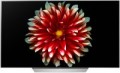 | 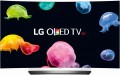 |
|---|---|---|
| LG OLED65C7V | LG OLED65C6V | |
| Outdated Product | from $2,700.83 up to $6,130.60 | |
| TOP sellers | ||
| Size | 65 " | 65 " |
| Operating system | Smart TV (proprietary system) | Smart TV (proprietary system) |
Display | ||
| Matrix | OLED | OLED |
| Screen surface | anti-glare | anti-glare |
| Resolution | 3840x2160 px | 3840x2160 px |
| Frame rate | 100/120 Hz | 50/60 Hz |
| HDR support | HDR10 | HDR10 |
Multimedia | ||
| Sound power | 20 W | 40 W |
| Number of speakers | 2 | 4 |
| Subwoofer |  |  |
| Digital tuner | DVB-T2 (terrestrial) DVB-C (cable) DVB-S2 (satellite) | DVB-T2 (terrestrial) DVB-C (cable) DVB-S2 (satellite) |
Features | ||
| Features | Wi-Fi Miracast Bluetooth voice control | Wi-Fi Miracast Bluetooth voice control |
Connectors | ||
| HDMI | 4 | 3 |
| Additional inputs | 1xUSB-A 2.0 LAN component composite AV input COM port (RS-232) RS-232 | 1xUSB-A 2.0 LAN component composite AV input COM port (RS-232) RS-232 |
| Outputs | mini-Jack (3.5 mm) headphones optical | mini-Jack (3.5 mm) headphones optical |
General | ||
| Wall mount | VESA 300x200 mm | VESA 400x200 mm |
| Power consumption | 195 W | 145 W |
| Dimensions (WxHxD) | 1453x873x207 mm | 1446x883x237 mm |
| Dimensions without stand (WxHxD) | 1453x833x47 mm | 1446x838x48.9 mm |
| Weight | 24.7 | 23.8 |
| Color | ||
| Added to E-Catalog | may 2017 | august 2016 |


Compare LG OLED65C7V and OLED65C6V
You may be interested in
My comparisons
LG OLED65C7V often compared


LG OLED65C6V often compared

Glossary
Frame rate
The true panel frequency of a TV without marketing enhancements and interpolation; today there are two classes: 50/60 Hz and 100/120 Hz. The pair of 50 and 60 Hz exists due to historical video signal standards (Europe 25/50, USA/Asia 30/60), with modern TVs typically accepting both. It is reasonable to consider the 100/120 Hz pair as one: it is the same high-end hardware platform, simply operating in multiples of its "native" content (100 Hz for 50 Hz sources, 120 Hz for 60 Hz). This class provides smoother motion in sports and 24p movies (at 120 Hz — in a multiple of 5:5 without stuttering) and unlocks 4K@120 Hz/VRR for gaming; 50/60 Hz remains the basic option for TV and streaming without gaming ambitions.
Sound power
The nominal power of the sound produced by the TV's sound system.
The larger the screen and the greater the estimated distance to the viewer, the more powerful the sound system must be in order to be heard normally. Manufacturers take this moment into account, moreover, most often they also provide a solid volume margin. So if a TV is bought for home viewing in a quiet, calm environment, you can not pay much attention to the sound power: it is guaranteed to be enough for such a usage. It makes sense to specifically look for models with high-power speakers for a noisy environment — for example, a cafe or other public space. Detailed recommendations on this matter can be found in special sources, but here we note that even in such cases, connecting external speakers can be a good alternative.
The larger the screen and the greater the estimated distance to the viewer, the more powerful the sound system must be in order to be heard normally. Manufacturers take this moment into account, moreover, most often they also provide a solid volume margin. So if a TV is bought for home viewing in a quiet, calm environment, you can not pay much attention to the sound power: it is guaranteed to be enough for such a usage. It makes sense to specifically look for models with high-power speakers for a noisy environment — for example, a cafe or other public space. Detailed recommendations on this matter can be found in special sources, but here we note that even in such cases, connecting external speakers can be a good alternative.
Number of speakers
The number of speakers installed in the TV.
Theoretically, one speaker is enough to work with sound, but most entry-level and mid-range models (as well as many premium devices) provide two speakers — for stereo operation, which allows to achieve some surround sound effect. And more than two speakers usually means the TV has enhanced audio capabilities such as a subwoofer or soundbar (see below).
Theoretically, one speaker is enough to work with sound, but most entry-level and mid-range models (as well as many premium devices) provide two speakers — for stereo operation, which allows to achieve some surround sound effect. And more than two speakers usually means the TV has enhanced audio capabilities such as a subwoofer or soundbar (see below).
Subwoofer
The presence of a subwoofer as part of the TV sound system.
A subwoofer is a specialized speaker for bass and ultra-low frequencies. It makes the sound richer in the bass, which is especially useful when watching adventure films with appropriate sound effects (bumps, explosions), as well as concerts. It should noted that the specifications of built-in subwoofers are usually much more limited than those of external ones; so don't expect cinema-like bass from a TV audio system. However, the advantage in bass quality for such TVs (compared to models without a subwoofer) will still be noticeable.
A subwoofer is a specialized speaker for bass and ultra-low frequencies. It makes the sound richer in the bass, which is especially useful when watching adventure films with appropriate sound effects (bumps, explosions), as well as concerts. It should noted that the specifications of built-in subwoofers are usually much more limited than those of external ones; so don't expect cinema-like bass from a TV audio system. However, the advantage in bass quality for such TVs (compared to models without a subwoofer) will still be noticeable.
HDMI
The number of HDMI inputs provided in the design of the TV.
HDMI is a comprehensive digital interface that allows high-definition video and multi-channel audio to be transmitted over a single cable. It is widely used in modern HD equipment — in fact, the presence of such an output is mandatory for modern media centers, DVD players, etc. Therefore, LCD TVs in the vast majority of cases are equipped with at least one HDMI port. And the presence of several such ports allows you to simultaneously connect several signal sources and switch between them; in some models, the number of HDMI can reach 4 or even more. At the same time, some manufacturers use technologies that allow you to control devices connected to the TV via HDMI from a single remote control.
HDMI is a comprehensive digital interface that allows high-definition video and multi-channel audio to be transmitted over a single cable. It is widely used in modern HD equipment — in fact, the presence of such an output is mandatory for modern media centers, DVD players, etc. Therefore, LCD TVs in the vast majority of cases are equipped with at least one HDMI port. And the presence of several such ports allows you to simultaneously connect several signal sources and switch between them; in some models, the number of HDMI can reach 4 or even more. At the same time, some manufacturers use technologies that allow you to control devices connected to the TV via HDMI from a single remote control.
Wall mount
Most TVs have a VESA wall mount which may vary in size. The basis for such mount is a rectangular plate with four holes for screws in the corners. The main characteristic of such a mount is the distance between the holes — it is measured along the sides of the rectangle and is expressed in two numbers. The original VESA format is 100x100, these mounts are used for most medium-sized LCD TVs. For small screens, 75x75 mounts are provided, for large ones — 200x200 and more (up to 800x400).
However, there are also models that are equipped with a standard (proprietary) mount from the manufacturer. Mostly these are either ultra-thin TVs or designer lines. Anyway, the mount in the kit is suitable only for the selected model.
However, there are also models that are equipped with a standard (proprietary) mount from the manufacturer. Mostly these are either ultra-thin TVs or designer lines. Anyway, the mount in the kit is suitable only for the selected model.
Power consumption
The electrical power normally consumed by the TV. This parameter strongly depends on the screen size and sound power (see above), however, it can be determined by other parameters — primarily additional features and technologies implemented in the design. It is worth noting that most modern LCD TVs are quite economical, and most often this parameter does not play a significant role — in most cases, power consumption is about several tens of watts. And even large models with a diagonal of 70 – 90" consume about 200 – 300 W — this can be compared with the system unit of a low-power desktop PC.