
Comparison Epson EcoTank L312 vs Epson EcoTank L800
Add to comparison | 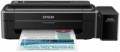 | 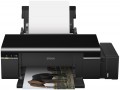 |
|---|---|---|
| Epson EcoTank L312 | Epson EcoTank L800 | |
from $156.68 up to $168.36 | from £1,509.98 | |
| User reviews | ||
| TOP sellers | ||
| Print formats | A4 | A4 |
| Print type | inkjet | inkjet |
| Output type | colour | colour |
Print | ||
| Max. resolution | 5760х1440 dpi | 5760х1440 dpi |
| Mono print | 33 ppm | 37 ppm |
| Colour print | 15 ppm | 38 ppm |
| Photo print | 69 s/p | 11 s/p |
| CD print |  |  |
Printing supplies | ||
| Mono cartridge resource | 4000 page | 9900 page |
| Colour cartridge resource | 5700 page | 1800 page |
| Built-in CISS | | |
Features | ||
| Data transfer | PC connection (USB-B) | PC connection (USB-B) |
| Screen | no display | no display |
Hardware | ||
| Grammage (min) | 64 g/m² | 64 g/m² |
| Grammage (max) | 255 g/m² | 300 g/m² |
General | ||
| Feed tray | 100 sheets | 120 sheets |
| Output tray | 50 sheets | |
| Noise level | 38 dB | 39 dB |
| Power consumption | 10 W | 13 W |
| Dimensions (WxDxH) | 482x222x130 mm | 537x289x188 mm |
| Weight | 2.8 kg | 6.2 kg |
| Color | ||
| Added to E-Catalog | november 2015 | september 2011 |


Compare Epson EcoTank L312 and L800
You may be interested in
My comparisons
Epson EcoTank L312 often compared


Epson EcoTank L800 often compared


Glossary
Mono print
The black and white print speed provided by the printer. It should be noted that this parameter is often indicated for low quality when the device is running at maximum performance; at a higher quality (even at standard), the actual speed can be noticeably lower, so you should choose with a certain margin. Also note that high speed significantly affects the price, power consumption and noise level. Therefore, it does not always make sense to chase maximum performance — for simple applications (for example, at home or in a small office), a relatively slow and inexpensive device may be the best choice.
As for specific values, speeds up to 20 ppm are considered relatively low, 20 – 30 ppm — average, 31 – 40 ppm — decent, and the fastest models are capable of delivering more than 40 pages per minute.
As for specific values, speeds up to 20 ppm are considered relatively low, 20 – 30 ppm — average, 31 – 40 ppm — decent, and the fastest models are capable of delivering more than 40 pages per minute.
Colour print
Colour print speed provided by the printer. Usually, the specifications give speed at low quality, when performance is highest; on standard and especially high settings, the print speed can be noticeably lower, so it’s worth choosing with a certain margin. It is also worth considering that high speed significantly affects the price, power consumption and noise level. Therefore, it does not always make sense to chase maximum performance — for simple applications and small print volumes, a relatively slow and inexpensive device may be the best choice.
The "slowest" colour printers today are capable of delivering less than 10 pages per minute. A more decent value is considered 10 – 20 ppm, a speed of more than 20 ppm can already be called quite good, and in the fastest models this figure exceeds 30 ppm.
The "slowest" colour printers today are capable of delivering less than 10 pages per minute. A more decent value is considered 10 – 20 ppm, a speed of more than 20 ppm can already be called quite good, and in the fastest models this figure exceeds 30 ppm.
Photo print
Printer print speed in photographic (highest) quality. Unlike other similar parameters, in this case the speed is usually indicated for a 10x15 sheet (A6, the most popular format for photographs). In addition, photo printing speed is not expressed in pages per minute, but in seconds per page, because. printing takes a lot of time. This option is worth paying attention to if you plan to print photos frequently.
CD print
Ability to use the printer to print directly on recordable optical discs (CD-R/RW, DVD-R/RW). Thus, after recording a disc, you can put on its non-working surface (non-mirror side used for inscriptions) an inscription or image as you wish. Often these printers come with software that makes it easy to create layouts for printing on disks. Please note that only specially designed discs can be used for printing.
Mono cartridge resource
The maximum number of pages that the printer's ink (toner) can print. The value is rather conditional, in reality the deviations from the norm are very large (up or down). In inkjet printers, the cartridge life is relatively small and amounts to several hundred prints. In laser and LED devices, the bill is already in the thousands.
Colour cartridge resource
The maximum number of pages that the printer's ink (toner) can print. The value is rather conditional, in reality the deviations from the norm are very large (up or down). In inkjet printers, the cartridge life is relatively small and amounts to several hundred prints. In laser and LED devices, the bill is already in the thousands.
Grammage (max)
The maximum grammage on which the printer can produce normal print quality. For details about the weight, see "Paper Weight (Min)". An attempt to print on paper of a greater density than the maximum for this printer will, at best, end in nothing (the printer simply cannot capture the sheet), at worst, it can lead to a sheet jam in the printer, followed by the hassle of removing it.
Feed tray
The number of sheets of paper that the input tray can hold—that is, the tray from which blank paper is taken for printing. Note that this amount is usually specified based on standard office paper with a density of about 80 g/m²; if thicker paper is used for printing, fewer sheets will fit in the feed tray.
Output tray
The number of sheets of paper that the output tray can hold — the tray where the finished media is delivered. Usually, this amount is specified for standard office paper with a density of 80 g/m²; if you use thicker sheets, the actual capacity of the tray will be less (conversely, thinner sheets may fit more).