
Comparison Epson EcoTank L130 vs Epson EcoTank L300
Add to comparison | 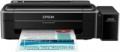 | 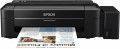 |
|---|---|---|
| Epson EcoTank L130 | Epson EcoTank L300 | |
from £180.00 | from $160.00 up to $203.00 | |
| User reviews | ||
| TOP sellers | ||
| Print formats | A4 | A4 |
| Print type | inkjet | inkjet |
| Output type | colour | colour |
Print | ||
| Max. resolution | 5760х1440 dpi | 5760х1440 dpi |
| Mono print | 27 ppm | 33 ppm |
| Colour print | 15 ppm | 15 ppm |
| Photo print | 69 s/p | 69 s/p |
Printing supplies | ||
| Mono cartridge resource | 4000 page | 4000 page |
| Colour cartridge resource | 6500 page | 6500 page |
| Built-in CISS |  | |
Features | ||
| Data transfer | PC connection (USB-B) | PC connection (USB-B) |
| Screen | no display | no display |
Hardware | ||
| Grammage (min) | 64 g/m² | 64 g/m² |
| Grammage (max) | 255 g/m² | 255 g/m² |
General | ||
| Feed tray | 50 sheets | 100 sheets |
| Output tray | 30 sheets | |
| Noise level | 39 dB | |
| Power consumption | 9 W | 10 W |
| Dimensions (WxDxH) | 482x222x130 mm | 472x222x130 mm |
| Weight | 2.7 kg | 2.7 kg |
| Color | ||
| Added to E-Catalog | april 2016 | december 2012 |


Compare Epson EcoTank L130 and L300
You may be interested in
My comparisons
Epson EcoTank L130 often compared


Epson EcoTank L300 often compared

Glossary
Mono print
The black and white print speed provided by the printer. It should be noted that this parameter is often indicated for low quality when the device is running at maximum performance; at a higher quality (even at standard), the actual speed can be noticeably lower, so you should choose with a certain margin. Also note that high speed significantly affects the price, power consumption and noise level. Therefore, it does not always make sense to chase maximum performance — for simple applications (for example, at home or in a small office), a relatively slow and inexpensive device may be the best choice.
As for specific values, speeds up to 20 ppm are considered relatively low, 20 – 30 ppm — average, 31 – 40 ppm — decent, and the fastest models are capable of delivering more than 40 pages per minute.
As for specific values, speeds up to 20 ppm are considered relatively low, 20 – 30 ppm — average, 31 – 40 ppm — decent, and the fastest models are capable of delivering more than 40 pages per minute.
Feed tray
The number of sheets of paper that the input tray can hold—that is, the tray from which blank paper is taken for printing. Note that this amount is usually specified based on standard office paper with a density of about 80 g/m²; if thicker paper is used for printing, fewer sheets will fit in the feed tray.
Output tray
The number of sheets of paper that the output tray can hold — the tray where the finished media is delivered. Usually, this amount is specified for standard office paper with a density of 80 g/m²; if you use thicker sheets, the actual capacity of the tray will be less (conversely, thinner sheets may fit more).
Noise level
Approximate noise level generated by the printer during normal operation. The decibels in which the noise level is expressed is a non-linear value, so it is easiest to evaluate this indicator using comparative tables. The quietest printers give out about 35 dB — this is the volume of a conversation in a whisper, such noise will not stand out even in a quiet library reading room. A volume of 40 dB approximately corresponds to a conversation at an average volume, according to sanitary standards, this is the upper limit of permissible constant noise in residential premises during the day. For offices, the border is slightly higher — 55 – 60 dB, this is the volume of a conversation in raised tones. And the most powerful and heavy models give out up to 70 dB — this is comparable to a noisy city street; if such a printer is planned to be used frequently, it is advisable to install it in a separate room.
In general, lower noise levels make the device more comfortable to use, but may affect performance and/or price.
In general, lower noise levels make the device more comfortable to use, but may affect performance and/or price.
Power consumption
The maximum power consumed by the printer during operation. The lower the power consumption, the less energy the printer consumes, the more economical it is. On the other hand, devices with lower power consumption are often less performant than their more high consumption counterparts. And for the same performance, a more economical printer is likely to cost more, but with heavy use, it can pay off in energy savings.