
Comparison all-in-One Printers
Save List
Add to comparison | 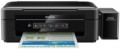 |
|---|---|
| Epson EcoTank L366 | |
from $161.04 up to $230.68 | |
| TOP sellers | |
| Paper size | A4 |
| Print Type | inkjet |
| Output Type | colour |
Printing and copying | |
| Max resolution | 5760x1440 dpi |
| B/W printing | 33 ppm |
| Colour printing | 15 ppm |
| Photo printing | 69 sec/page |
Printing Supplies | |
| Black Ink Page Yield | 4000 pages |
| Colour Ink Page Yield | 5700 pages |
| Built-in CISS |  |
Features | |
| Data transfer | PC connection (USB) Wi-Fi 4 (802.11n) |
| Cloud printing | Epson iPrint |
| Display | no display |
Hardware | |
| Grammage (min) | 64 g/m² |
| Grammage (max) | 255 g/m² |
| Scan resolution | 1200х2400 dpi |
General | |
| Feed tray | 100 sheets |
| Noise level | 38 dB |
| Power consumption | 10 W |
| Dimensions (WxDxH) | 482x300x145 mm |
| Weight | 4.5 kg |
| Color | |
| Added to E-Catalog | july 2015 |


You may be interested in
My comparisons
Glossary
Paper size
The largest paper size that the MFP can work with. Most often, the formats are marked from A0 to A10; it is from here that the famous “A4” is taken, denoting a standard landscape sheet. The main formats used in modern MFPs:
A3 — 297x420 mm (2 times larger than the landscape sheet). They are commonly used in offices for printing large forms, brochures, announcements, posters, copying large-format printed materials, etc.
A4 — 210x297 mm, standard landscape sheet. The most common paper size for home and office use — usually this size is sufficient for non-specialized printing.
A separate category are the large-size models for A0 format. The standard size of such a sheet is 1189x841, however, MFPs of this format, usually, are industrial-grade devices that work with media on rolls.
A3 — 297x420 mm (2 times larger than the landscape sheet). They are commonly used in offices for printing large forms, brochures, announcements, posters, copying large-format printed materials, etc.
A4 — 210x297 mm, standard landscape sheet. The most common paper size for home and office use — usually this size is sufficient for non-specialized printing.
A separate category are the large-size models for A0 format. The standard size of such a sheet is 1189x841, however, MFPs of this format, usually, are industrial-grade devices that work with media on rolls.
Print Type
— Inkjet. With inkjet printing, an image is applied to paper using microscopic drops of ink directed by the print head. This technology is well suited for home use and colour printing: inkjet printers are relatively inexpensive, and print quality can be as high as photographic. On the other hand, such printers are not suitable for printing large volumes, in case that cartridge yield is low and the price per page is quite high. In addition, if left idle for several days, ink remains in the print head will dry out, degrading print quality. This can be avoided by using the printer continuously or by using a special cleaning procedure that does not improve cartridge yield.
— Laser. Printing in such printers occurs as follows: a laser beam marks individual points of the photosensitive drum, toner (powdered paint) sticks to these areas, which is then transferred to paper. Laser printers are more expensive than inkjet printers and are primarily monochrome; at the same time, they provide high quality and permanence of black and white printing at a low cost of the print itself, which is why they are considered optimal for business documents.
— LED. Printing technology, in many ways similar to laser (see above); the only key difference is the use of a string of LEDs instead of the actual laser. This allows you to keep the main pros of laser technology (quality and d...urability of black-and-white prints at their low cost), slightly reducing the cost of the printers themselves.
— Solid ink. As the name implies, the ink for such a printer is initially in a solid state. Right before printing, they are heated to become liquid and applied to paper through a special heated drum (as in laser printers) or directly (like inkjet printers). Prints from a solid ink printer are distinguished by high-quality colour reproduction and resistance to moisture. On the other hand, the resolution of such devices is lower than that of inkjet printers, and the prints fade quickly enough in the light and are sensitive to scratches. Another feature is that the printer takes a portion of the dye from the cartridge every time it is turned on, and if there was no printing, this dye does not return to the cartridge when it is turned off, but is dumped into a special container as unsuitable for further use. Thus, ideally, a solid ink printer should not be turned off at all. Therefore, such devices are mainly used for office printing in design and advertising firms.
— Laser. Printing in such printers occurs as follows: a laser beam marks individual points of the photosensitive drum, toner (powdered paint) sticks to these areas, which is then transferred to paper. Laser printers are more expensive than inkjet printers and are primarily monochrome; at the same time, they provide high quality and permanence of black and white printing at a low cost of the print itself, which is why they are considered optimal for business documents.
— LED. Printing technology, in many ways similar to laser (see above); the only key difference is the use of a string of LEDs instead of the actual laser. This allows you to keep the main pros of laser technology (quality and d...urability of black-and-white prints at their low cost), slightly reducing the cost of the printers themselves.
— Solid ink. As the name implies, the ink for such a printer is initially in a solid state. Right before printing, they are heated to become liquid and applied to paper through a special heated drum (as in laser printers) or directly (like inkjet printers). Prints from a solid ink printer are distinguished by high-quality colour reproduction and resistance to moisture. On the other hand, the resolution of such devices is lower than that of inkjet printers, and the prints fade quickly enough in the light and are sensitive to scratches. Another feature is that the printer takes a portion of the dye from the cartridge every time it is turned on, and if there was no printing, this dye does not return to the cartridge when it is turned off, but is dumped into a special container as unsuitable for further use. Thus, ideally, a solid ink printer should not be turned off at all. Therefore, such devices are mainly used for office printing in design and advertising firms.
Output Type
The number of colours supported by the MFP for printing. Black and white devices are perfect for printing documents with text information and simple graphics that do not require colour. Print quality on colour models can vary from medium to photographic.
Max resolution
The maximum resolution of the image to be printed. It is usually indicated by two numbers indicating the number of dots per inch (dpi) horizontally and vertically, for example 1200x600. The detail of the image depends on this parameter – the higher the resolution, the more fine details the printer is able to convey and the better their image will be. High print resolution is important, foremost, operating with graphic material; low resolution is sufficient for high-quality text display. So there are the following options: 600x600, 1200x600, 1200x1200, 1800x600, 2400x600, 2400x1200, 2400x2400, 4800x600, 4800x1200, 4800x2400, 5760, and higher print resolutions.
B/W printing
The number of pages the printer can produce per minute in black and white mode. Typically indicated for low print quality, higher print quality takes longer. This setting is important if you need to frequently print text documents.
Colour printing
The number of pages the printer can proceed per minute in colour mode. As like b/w printing, the print speed is usually indicated in the worst quality (at maximum speed), in higher quality the print speed is lower. This setting is worth paying attention to if you need to print colour graphic materials frequently.
Photo printing
Printer's print rate in photographic (highest) quality. Unlike other similar parameters, in this case the speed is usually indicated for a 10x15 sheet (A6 as the most popular format for photos). In addition, photo printing speed is not expressed in pages per minute, but in seconds per page, because such printing takes a lot of time. This option is worth paying attention to if you plan to print photos frequently.
Black Ink Page Yield
Approximate number of pages that the MFP can print in black and white mode without replacing the cartridge. In fact, this greatly depends on the specs of the images to print, so the actual resource may greatly differ from the claimed one in one way or another. Nevertheless, according to this indicator, it is quite possible to evaluate the capabilities of the MFP and compare it with other models.
Colour Ink Page Yield
Approximate number of pages that the MFP can print in colour mode without replacing the cartridge. In fact, this greatly depends on the specs of the images to print, so the actual resource may greatly differ from the claimed one in one way or another. Nevertheless, according to this indicator, it is quite possible to evaluate the capabilities of the MFP and compare it with other models.