
Comparison Epson EcoTank L655 vs Epson EcoTank L566
Add to comparison | 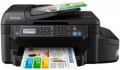 | 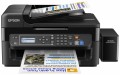 |
|---|---|---|
| Epson EcoTank L655 | Epson EcoTank L566 | |
from $383.00 up to $519.20 | from $253.40 up to $416.00 | |
| TOP sellers | ||
| Paper size | A4 | A4 |
| Print Type | inkjet | inkjet |
| Output Type | colour | colour |
Printing and copying | ||
| Max resolution | 4800x1200 dpi | 5760x1440 dpi |
| B/W printing | 33 ppm | 33 ppm |
| Colour printing | 20 ppm | 15 ppm |
| Photo printing | 69 sec/page | 69 sec/page |
| Double-side printing |  |  |
| Autofeed | 30 sheets | 30 sheets |
Printing Supplies | ||
| Black Ink Page Yield | 4000 pages | 4000 pages |
| Colour Ink Page Yield | 5700 pages | 5700 pages |
| Built-in CISS | | |
Features | ||
| Data transfer | PC connection (USB) network connection (LAN) Wi-Fi 4 (802.11n) Wi-Fi Direct AirPrint | PC connection (USB) network connection (LAN) Wi-Fi 4 (802.11n) Wi-Fi Direct AirPrint |
| Cloud printing | Epson iPrint, Epson Email Print | Epson iPrint, Epson Email Print |
| Display | monochrome | monochrome |
| More Features | built-in fax | built-in fax |
Hardware | ||
| Grammage (min) | 64 g/m² | 64 g/m² |
| Grammage (max) | 255 g/m² | 255 g/m² |
| Scan resolution | 1200х2400 dpi | 1200х2400 dpi |
| Fax storage | 180 page | 180 page |
General | ||
| Feed tray | 150 sheets | 100 sheets |
| Power consumption | 11 W | 11 W |
| Dimensions (WxDxH) | 515x360x241 mm | 484x377x226 mm |
| Weight | 7.4 kg | 6.2 kg |
| Color | ||
| Added to E-Catalog | november 2015 | november 2015 |


Compare Epson EcoTank L655 and L566
You may be interested in
My comparisons
Epson EcoTank L655 often compared


Glossary
Max resolution
The maximum resolution of the image to be printed. It is usually indicated by two numbers indicating the number of dots per inch (dpi) horizontally and vertically, for example 1200x600. The detail of the image depends on this parameter – the higher the resolution, the more fine details the printer is able to convey and the better their image will be. High print resolution is important, foremost, operating with graphic material; low resolution is sufficient for high-quality text display. So there are the following options: 600x600, 1200x600, 1200x1200, 1800x600, 2400x600, 2400x1200, 2400x2400, 4800x600, 4800x1200, 4800x2400, 5760, and higher print resolutions.
Colour printing
The number of pages the printer can proceed per minute in colour mode. As like b/w printing, the print speed is usually indicated in the worst quality (at maximum speed), in higher quality the print speed is lower. This setting is worth paying attention to if you need to print colour graphic materials frequently.
Double-side printing
Feature of a double-sided printing function. This mode implies that after printing on one side, a special gear turns over a sheet of paper and feeds it for printing on the other side. This not only saves the user from manual paper turn-overs, but also exclude the risk of printing the second side upside down.
Feed tray
The maximum number of sheets that can be loaded into the MFP feeder at one time. Blank paper is taken from the feed tray for subsequent printing; the more sheets fit there, the less often you will have to reload the MFP with blank paper.