
Comparison Thermaltake Versa U21 black vs Thermaltake Core V41 black
Add to comparison | 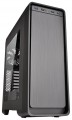 | 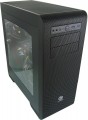 |
|---|---|---|
| Thermaltake Versa U21 black | Thermaltake Core V41 black | |
from $79.44 up to $82.84 | from $110.64 up to $121.80 | |
| TOP sellers | ||
| Features | gaming | gaming |
| Form factor | Midi Tower | Midi Tower |
| Mount | vertical | vertical |
| Motherboard support | ATX | ATX |
| PSU form factor | ATX (regular) | ATX (regular) |
Computer case | ||
| Dimensions (HxWxD) | 520x201x494 mm | 491x232x526 mm |
| Graphics card max lenght | 415 mm | 410 mm |
| Fan max height | 155 mm | 170 mm |
| Weight | 6.8 kg | 8 kg |
| Material | steel | steel |
| Rubber feet |  | |
| Lighting type | backlit fan | |
| Side panel | removable | removable |
Storage | ||
| PSU |  | |
| PSU mount | bottom | bottom |
| 5.25" bays | 2 | 2 |
| 3.5" external bays | 1 | |
| 3.5" bays | 3 | 6 |
| internal 2.5" compartments | 5 | 6 |
| Expansion slots | 7 | 8 |
| Screwless | | |
Cooling | ||
| Installed fans | 2 шт | 2 шт 2x120mm — one in front, one in back |
| Fans (back) | 1x120mm | 1x120mm |
| Fans (front) | 2x140mm | 2x140mm |
| Fans (top) | 2x120mm | 2x200mm |
| Fans (bottom) | 2x120mm | |
| Fan mounts total | 5 | 7 |
| Dust filter | + | + |
| Liquid cooling system support | | |
Liquid cooling system | ||
| Liquid cooling (rear) | 120 mm | |
| Liquid cooling (front) | 240mm | |
| Liquid cooling (top) | 240mm | |
| Liquid cooling mounts | 3 | |
Connectors and functions | ||
| Placement | on the front | on the front |
| USB-A 2.0 | 2 pcs | |
| USB-A 5Gbps | 2 pcs | 2 pcs |
| Audio (microphone/headphones) | | |
More features | ||
| Front panel | lattice | |
| Side panel window | + | + |
| More features | front panel removable HDD cage hidden wiring CPU cooling mount window | removable HDD cage hidden wiring CPU cooling mount window |
| Color | ||
| Added to E-Catalog | october 2016 | september 2015 |


Compare Thermaltake Versa U21 and Core V41
You may be interested in
Thermaltake Versa U21 often compared


Glossary
Graphics card max lenght
The maximum length of a graphics card that can be installed in this case.
Modern mid-range and top-end video cards with high performance often differ in considerable length, which is why such a card can not fit into any case. So before collecting components, it is worth evaluating the length of the proposed graphics card and choosing a case in which it is guaranteed to fit. This forethought is useful anyway, but it's especially true if you're building a system that requires a powerful graphics adapter, such as a high-end gaming PC or 3D design workstation.
Modern mid-range and top-end video cards with high performance often differ in considerable length, which is why such a card can not fit into any case. So before collecting components, it is worth evaluating the length of the proposed graphics card and choosing a case in which it is guaranteed to fit. This forethought is useful anyway, but it's especially true if you're building a system that requires a powerful graphics adapter, such as a high-end gaming PC or 3D design workstation.
Fan max height
The highest cooler height allowed for this case.
In this case, we mean a cooler used to cool the processor — such a component is found in the vast majority of modern PCs. Height is measured relative to the motherboard.
In this case, we mean a cooler used to cool the processor — such a component is found in the vast majority of modern PCs. Height is measured relative to the motherboard.
Lighting type
The type of illumination provided in the body design.
The backlight plays mainly a decorative role, it gives the computer an original appearance, which is appreciated by fans of external tuning. Lighting can be mounted separately, but it is easier to purchase a case where it was originally provided. The types of illumination can be as follows:
— Illuminated fan. One or more coolers are illuminated, facing the side or top surface of the case.
— Cases with backlight. Separate parts of the body are illuminated, usually from the inside, in such a way that the illumination can be seen through a transparent window / windows or a lattice surface. Sometimes external lighting can be provided.
There are cases in which both types of illumination are provided simultaneously. And for office needs , cases without backlight are suitable.
The backlight plays mainly a decorative role, it gives the computer an original appearance, which is appreciated by fans of external tuning. Lighting can be mounted separately, but it is easier to purchase a case where it was originally provided. The types of illumination can be as follows:
— Illuminated fan. One or more coolers are illuminated, facing the side or top surface of the case.
— Cases with backlight. Separate parts of the body are illuminated, usually from the inside, in such a way that the illumination can be seen through a transparent window / windows or a lattice surface. Sometimes external lighting can be provided.
There are cases in which both types of illumination are provided simultaneously. And for office needs , cases without backlight are suitable.
3.5" external bays
The number of external 3.5" component bays provided in the case. The name "external" means that the bay has an exit to the outside (usually to the front panel), and can be reached without opening the case. One of the most popular options the use of such slots — the installation of card readers; in addition, they can be used for other components — in particular, USB hubs.
The number of bays corresponds to the number of external components that can be simultaneously installed in the case. However, this form factor is not particularly popular in the outer periphery, so cases with more than 2 such compartments are rare.
The number of bays corresponds to the number of external components that can be simultaneously installed in the case. However, this form factor is not particularly popular in the outer periphery, so cases with more than 2 such compartments are rare.
3.5" bays
The number of internal 3.5" form factor bays provided in the design of the case. Such bays, in accordance with the name, are intended for internal components, mainly hard drives and some SSD modules; to access them, the case must be disassembled.
Theoretically, the number of bays corresponds to the maximum number of drives that can be installed in the chassis. However, in fact, the best option is to install drives through a single slot to ensure efficient cooling. Accordingly, it is best to select a case in such a way that the number of internal 3.5" bays is twice the expected number of hard drives.
Theoretically, the number of bays corresponds to the maximum number of drives that can be installed in the chassis. However, in fact, the best option is to install drives through a single slot to ensure efficient cooling. Accordingly, it is best to select a case in such a way that the number of internal 3.5" bays is twice the expected number of hard drives.
internal 2.5" compartments
The number of internal 2.5" bays provided in the case design.
Such bays are mainly used for installing internal hard drives and SSD modules; The 2.5" form factor was originally created as "laptop" form factor, but recently it has been increasingly used in components for full-size PCs. At the same time, when evaluating the number of these bays, note that drives are recommended to be installed through a slot; so in Ideally, the number of bays should be twice the planned number of drives.
Also note that some cases use combined bays: initially they have a size of 3.5", but if desired, they can be converted to 2.5". These bays count towards both 3.5-inch and 2.5-inch slots. In fact, this means that the total number of available slots is not always equal to the sum of the number of both. For example, a case with 10 3.5" bays and 6 2.5" bays can have 4 combined bays, and the total number of slots in this case will not be 16, but only 12.
Such bays are mainly used for installing internal hard drives and SSD modules; The 2.5" form factor was originally created as "laptop" form factor, but recently it has been increasingly used in components for full-size PCs. At the same time, when evaluating the number of these bays, note that drives are recommended to be installed through a slot; so in Ideally, the number of bays should be twice the planned number of drives.
Also note that some cases use combined bays: initially they have a size of 3.5", but if desired, they can be converted to 2.5". These bays count towards both 3.5-inch and 2.5-inch slots. In fact, this means that the total number of available slots is not always equal to the sum of the number of both. For example, a case with 10 3.5" bays and 6 2.5" bays can have 4 combined bays, and the total number of slots in this case will not be 16, but only 12.
Expansion slots
The number of slots for expansion cards located on the rear panel of the case.
The expansion card itself (graphics card, sound card, TV tuner, etc.) is installed in a slot on the motherboard, and an external panel of such a card with inputs and outputs is attached to the hole on the back of the case. The more holes are provided in the case, the more expansion cards can be installed in it. Note that some boards can occupy two or even three holes at once; this is especially common in powerful video cards. On the other hand, you have to pay attention to the number of holes mainly if you are building a powerful high-performance system. For an ordinary household PC, in most cases, one opening is enough for a graphics card; and in many configurations, the openings on the rear panel are not used at all.
The expansion card itself (graphics card, sound card, TV tuner, etc.) is installed in a slot on the motherboard, and an external panel of such a card with inputs and outputs is attached to the hole on the back of the case. The more holes are provided in the case, the more expansion cards can be installed in it. Note that some boards can occupy two or even three holes at once; this is especially common in powerful video cards. On the other hand, you have to pay attention to the number of holes mainly if you are building a powerful high-performance system. For an ordinary household PC, in most cases, one opening is enough for a graphics card; and in many configurations, the openings on the rear panel are not used at all.
Installed fans
The more fans are included in the design, all else being equal — the more intense the cooling will be and the more powerful (and, consequently, "hotter") components can be placed in the case without the risk of overheating. For everyday tasks, a case with one, two, three, or four factory fans is quite sufficient. At the same time, when comparing, it is worth considering not only the number but also the operating characteristics of the fans (diameter, speed). It should also be noted that cases are available for purchase without fans but with open slots for fans, allowing you to supplement the cooling system and improve its performance if necessary.
Fans (top)
The number of fan slots on the top side of the case, and the size of the fans these slots are designed for. The presence of the fans themselves in the kit should be specified separately.
The larger the fan, the more advanced it is considered: a large diameter allows you to work efficiently at relatively low speeds, which reduces the noise level and energy consumption. Case fans are available in several standard diameters, and the seats under them can be designed for both one and several sizes — for example, 120 / 140 mm. At the same time, in some models, the available number of seats also depends on the chosen size: for example, there are gaming cases where you can install either one 180 mm fan or four 120 mm fans at once.
The larger the fan, the more advanced it is considered: a large diameter allows you to work efficiently at relatively low speeds, which reduces the noise level and energy consumption. Case fans are available in several standard diameters, and the seats under them can be designed for both one and several sizes — for example, 120 / 140 mm. At the same time, in some models, the available number of seats also depends on the chosen size: for example, there are gaming cases where you can install either one 180 mm fan or four 120 mm fans at once.