
Comparison Asus P3E vs Asus P3B
Add to comparison | 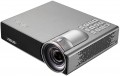 | 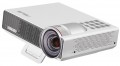 |
|---|---|---|
| Asus P3E | Asus P3B | |
from £30.64 | from £33.97 | |
| TOP sellers | ||
| Main function | portable | portable |
Lamp and image | ||
| Lamp type | LED | LED |
| Service life | 30000 h | 30000 h |
| Brightness | 800 lm | 800 lm |
| Dynamic contrast | 100 000:1 | 100 000:1 |
| Colour rendering | 16.7 million colours | 16.7 million colours |
| Horizontal frequency | 15.37 – 91.14 kHz | 15.37 – 91.14 kHz |
| Frame rate | 24 – 120 Hz | 24 – 120 Hz |
Projection system | ||
| Technology | DLP | DLP |
| Size | 0.45" | 0.45" |
| Real resolution | 1280x800 px | 1280x800 px |
| Image format support | 4:3, 16:9, 16:10 | 4:3, 16:9, 16:10 |
Projecting | ||
| Rear projection |  | |
| Throw distance, min | 0.43 m | 0.43 m |
| Throw distance, max | 3.44 m | 3.44 m |
| Image size | 25 – 200 " | 25 – 200 " |
| Throw ratio | 0.8:1 | 0.8:1 |
| Zoom and focus | manual | manual |
| Auto keystone correction | | |
| Keystone correction (vert), ± | 40 ° | 40 ° |
Features | ||
| Features | MHL support | MHL support |
| Wi-Fi | Wi-Fi ready | |
Hardware | ||
| Built-in memory | 2 GB | |
| Card reader | | |
| USB-A 2.0 | 1 pcs | 2 pcs |
| Number of speakers | 1 | 1 |
| Sound power | 2 W | 2 W |
| Video connectors | VGA | VGA |
| HDMI inputs | 1 | 1 |
| HDMI version | v 1.4 | v 1.4 |
| Audio connectors | 3.5 mm output (mini-Jack) | 3.5 mm output (mini-Jack) |
| Service connectors | USB (slave) | USB (slave) |
General | ||
| Noise level (nominal) | 32 dB | 32 dB |
| Power source | mains | mains / battery |
| Battery capacity | 12000 mAh | |
| Operating time | 3 h | |
| Power consumption | 65 W | 65 W |
| Size (HxWxD) | 43x154x131 mm | 43x153.5x131.2 mm |
| Weight | 0.55 kg | 0.75 kg |
| Color | ||
| Added to E-Catalog | september 2017 | may 2016 |


Compare Asus P3E and P3B
The Asus P3E and P3B projectors have similar features, such as 800 lm brightness, a lamp life of 30,000 hours, and a dynamic contrast ratio of 100,000:1. However, the P3B stands out with 2 GB of built-in memory and the ability to operate on battery power, making it a more mobile option. Additionally, the P3B has two USB ports, while the P3E has one. Both devices support MHL and have similar sizes and noise levels. Users note that both projectors provide good image quality, but the P3B may be preferable for those who need more autonomy and functionality.
You may be interested in
Glossary
Wi-Fi
Wi-Fi standard supported by the projector.
Wi-Fi is known mainly as a way to connect wirelessly to the Internet and local networks. In addition, since relatively recently, this technology has also been used for direct connection between wireless devices. Accordingly, the methods of using Wi-Fi in projectors can also be different. Thus, some models are able to connect to local networks to work with content via DLNA (see above); in others, such a connection is used for control from a computer or other network device; in others, a “remote control” such as a smartphone or tablet can connect directly via Wi-Fi.
As for Wi-Fi versions, the most popular options in modern technology - Wi-Fi 6 (802.11ax), Wi-Fi 5 (802.11ac) - are quite compatible with each other, and the difference between them in this case is not critical. Therefore, you can not pay special attention to these details when choosing.
There are also Wi-Fi ready projectors, which do not have Wi-Fi out of the box, but when connected to the appropriate adapter (purchased separately) are capable of wireless connection.
Wi-Fi is known mainly as a way to connect wirelessly to the Internet and local networks. In addition, since relatively recently, this technology has also been used for direct connection between wireless devices. Accordingly, the methods of using Wi-Fi in projectors can also be different. Thus, some models are able to connect to local networks to work with content via DLNA (see above); in others, such a connection is used for control from a computer or other network device; in others, a “remote control” such as a smartphone or tablet can connect directly via Wi-Fi.
As for Wi-Fi versions, the most popular options in modern technology - Wi-Fi 6 (802.11ax), Wi-Fi 5 (802.11ac) - are quite compatible with each other, and the difference between them in this case is not critical. Therefore, you can not pay special attention to these details when choosing.
There are also Wi-Fi ready projectors, which do not have Wi-Fi out of the box, but when connected to the appropriate adapter (purchased separately) are capable of wireless connection.
Built-in memory
The amount of built-in memory installed in the projector.
The presence of a built-in storage allows user to store various content — especially video and photos — in the projector and view it directly without connecting external devices. In addition, in Android devices (see above), the same storage is used to install additional software.
When evaluating the amount of available memory, it is worth remembering that part of it will inevitably be occupied by software firmware. Some projector models have an alternative to built-in storage in the form of a memory card slot (see below).
The presence of a built-in storage allows user to store various content — especially video and photos — in the projector and view it directly without connecting external devices. In addition, in Android devices (see above), the same storage is used to install additional software.
When evaluating the amount of available memory, it is worth remembering that part of it will inevitably be occupied by software firmware. Some projector models have an alternative to built-in storage in the form of a memory card slot (see below).
USB-A 2.0
Number of USB 2.0 ports provided in the projector.
Do not confuse these ports with USB slave (see "Control Ports") — in this case, we are talking about USB ports for various peripherals. Most often, these ports are used for directly playing content from flash drives and other storage devices (e.g., external HDDs). Note that in some projectors, video playback may not be available (only photos), while others may support a very limited set of formats. Nevertheless, direct connection is often more convenient than viewing through a computer or another additional device. USB ports can also be used for other purposes, such as firmware updates, file exchange between a flash drive and the projector's built-in storage, or even for keyboards/mice (in devices running Android, see above).
The USB 2.0 standard itself is considered outdated, but it is quite sufficient for projectors, and newer peripherals are fully compatible with such ports. Besides, it is rare to connect more than one external device to a projector at once, so there are few models with more than one USB 2.0 port produced.
Do not confuse these ports with USB slave (see "Control Ports") — in this case, we are talking about USB ports for various peripherals. Most often, these ports are used for directly playing content from flash drives and other storage devices (e.g., external HDDs). Note that in some projectors, video playback may not be available (only photos), while others may support a very limited set of formats. Nevertheless, direct connection is often more convenient than viewing through a computer or another additional device. USB ports can also be used for other purposes, such as firmware updates, file exchange between a flash drive and the projector's built-in storage, or even for keyboards/mice (in devices running Android, see above).
The USB 2.0 standard itself is considered outdated, but it is quite sufficient for projectors, and newer peripherals are fully compatible with such ports. Besides, it is rare to connect more than one external device to a projector at once, so there are few models with more than one USB 2.0 port produced.
Power source
The type of power supply that is available in the projector is not limited to mains power only. Portable models have the presence of a battery, which makes it not only compact for transportation, but also allows you to project a display (from phone or other source) wherever you are.
Battery capacity
The capacity of the battery that the projector is equipped with allows to determine the duration of the device.
Theoretically, a larger battery can provide a longer time on a single charge. However, keep in mind that this time also depends on the power consumption of the device — and it is determined by the modes and settings used. In addition, the actual battery capacity is determined not only by ampere-hours, but also by its nominal voltage. Therefore, only projectors with the same battery voltage and similar operating specifications can be compared by ampere-hours; and it is best to evaluate battery life by the directly claimed operating time.
Theoretically, a larger battery can provide a longer time on a single charge. However, keep in mind that this time also depends on the power consumption of the device — and it is determined by the modes and settings used. In addition, the actual battery capacity is determined not only by ampere-hours, but also by its nominal voltage. Therefore, only projectors with the same battery voltage and similar operating specifications can be compared by ampere-hours; and it is best to evaluate battery life by the directly claimed operating time.
Operating time
The maximum operating time that the projector can run on battery. It is worth considering that manufacturers in most cases indicate the value at the minimum brightness settings, when using the device in the optimal (and even more so in the maximum) mode, this figure will be less.