
Comparison Cougar Revenger vs Razer DeathAdder Expert
Add to comparison | 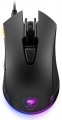 | 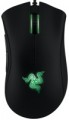 |
|---|---|---|
| Cougar Revenger | Razer DeathAdder Expert | |
| Outdated Product | from £46.00 | |
| User reviews | ||
| TOP sellers | ||
| Product type | mouse | mouse |
| Connection | wired | wired |
| Sensor | optical | optical |
| Type | for game | for game |
Sensor and control | ||
| Sensor | PixArt 3360 | |
| Sensor resolution | 100 – 12000 DPI | 6400 DPI |
| Max. acceleration | 50 G | 50 G |
| Max. speed | 250 ips | 200 ips |
| Number of buttons | 5 | 4 |
| Side buttons |  | |
| DPI-button | |  |
| Switch type | mechanical | |
| Switches | Omron | |
| Scroll wheels | 1 | 1 |
Additional features | ||
| DPI level indicator | | |
| Optimal grip | palmar, finger | |
| Programmable buttons | | |
| Built-in memory | | |
| Lighting | RGB | green |
| Lighting effects | + | |
Connection and power supply | ||
| Cable | USB-A | USB-A braided |
| Cable length | 1.8 m | |
General | ||
| Suitable for left-handers | | |
| Size (LxWxH) | 135x70x45 mm | 127x70x44 mm |
| Weight | 115 g | 105 g |
| Color | ||
| Added to E-Catalog | september 2016 | november 2012 |


Compare Cougar Revenger and Razer DeathAdder Expert
You may be interested in
Cougar Revenger often compared


Razer DeathAdder Expert often compared


Glossary
Sensor
The model of the sensor installed in the mouse. This information is indicated mainly for models equipped with high-end sensors, which are significantly superior in their capabilities to simpler solutions. Such characteristics are important primarily for gaming mice, so most of the devices for which the sensor model is specified belong to this category.
Knowing the name, you can find detailed data on the sensor and evaluate its capabilities. Note that one of the most popular brands nowadays, under which advanced sensors are produced, is PixArt ; on the market are often found, in particular, sensors PixArt 3212, PixArt 3325, PixArt 3327, PixArt 3335, PixArt 3360, PixArt 3389, PixArt 3395, PixArt 3950.
Knowing the name, you can find detailed data on the sensor and evaluate its capabilities. Note that one of the most popular brands nowadays, under which advanced sensors are produced, is PixArt ; on the market are often found, in particular, sensors PixArt 3212, PixArt 3325, PixArt 3327, PixArt 3335, PixArt 3360, PixArt 3389, PixArt 3395, PixArt 3950.
Sensor resolution
Resolution of the sensor responsible for tracking mouse movements on the work surface. Specified in DPI — dots per inch.
The physical meaning of DPI as a whole is as follows. The sensor of a modern mouse works on the same principle as the camera matrix, and consists of pixels. And DPI is the number of pixels that fall on 1 inch of the underlying surface (length or width), "visible" by the sensor.
It is believed that more DPI means a more advanced sensor and mouse in general; nowadays, models for 3500 – 5000 DPI, 12000 DPI, 16000 DPI even more are not uncommon. In a way, it is — high resolution contributes to accuracy. However, the only thing that is directly determined by this indicator is the speed at which the cursor moves across the screen: the higher the resolution of the sensor, the greater the number of pixels that the cursor will move when the mouse itself moves a certain distance. At the same time, it is worth recalling that too high a speed is even more undesirable than too low. So the real need for high DPI ( 1000 and above) arises mainly when working on large screens (4K resolution and more); for more modest displays (HD and Full HD), smaller values are often enough.
The physical meaning of DPI as a whole is as follows. The sensor of a modern mouse works on the same principle as the camera matrix, and consists of pixels. And DPI is the number of pixels that fall on 1 inch of the underlying surface (length or width), "visible" by the sensor.
It is believed that more DPI means a more advanced sensor and mouse in general; nowadays, models for 3500 – 5000 DPI, 12000 DPI, 16000 DPI even more are not uncommon. In a way, it is — high resolution contributes to accuracy. However, the only thing that is directly determined by this indicator is the speed at which the cursor moves across the screen: the higher the resolution of the sensor, the greater the number of pixels that the cursor will move when the mouse itself moves a certain distance. At the same time, it is worth recalling that too high a speed is even more undesirable than too low. So the real need for high DPI ( 1000 and above) arises mainly when working on large screens (4K resolution and more); for more modest displays (HD and Full HD), smaller values are often enough.
Max. speed
The ips (inches per second) parameter is the linear speed of mouse movement, expressed in inches per second, at which the manipulator's sensor is able to read the surface. In top models, the maximum mouse movement speed often reaches 400-600 ips, but devices with ips in the region of 200 are more common.
Number of buttons
The number of buttons provided in the design of the mouse. However, the term "buttons" can also refer to specific hardware solutions — for example, a solid touch area used in many Apple mice counts as two buttons, because. it is divided into two working areas. But the clickable wheels, as well as the power button, are not taken into account in this calculation.
The minimum number of buttons for modern mice and other similar manipulators is two : this is the number that is necessary for comfortable work in most modern operating systems. If there are more than two keys, this means that there are additional buttons responsible for specific actions. So, even relatively inexpensive devices can be equipped with 3 – 4 buttons ; in addition to the 2 main buttons, they can have, for example, 2 side thumb keys, or 1 double/triple click button (see below). Solutions for 5 – 6 buttons are extremely popular nowadays; among them are many gaming mice, where the mentioned thumb buttons are supplemented with a double / triple click, a sniper button and/or a DPI switch (see also below about these functions). And in the most multifunctional models, 7 – 8 buttons and even more can be installed. In some cases, this number exceeds a dozen and a half; such mice are usually gaming devices designed for RPGs and other simil...ar genres where it is important to have a wide range of actions at your fingertips.
The minimum number of buttons for modern mice and other similar manipulators is two : this is the number that is necessary for comfortable work in most modern operating systems. If there are more than two keys, this means that there are additional buttons responsible for specific actions. So, even relatively inexpensive devices can be equipped with 3 – 4 buttons ; in addition to the 2 main buttons, they can have, for example, 2 side thumb keys, or 1 double/triple click button (see below). Solutions for 5 – 6 buttons are extremely popular nowadays; among them are many gaming mice, where the mentioned thumb buttons are supplemented with a double / triple click, a sniper button and/or a DPI switch (see also below about these functions). And in the most multifunctional models, 7 – 8 buttons and even more can be installed. In some cases, this number exceeds a dozen and a half; such mice are usually gaming devices designed for RPGs and other simil...ar genres where it is important to have a wide range of actions at your fingertips.
DPI-button
A separate button that allows you to change the working resolution of the sensor on the fly without going into the software settings.
Recall that the sensitivity of the mouse and the speed of moving the cursor around the screen depend on the set DPI. For different tasks, the optimal DPI values \u200b\u200bcan also be different: for example, when working with graphic materials or maps on a large screen, high sensitivity is often convenient, and in a shooting game you may need to reduce it — for accurate aiming. Setting the sensitivity using the DPI switch button is as simple and convenient as possible: it is available regardless of the currently running programme, including in situations where it is difficult or impossible to enter the software settings of the mouse (the same games can be used as an example). Also note that the DPI level indicator can be built into this button (see below).
Recall that the sensitivity of the mouse and the speed of moving the cursor around the screen depend on the set DPI. For different tasks, the optimal DPI values \u200b\u200bcan also be different: for example, when working with graphic materials or maps on a large screen, high sensitivity is often convenient, and in a shooting game you may need to reduce it — for accurate aiming. Setting the sensitivity using the DPI switch button is as simple and convenient as possible: it is available regardless of the currently running programme, including in situations where it is difficult or impossible to enter the software settings of the mouse (the same games can be used as an example). Also note that the DPI level indicator can be built into this button (see below).
Switch type
The type of switches in a mouse indicates the mechanism used under the main buttons to register a click. It affects the feel when pressing, actuation speed, lifespan, and resistance to accidental double clicks.
— Optical. Button mechanisms where the press is registered not by closing metal contacts but by interrupting a light beam. This makes them faster, less prone to wear, and almost unaffected by accidental double-click issues.
These switches are especially valued in gaming mice, where response speed and stability after a large number of clicks are crucial. For example, in shooters or MOBA games, they help achieve clear feedback without delay and contact bouncing.
— Mechanical. Classic button mechanisms where a click is registered due to the closing of metal contacts. They provide a familiar tactile feel, a well-audible click, and are widely used in both office and gaming models.
Compared to optical switches, mechanical ones are usually simpler and cheaper, but over time the contacts may wear out. For example, with active gaming or daily work, after a few years, a double click might occur instead of a single press.
— Optical. Button mechanisms where the press is registered not by closing metal contacts but by interrupting a light beam. This makes them faster, less prone to wear, and almost unaffected by accidental double-click issues.
These switches are especially valued in gaming mice, where response speed and stability after a large number of clicks are crucial. For example, in shooters or MOBA games, they help achieve clear feedback without delay and contact bouncing.
— Mechanical. Classic button mechanisms where a click is registered due to the closing of metal contacts. They provide a familiar tactile feel, a well-audible click, and are widely used in both office and gaming models.
Compared to optical switches, mechanical ones are usually simpler and cheaper, but over time the contacts may wear out. For example, with active gaming or daily work, after a few years, a double click might occur instead of a single press.
Switches
The switches in a mouse indicate which specific switches are installed under the main buttons, such as Omron, Huano, Kailh, TTC, or proprietary solutions from the manufacturer. These determine the click characteristics, actuation force, click volume, lifespan, and the likelihood of double-clicking over time.
Unlike the general switch type, which refers to the working principle—mechanical or optical—the brand and model provide a more precise understanding of the performance level. For example, two mice with mechanical switches might feel different when clicked: some may be softer and quieter, while others could be stiffer, louder, and feel more "gaming-like."
Unlike the general switch type, which refers to the working principle—mechanical or optical—the brand and model provide a more precise understanding of the performance level. For example, two mice with mechanical switches might feel different when clicked: some may be softer and quieter, while others could be stiffer, louder, and feel more "gaming-like."
DPI level indicator
An indicator showing the current resolution of the mouse sensor.
The DPI value indicator is found only in models that allow you to switch the sensor resolution and are equipped with the appropriate buttons (see above). The indicator allows you to easily monitor the set DPI settings. Note that it does not necessarily show specific numbers — conventions can be used, for example, different backlight colours.
The DPI value indicator is found only in models that allow you to switch the sensor resolution and are equipped with the appropriate buttons (see above). The indicator allows you to easily monitor the set DPI settings. Note that it does not necessarily show specific numbers — conventions can be used, for example, different backlight colours.
Optimal grip
Grip — a way of holding in the hand — for which this model is best suited.
Grip types are divided according to the position of the hand on the mouse. This parameter is relevant primarily in games: for maximum efficiency, the player needs a mouse that matches the usual type of grip. This is especially important for professional eSports, where any little thing can be the key to victory or defeat. Therefore, the types of grip are indicated mainly for gaming mice (see "By Direction"). At the same time, one can come across statements that certain types of grip are best suited for certain genres of games, but this is not entirely true: the main selection criterion is the user's personal preferences and characteristics. For example, some players quite successfully use a "slow" palm grip in dynamic shooters, compensating for the reduced speed with a good reaction; and others, even in quests, prefer a "quick" claw or finger hold.
Here is a more detailed description of the most popular grip options:
— Palmar. A holding method in which the mice touch both the entire fingers and most of the palm. In other words, with such a grip, the palm with fingers rests on the mouse, making maximum contact with it. It is under this option that most of the "rodents" are initially made, it is also popular in gaming models. Most models, specialized specifically for the palm grip, have a large length, as well as a characteristic asymmetrical design with protrusions...and depressions on the body — for maximum ergonomics; although there are exceptions. Anyway, the main advantages of this method of holding the mouse are the minimum strain on the wrist, as well as good smoothness and accuracy of movements. On the other hand, the speed of moving the mouse may be somewhat slower than with other types of grip.
— Claw. A claw grip is a grip in which the user's hand forms an arc and touches the mouse only with the lower part of the palm and fingertips. At the same time, the classic claw grip assumes an almost perpendicular arrangement of the fingertips relative to the buttons, but this requirement is not strictly necessary — the fingers can also lie at a slight angle. Anyway, due to the reduction of the contact area and the greater degree of freedom for the hand, such a hold provides more speed than the palm hold, and at the same time it is easier to master than the finger hold. Therefore, many gamers consider the claw grip to be the best option for shooters, action games and real-time strategies where reaction speed is important. Specialized mice for this method of holding are usually somewhat shorter than traditional "palm mice", and they often have a characteristic "hump" in the back of the case.
— Finger. A grip where the user only touches the mouse with their fingertips, with no hand contact with the mouse (but the wrist remains stationary). This type of grip allows you to achieve a high reaction rate, but it is quite difficult to master and does not differ in accuracy, especially if you are not used to it. However, many users use this method of retention intuitively, without thinking; the finger grip is specially mastered mainly by professional players and enthusiastic enthusiasts. Mice of this format usually have a small weight with a centre of gravity shifted closer to the front, and the body is made relatively short, most often symmetrical, and the “hump” (protrusion) is located closer to the centre of the body, or even absent (based on the fact that the palm still does not touch the mouse).
Note that there are models that combine several grip options — up to all three at once. The design of such mice may provide adjustment for one or another method of retention, however, the presence of such an adjustment does not interfere with clarifying separately.
Grip types are divided according to the position of the hand on the mouse. This parameter is relevant primarily in games: for maximum efficiency, the player needs a mouse that matches the usual type of grip. This is especially important for professional eSports, where any little thing can be the key to victory or defeat. Therefore, the types of grip are indicated mainly for gaming mice (see "By Direction"). At the same time, one can come across statements that certain types of grip are best suited for certain genres of games, but this is not entirely true: the main selection criterion is the user's personal preferences and characteristics. For example, some players quite successfully use a "slow" palm grip in dynamic shooters, compensating for the reduced speed with a good reaction; and others, even in quests, prefer a "quick" claw or finger hold.
Here is a more detailed description of the most popular grip options:
— Palmar. A holding method in which the mice touch both the entire fingers and most of the palm. In other words, with such a grip, the palm with fingers rests on the mouse, making maximum contact with it. It is under this option that most of the "rodents" are initially made, it is also popular in gaming models. Most models, specialized specifically for the palm grip, have a large length, as well as a characteristic asymmetrical design with protrusions...and depressions on the body — for maximum ergonomics; although there are exceptions. Anyway, the main advantages of this method of holding the mouse are the minimum strain on the wrist, as well as good smoothness and accuracy of movements. On the other hand, the speed of moving the mouse may be somewhat slower than with other types of grip.
— Claw. A claw grip is a grip in which the user's hand forms an arc and touches the mouse only with the lower part of the palm and fingertips. At the same time, the classic claw grip assumes an almost perpendicular arrangement of the fingertips relative to the buttons, but this requirement is not strictly necessary — the fingers can also lie at a slight angle. Anyway, due to the reduction of the contact area and the greater degree of freedom for the hand, such a hold provides more speed than the palm hold, and at the same time it is easier to master than the finger hold. Therefore, many gamers consider the claw grip to be the best option for shooters, action games and real-time strategies where reaction speed is important. Specialized mice for this method of holding are usually somewhat shorter than traditional "palm mice", and they often have a characteristic "hump" in the back of the case.
— Finger. A grip where the user only touches the mouse with their fingertips, with no hand contact with the mouse (but the wrist remains stationary). This type of grip allows you to achieve a high reaction rate, but it is quite difficult to master and does not differ in accuracy, especially if you are not used to it. However, many users use this method of retention intuitively, without thinking; the finger grip is specially mastered mainly by professional players and enthusiastic enthusiasts. Mice of this format usually have a small weight with a centre of gravity shifted closer to the front, and the body is made relatively short, most often symmetrical, and the “hump” (protrusion) is located closer to the centre of the body, or even absent (based on the fact that the palm still does not touch the mouse).
Note that there are models that combine several grip options — up to all three at once. The design of such mice may provide adjustment for one or another method of retention, however, the presence of such an adjustment does not interfere with clarifying separately.