
Comparison Synology DiskStation DS1817 vs Synology DiskStation DS1815+
Add to comparison | 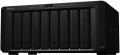 | 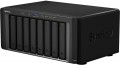 |
|---|---|---|
| Synology DiskStation DS1817 | Synology DiskStation DS1815+ | |
from £848.47 | from £1,001.88 | |
| TOP sellers | ||
The LAN ports support failover and link aggregation. Supports up to 18 hard drives when installing two DX517 expansion units. Two gigabit and two ten gigabit ports. | ||
| Mount | desktop | desktop |
Drives | ||
| 3.5" drive slots | 8 | 8 |
| Max. storage capacity | 128 TB | |
| HDD connection interface | SATA 3 | SATA 3 |
| Hot swap |  | |
| RAID | RAID 0 RAID 1 RAID 5 RAID 6 RAID 10 Synology Hybrid RAID JBOD Basic | RAID 0 RAID 1 RAID 5 RAID 6 RAID 10 Synology Hybrid RAID JBOD Basic |
Connection | ||
| LAN ports | 4 | 4 |
| LAN speed | 1 Gbps, 10 Gbps | 1 Gbps |
| USB-A 5Gbps | 2 pcs | 4 pcs |
| eSATA | 2 | 2 |
Features | ||
| Software features | Web server FTP server print server multimedia (DLNA, iTunes, uPnP) BitTorrent client mail server database server video surveillance server backup DDNS domain integration | Web server FTP server print server multimedia (DLNA, iTunes, uPnP) BitTorrent client mail server database server video surveillance server backup DDNS domain integration |
Hardware | ||
| Operating system | DSM | |
| CPU | Annapurna Labs Alpine AL-314 | Intel Atom C2538 |
| RAM | 4 GB | 2 GB |
| Max. RAM | 8 GB | |
| RAM slots | 2 | |
General | ||
| Power consumption | 59 W | 72 W |
| Cooling | active | active |
| Noise level | 24.2 dB | |
| Size | 157x340x233 mm | 157x340x233 mm |
| Weight | 5.31 kg | 5.29 kg |
| Added to E-Catalog | january 2018 | june 2015 |


Compare Synology DiskStation DS1817 and DiskStation DS1815+
You may be interested in
Synology DiskStation DS1817 often compared


Glossary
Max. storage capacity
This item characterizes the maximum capabilities of the device for connecting drives. This way you can understand how much maximum memory can be added to the NAS server.
LAN speed
The maximum operating speed supported by the LAN port(s) of the NAS server. For the LAN ports themselves, see above; in today's networking equipment, higher speed means compatibility with lower rates
In general, the higher the LAN speed, the wider the bandwidth, the faster the device will cope with data transfer and the easier it will be for it to work with several network requests at once. As for specific standards, 1 Gbps is the most popular nowadays: it gives quite decent speed and at the same time is inexpensive. The more advanced 10 Gbps standard is less common, mostly in professional equipment designed for high loads. The middle and rare link are models with a speed of 2.5 Gbps. But LAN 100 Mbps is considered completely obsolete version.
In general, the higher the LAN speed, the wider the bandwidth, the faster the device will cope with data transfer and the easier it will be for it to work with several network requests at once. As for specific standards, 1 Gbps is the most popular nowadays: it gives quite decent speed and at the same time is inexpensive. The more advanced 10 Gbps standard is less common, mostly in professional equipment designed for high loads. The middle and rare link are models with a speed of 2.5 Gbps. But LAN 100 Mbps is considered completely obsolete version.
USB-A 5Gbps
Number of ports USB 3.2 gen1 provided in the design of the NAS server.
USB connectors are used in computer technology for connecting various external peripherals. In the case of NAS servers, this usually refers to external storage devices — flash drives, hard drives, etc. This allows information to be transferred from the internal storage to an external one (for example, for backup purposes) or vice versa, and even to expand the overall working capacity of the server. Additionally, in models with a VGA output (see below), a keyboard can also be connected via USB, and in models with a print server function (see "Software Features"), a printer can be connected accordingly. For added convenience, the USB connector can be placed on the front panel (see below).
Specifically, USB 5Gbps (previously known as USB 3.0 and USB 3.2 gen1) is the direct successor of USB 2.0 and the most widespread USB standard today. This version provides a data transfer speed of up to 4.8 Gbps, as well as fairly high power supply. These connectors are backward compatible with peripherals using USB 2.0.
USB connectors are used in computer technology for connecting various external peripherals. In the case of NAS servers, this usually refers to external storage devices — flash drives, hard drives, etc. This allows information to be transferred from the internal storage to an external one (for example, for backup purposes) or vice versa, and even to expand the overall working capacity of the server. Additionally, in models with a VGA output (see below), a keyboard can also be connected via USB, and in models with a print server function (see "Software Features"), a printer can be connected accordingly. For added convenience, the USB connector can be placed on the front panel (see below).
Specifically, USB 5Gbps (previously known as USB 3.0 and USB 3.2 gen1) is the direct successor of USB 2.0 and the most widespread USB standard today. This version provides a data transfer speed of up to 4.8 Gbps, as well as fairly high power supply. These connectors are backward compatible with peripherals using USB 2.0.
Operating system
The operating system (OS) installed on the NAS server as standard. The OS is the software basis for the functioning of any computer; it is impossible to use the machine without it. Accordingly, when purchasing a server with a pre-installed OS, you get a practically ready-to-use device — additional steps, in fact, come down to fine-tuning the system and installing (if necessary) additional software.
Various specialized applications are available for different operating systems to facilitate the use of NAS server functions; some of them (see "Programme Features") may also be preinstalled. Accordingly, knowing the name of the OS, it is possible, to a certain extent, to determine the tools available for working with the device.
Note that some operating systems are paid, and their cost is included in the price of the NAS.
Various specialized applications are available for different operating systems to facilitate the use of NAS server functions; some of them (see "Programme Features") may also be preinstalled. Accordingly, knowing the name of the OS, it is possible, to a certain extent, to determine the tools available for working with the device.
Note that some operating systems are paid, and their cost is included in the price of the NAS.
CPU
The model and specifications of the processor installed in the NAS server. The speed of the device largely depends on these characteristics, primarily the clock frequency. However, in fact, this parameter is often more of a reference value: simple everyday tasks (say, FTP and print servers, see "Software Features") do not require high computing power. But for working with extensive databases (see ibid.), a “faster” processor may be useful.
RAM
The amount of RAM on the NAS server. Along with the processor, it is one of the indicators that determine the speed of the system — the more memory, the higher the computing power. However, in fact, it does not always make sense to chase large amounts of "RAM", which can reach 4 GB, 8 GB and even higher; see "Processor" for details.
Max. RAM
The maximum amount of RAM that can be installed on the NAS server. It depends, in particular, on the type of memory modules used, as well as on the number of slots for them.
RAM slots
The total number of slots for RAM modules provided in the device; in fact — the maximum number of slats that can be installed simultaneously in this model.
Features for upgrading RAM directly depend on this indicator. So, in low-cost models, there is often only 1 slot, and the only upgrade option is to replace the “native” bar. In more advanced devices, two or even four slots may be provided, while some of them may be free in the initial configuration.
Features for upgrading RAM directly depend on this indicator. So, in low-cost models, there is often only 1 slot, and the only upgrade option is to replace the “native” bar. In more advanced devices, two or even four slots may be provided, while some of them may be free in the initial configuration.
Power consumption
The amount of power consumed by the NAS server during normal operation. Most often, we are talking about maximum power consumption — with all the occupied slots for drives, under high load.
Modern NAS, even high-performance ones, have rather modest power consumption — even among professional models with 10 or more drives, this figure rarely exceeds 1 kW. So there are no problems with connecting to a 230 V network. However, energy consumption information can be useful for some special applications, primarily for estimating the load on UPSs, emergency generators, stabilizers, and other special equipment.
Modern NAS, even high-performance ones, have rather modest power consumption — even among professional models with 10 or more drives, this figure rarely exceeds 1 kW. So there are no problems with connecting to a 230 V network. However, energy consumption information can be useful for some special applications, primarily for estimating the load on UPSs, emergency generators, stabilizers, and other special equipment.